AIR_Manual_506a_ENG_rev_1.pdf Page 69/96
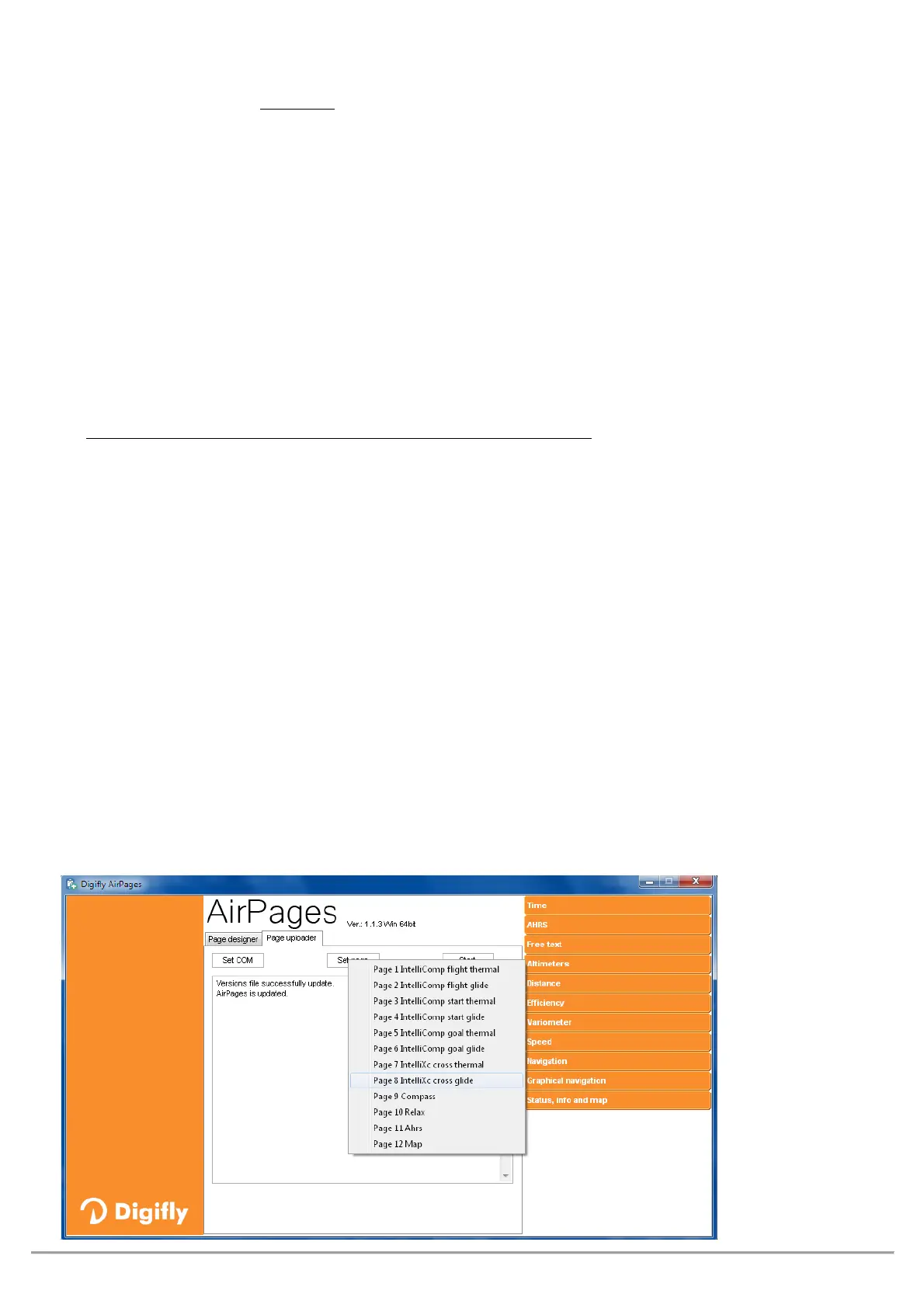
To upload your page to the instrument, click on "Page uploader", click on "Set page", select the configurable
page of your instrument to which you want to upload your User page (i.e. "Page 8"), click "Start" and wait until
the upload is complete;
to select “AUTOSEARCH” under “SET COM” in case you are not sure which
port your Digifly AIR is using.
On the AIR instrument, set the “
" value for the corresponding page that has been uploaded (in our example,
Page 8, so the parameter is
.
Your Digifly AIR comes with twelve (12) customizable pages;
one of them is linked to one of the twelve (12)
configurable parameters (
MAIN SETUP\ n. 26 to 37 - PG1 to 12
) and for
page it is possible to configure a
different layout:
= the layout view of the page is disabled (the page will be skipped)
= it will show the corresponding layout of the preset page by Digifly (pgs. 1 - 12) that come with your AIR.
= it will show the corresponding layout of the page "USER PAGE 1 to 12" created and uploaded by the User
with the FREE Digifly
program
REFERENCE TO NAME AND CONTENT OF CUSTOMIZABLE PAGES
PG01 page_1_IntelliComp_flight_thermal
/STD/USR
PG02 page_2_IntelliComp_flight_glide
/STD/USR
PG03 page_3_IntelliComp_start_thermal
/STD/USR
PG04 page_4_IntelliComp_start_glide
/STD/USR
PG05 page_5_IntelliComp_goal_thermal
/STD/USR
PG06 page_6_IntelliComp_goal_glide
/STD/USR
PG07 page_7_IntelliXc_cross_thermal OFF/
/USR
PG08
page_8_IntelliXc_cross_glide
OFF/
/USR
PG09 page_9_compass OFF/
/USR
PG10 page_10_relax OFF/
/USR
PG11 page_11_ahrs OFF/
/USR
PG12 page_12_map OFF/
/USR
Default page settings (in bold type) : PG1=OFF, PG2=OFF, PG3=OFF, PG4=OFF, PG5=OFF, PG6=OFF, PG7=STD,
PG8=STD, PG9=STD, PG10=STD, PG11=STD, PG12=STD



 To Next Page