WIRING AND POWER
12
For correct reporting of the charge may be necessary to set the type of power ( ).
The display also indicates when the battery is being charged:
STEP CHARGING: …
CHARGING COMPLETE:
During recharging, the instrument can normally be used.
The instrument switches off automatically when the voltage drops belove the minimum level.
It’s possible to display the battery level also on the power-on. (see paragraph “POWER AND POWER-ON)
In this case the indicator shows in sequence several messages including:
where is a number from 0 to 100 that indicates the battery level.
3.3.5 INDICATOR CONNECTED TO THE PRINTER, BATTERY OPERATED
If a system is composed of an indicator connected to a printer, both powered by battery, the printer,
usually in STAND-BY, it is powered only when printing; at the end of the printing, the printing automatically
returns to STAND-BY. This function is useful in order to reduce the energy absorbed by the battery when
the printer is not used.
In this configuration, if you have the need to power the printer to replace the paper and for other
operations:
- Press the ZERO button for a few seconds.
- The display show the flashing message “”.
- The printer is turned on; perform the desired operation.
- Press any key to exit.
3.4 POWER TO PC USING USB CONNECTOR
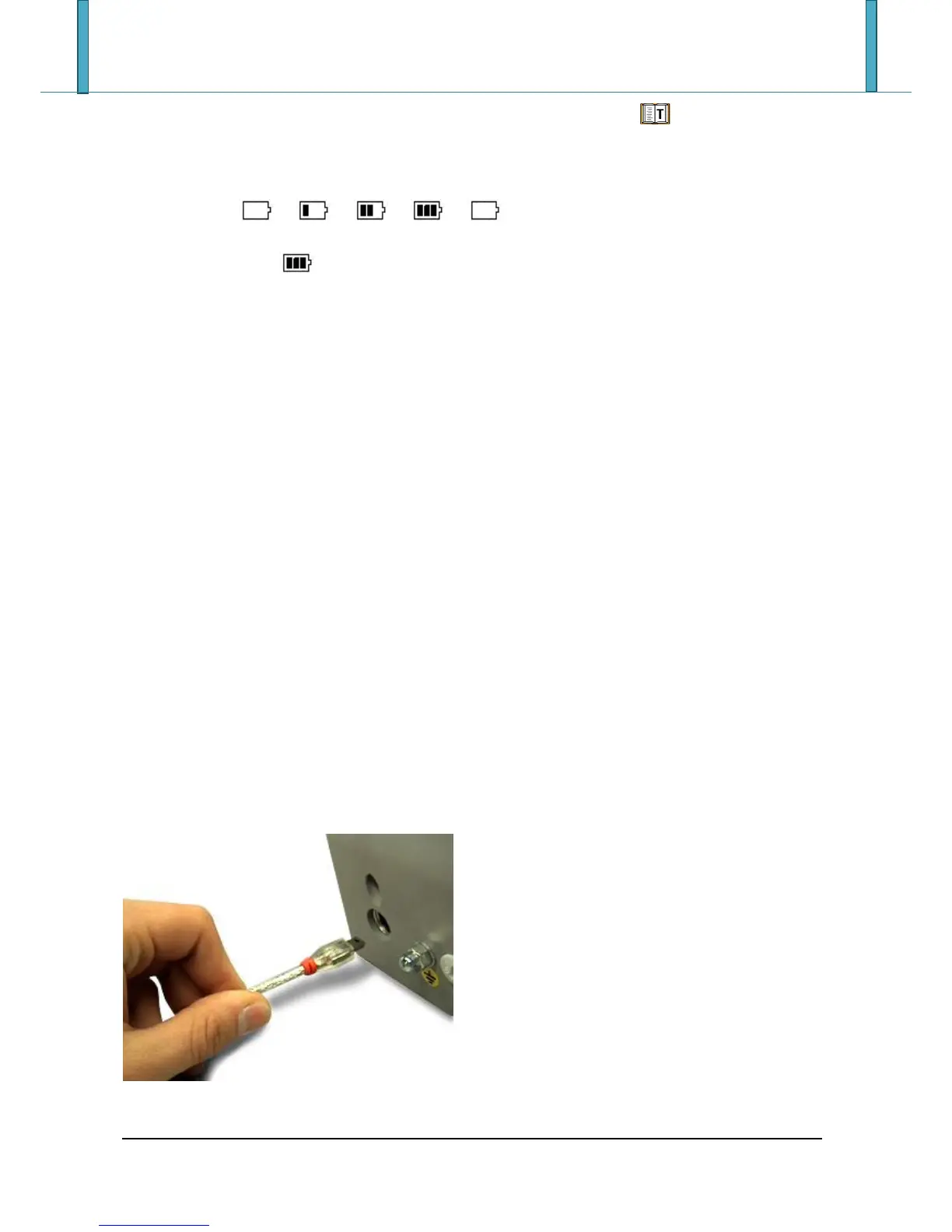
If the instrument so provides, it is possible to power the indicator from the USB port connected to PC.
Connect the appropriate USB port on the top of the instrument to the USB port of the PC through a
standard PC cable, as shown in the following picture:







 To Next Page