Danish Interpretation Systems User Manual
# Menu Settings Description
4.
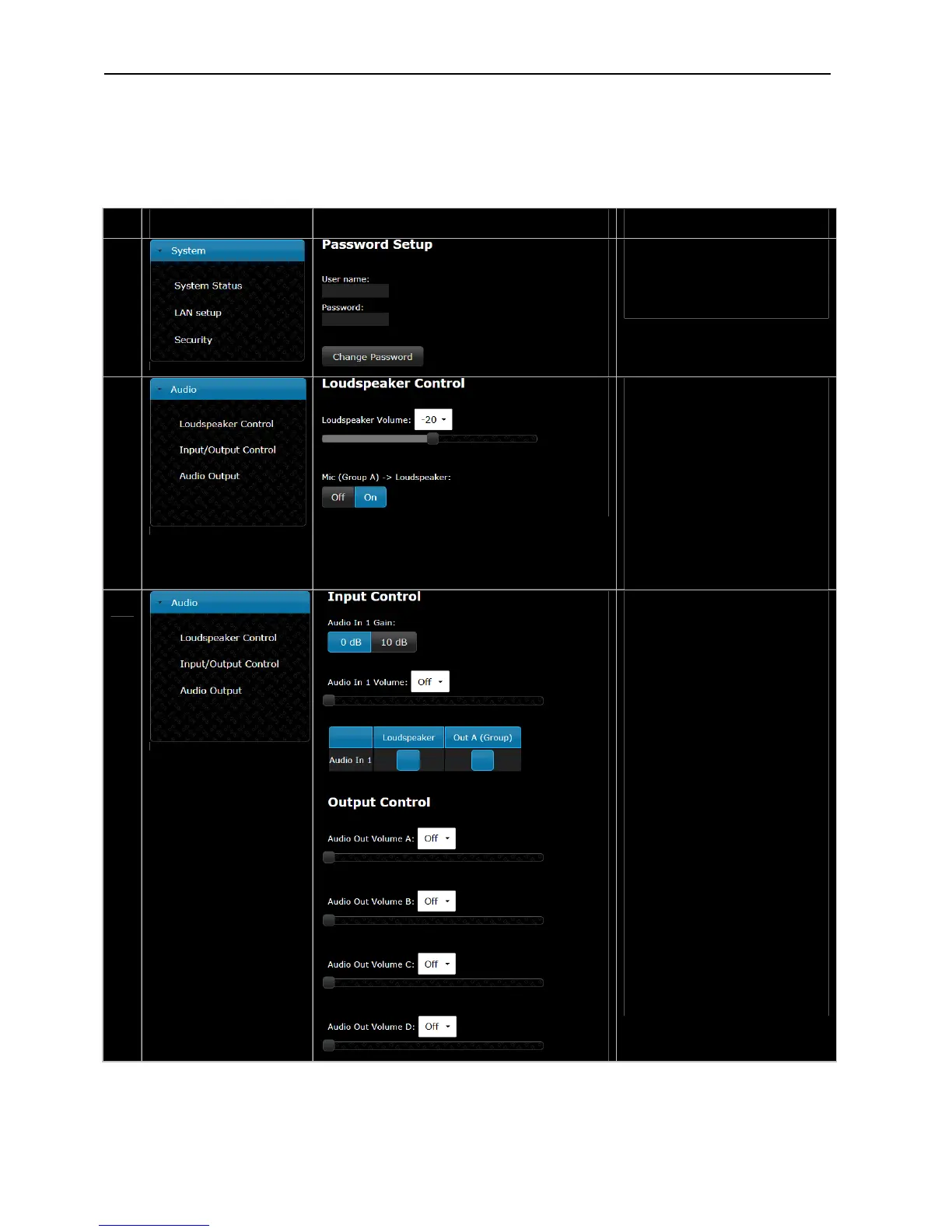
PasswordSetup–
Usedforsetting‘User
name/Password’ for browser
connection.
5.
LoudspeakerControl–
The‘LoudspeakerVolume’issetting
the volume of the built‐in
loudspeakers in the Conference
units.
The ‘On/Off’ button is used for
switchingon/offtheaudiofromthe
conferenceunitstothebuilt‐in
loudspeakersandheadphones.Only
audiofrom‘Seats’(units)selectedin
‘Group A’ will be available in the
loudspeakers.
6.
Input/OutputControl–
The ‘Audio In 1 Volume’ is used to
settheleveloftheinputsignal.
Thegainofthe‘AudioIn’signalcan
besetto‘0dB’or‘10dB’.Whenset
to‘10dB’theinputsignalis
amplified10dB.
The‘AudioIn1’signalcanberouted
to the ‘Loudspeakers’ (including
headphones) in the conference
unitsaswellasto‘Out.A’output
usingthetwoselectionbuttons.
The ‘Audio In 1’ signal will only be
present at ‘Out. A’ if ‘Group’ is
selectedasthesourcetothe‘OutA’
output,whereitwillbemixedwith
the‘GroupA’signal.Seenextmenu
point.
The‘AudioOutVolume’canbeset
for the four audio outputs (A, B, C
andD).
User Manual DDS 5900
26



 To Next Page