Danish Interpretation Systems User Manual
# Menu Settings Description
7.
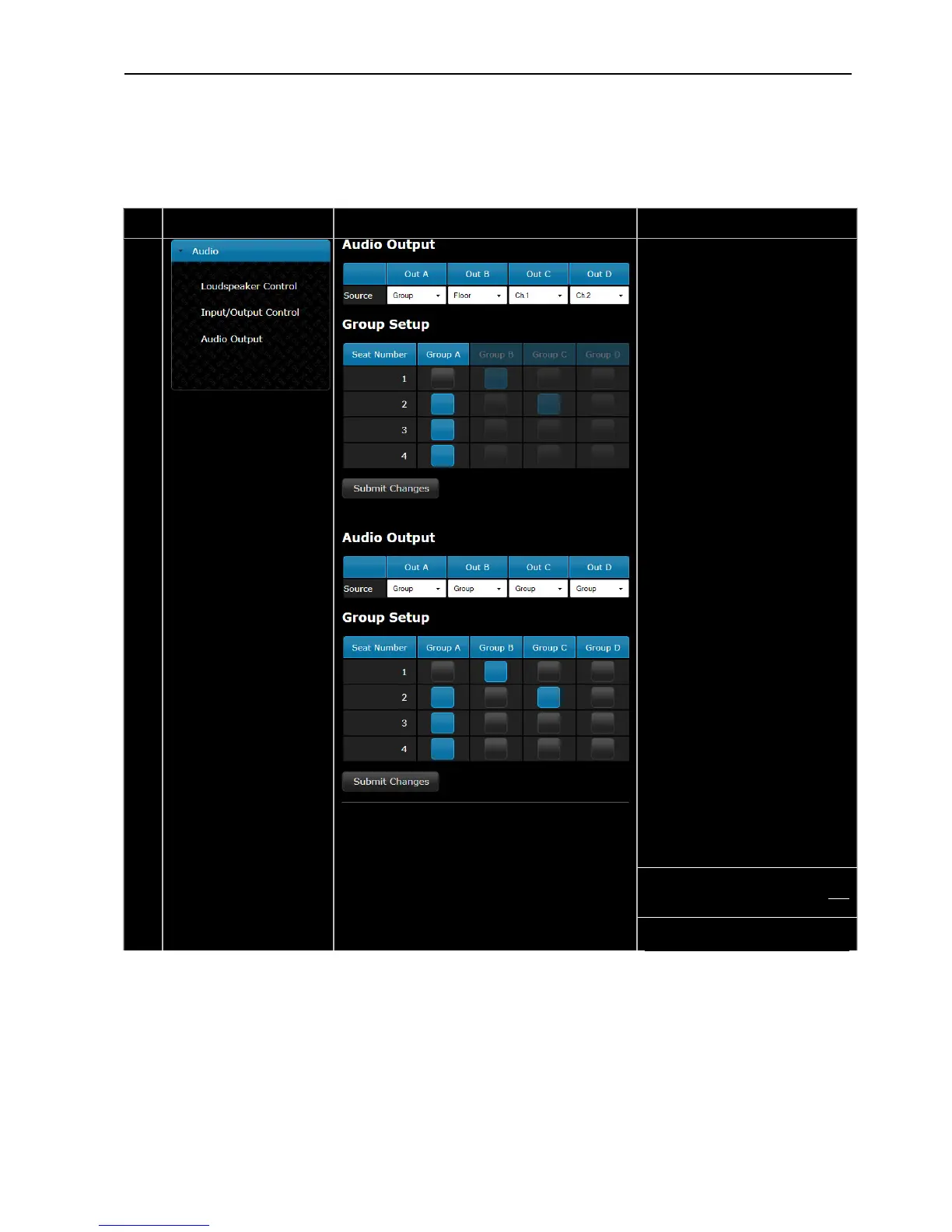
AudioOutpu –t
The ‘Source’ can be selected for
each of the four outputs. The
choices using the dropdown menu
are:
Group,Floor,Ch.1orCh.2
When‘Group’isselectedfor‘OutA’,
the ‘Group A’ is the source and
similarforthethreeotheroutputs.
The ‘Floor, Ch.1, Ch.2’ selection is
used either for recording of the
interpreted languages or for
connection to a wireless language
distributionsystem.
If ‘Floor, Ch.1, Ch.2’ is selected for
anoutput(OutA,B,CorD)the
corresponding group is disabled in
the‘GroupSetup’
Grou Setup–p
The conference units can be
assigned individually to four
groups.
‘Group A’ is always used as the
sourcetothe built‐inloudspeakers.
Aunitcanbeselectedin‘GroupA’
and/or in one of the other three
groups.Ifaunitisnotselectedin
‘Group A’ the audio from this unit
will not be available in the built‐in
loud eakers.sp
The ‘Group’ facility is used if
separatemicrophonesarerequired
to be recorded or if external
equalisation or volume control is
required.
Note:Amicrophonecanonlybe
presentin‘GroupA’andinone
othergroup.
User Manual DDS 5900
27



 To Next Page