D439E Service Manual 5. Service Tool
240
Exit from “User Info”
Move to other Tap after fill-out user information
• Select the
to move to “Version”.
• Using stylus pen, select the next “Tab” to move.
Move to main screen
• Select
to move to the main screen.
• Select
at the top right side of the touch screen to move to the main screen.
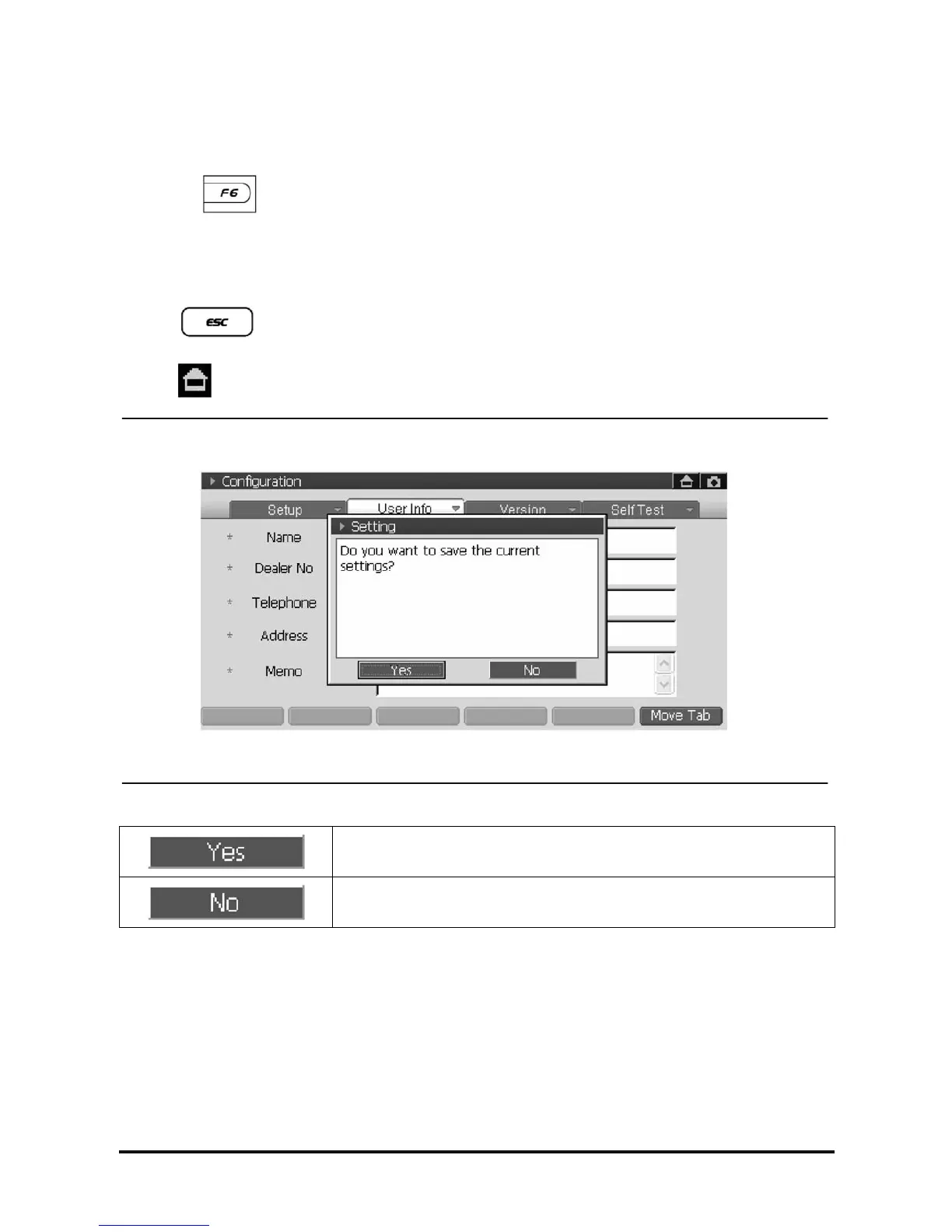
<Figure 3: Save Message>
Save the setups and move to main screen.
Cancel the setups and move to main screen.



 To Next Page
 Loading...