D439E Service Manual 5. Service Tool
222
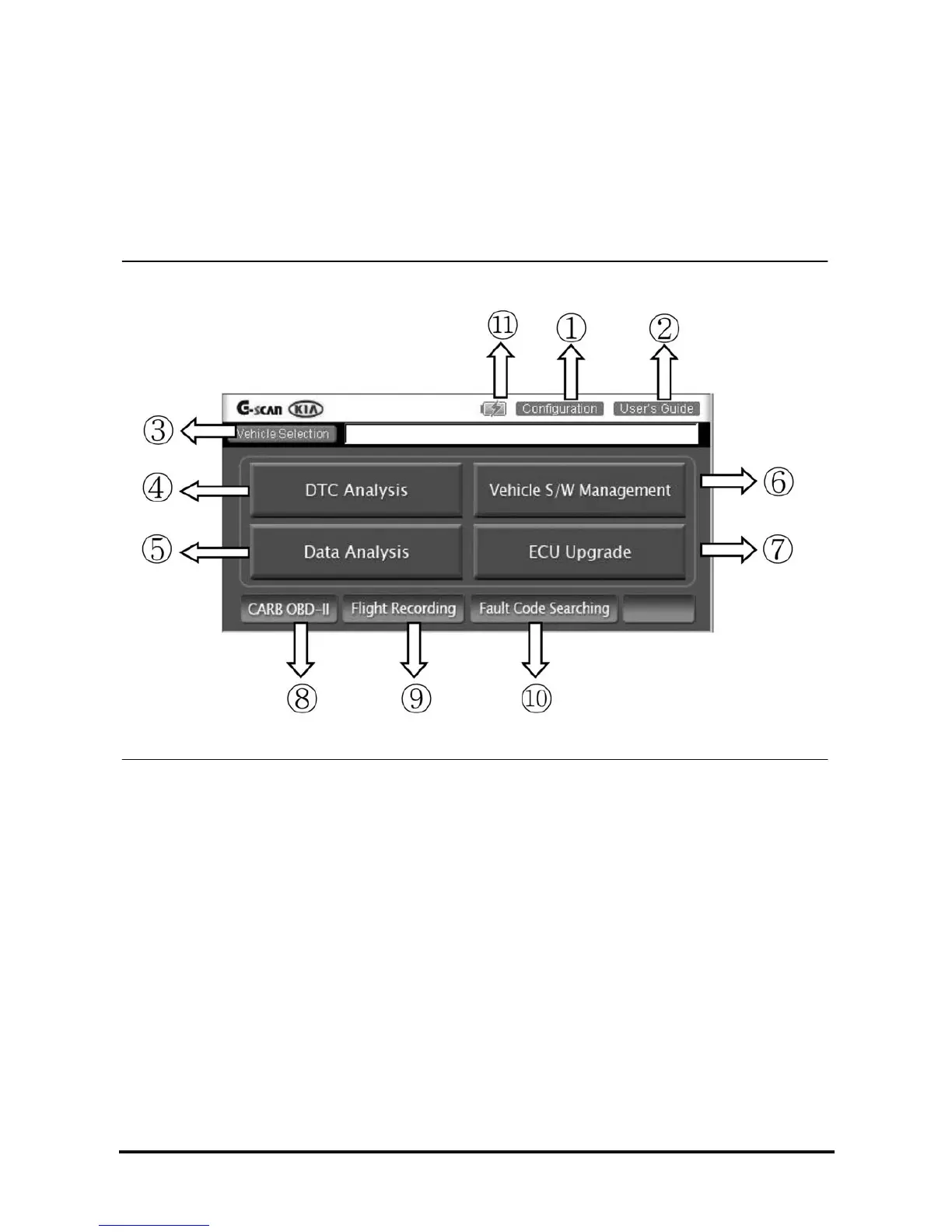
Description for layout of S/W screen
Unlike the conventional diagnostic tool, G-scan is equipped with touch screen. The images on G-scan screen
are not simple pictures but the functional buttons for operation.
This chapter describes the functions and marks commonly applied to the main screen of G-scan and other
diagnosing screen. Please be familiar with these descriptions to operate G-scan freely.
Components of the main screen
<Figure 1: Components of the Main Screen>



 To Next Page
 Loading...