D439E Service Manual 5. Service Tool
250
Vehicle Communication Function
Vehicle Selection
In order to diagnose the vehicle through G-scan vehicle model and system should be selected before the start.
More than one system can be selected and diagnosed at one time.
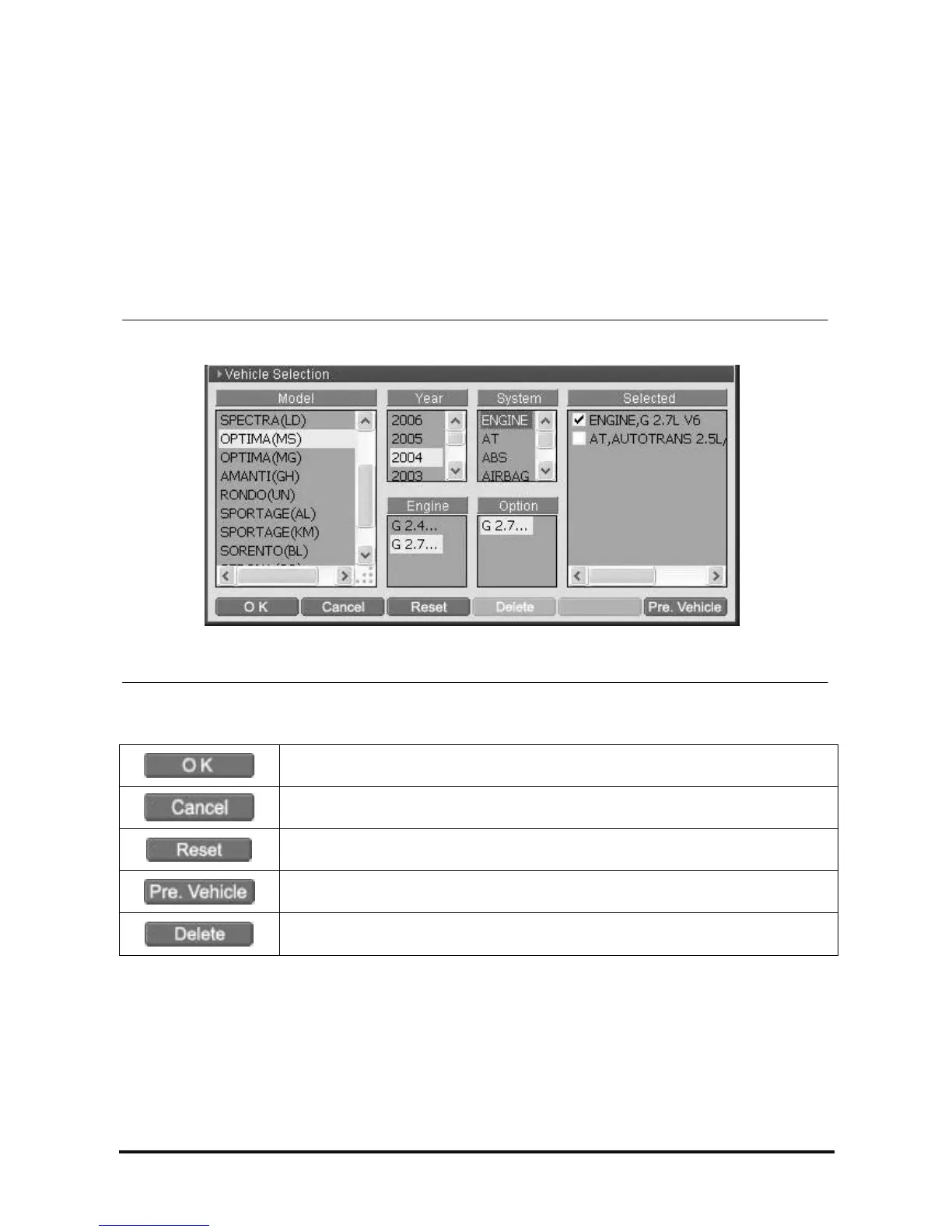
Introduction of Vehicle Selection Screen
For the convenience of user, it is categorized into the Model, Year, Engine, System and Option. The control
modules of vehicle selected by user are shown in the “Selected” zone on the right side.
<Figure 1: Vehicle Selection Screen>
After saving the systems selected by user, move to the main screen or the
diagnosis screen selected by user.
Cancels the systems currently selected and returns to the main screen.
Clear all systems currently selected.
Brings systems previously selected and diagnosed.
Deletes the system on which the cursor is located in “Selected” zone.



 To Next Page
 Loading...