Instructions for use Isolette 8000 plus SW 5.n 103
Operation
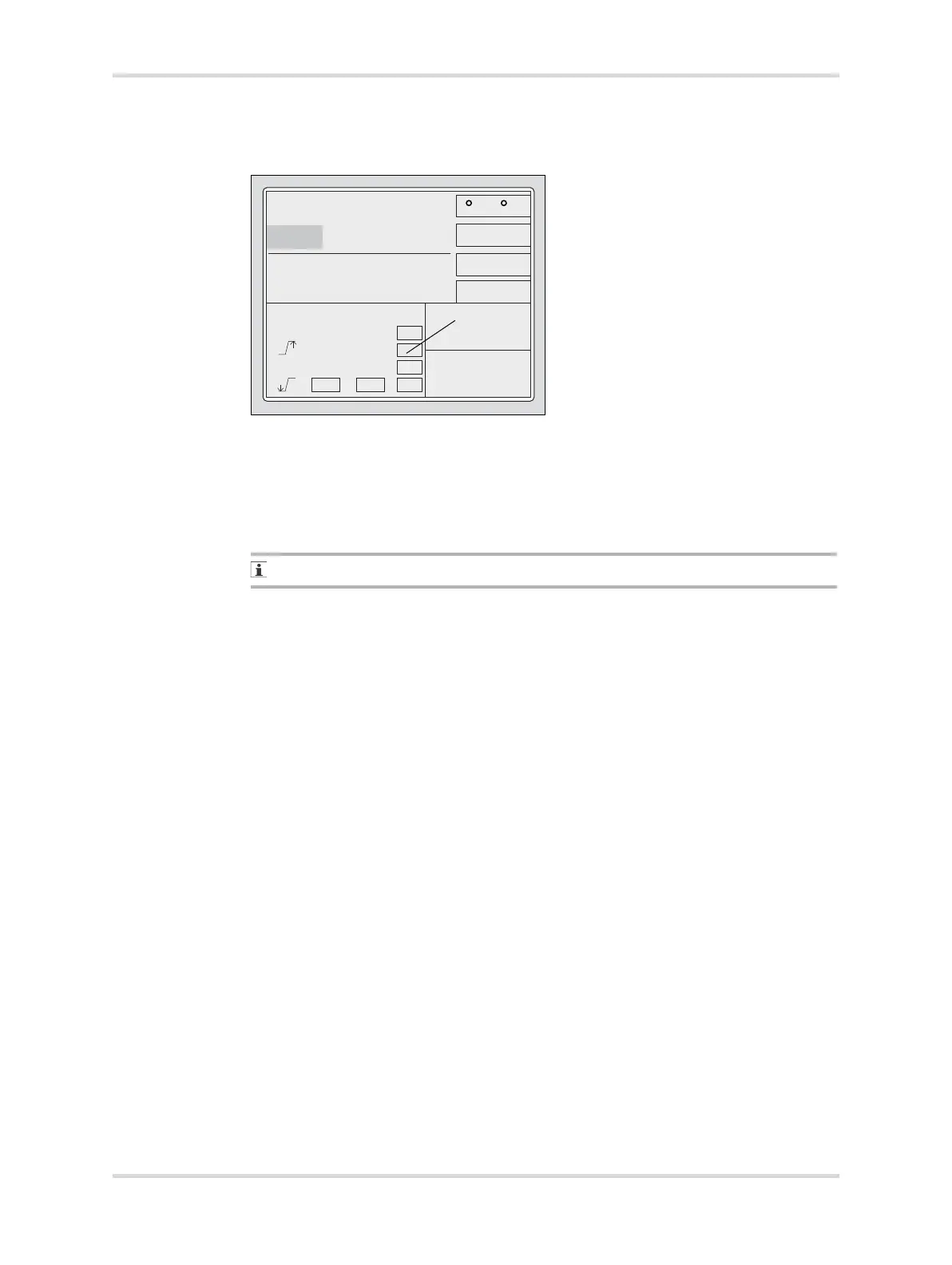
The Setup Kangaroo screen appears.
The kangaroo mode alarm limits appear.
2 Set and confirm the lower alarm limit for the central skin temperature (C).
3 Set and confirm the lower alarm limit for the peripheral skin temperature (D).
4 Set the alarm limits for the difference (E) between the central and peripheral skin
temperatures.
✓ Alarm limits are set as desired.
To disable kangaroo mode alarm limits, set them to Off.
If the skin temperature from the yellow central skin temperature probe falls below
the alarm limit:
– The screen shows an alarm message Central Skin Temp Low.
– An acoustic alarm signal begins.
If the skin temperature from the white peripheral skin temperature probe falls below
the alarm limit:
– The screen shows an alarm message Peripheral Skin Temp Low.
– An acoustic alarm signal begins.
If the difference between the measured central skin temperature and the measured
peripheral skin temperature exceeds the temperature difference upper limit:
– The screen shows an alarm message Skin Temp Diff High.
– An acoustic alarm signal begins.
If the difference between the measured central skin temperature and the measured
peripheral skin temperature is less than the temperature difference lower limit:
– The screen shows an alarm message Skin Temp Diff Low.
– An acoustic alarm signal begins.
098
36.0
35.0
22.2
21.9
C / F
2.1
2.4
0.7
3
36.536.3
22.236.0
Setup Kangaroo
CD
E














 To Next Page