Instructions for use Isolette 8000 plus SW 5.n 159
Service
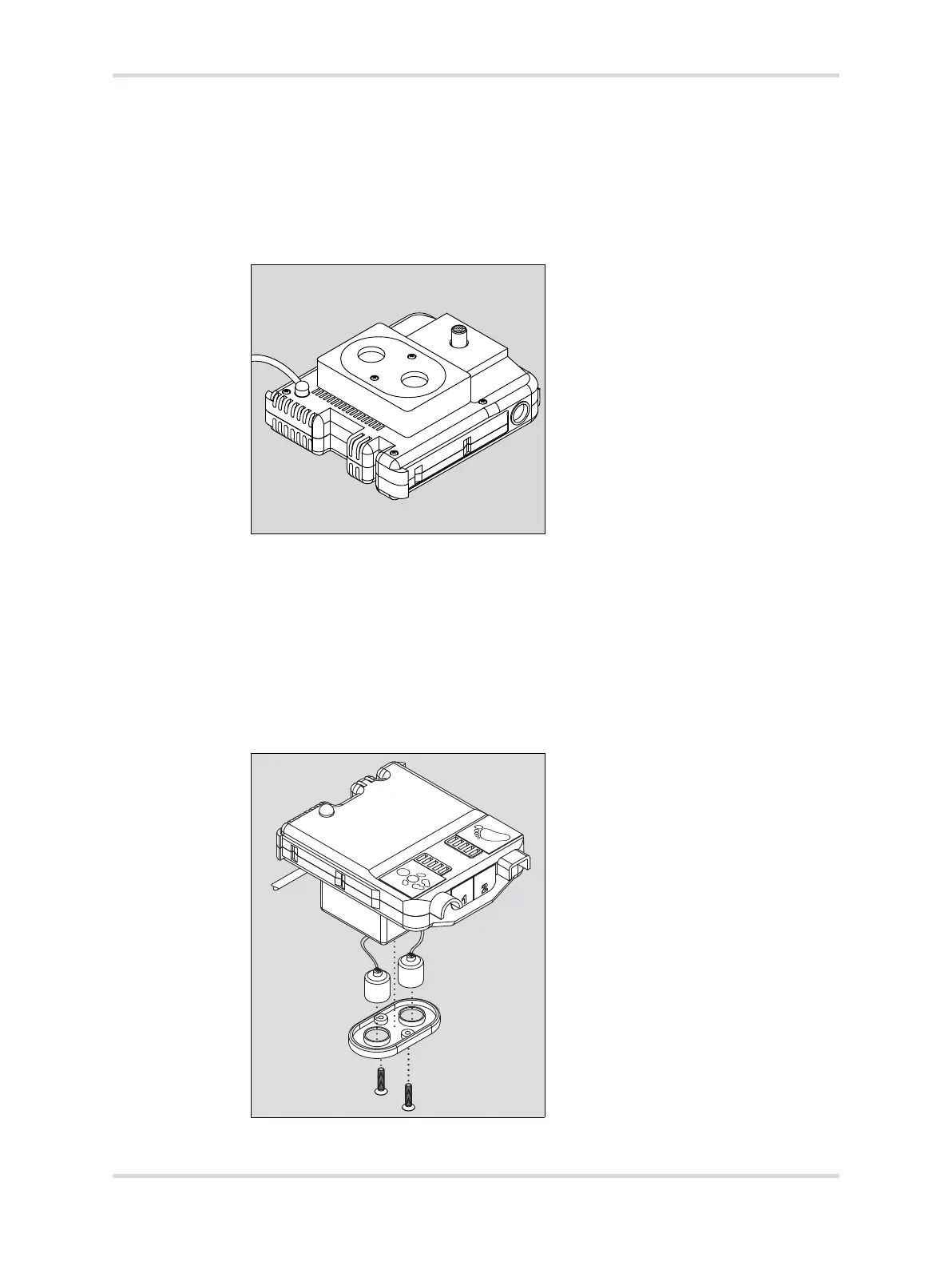
7 Install the oxygen sensors on the underside of the sensor module:
1 Remove O
2 sensor cover from the sensor module.
2 Remove and retain the 2 screws securing the oxygen sensor mounting plate
(D).
3 Withdraw the plate, including oxygen sensors and attached connector
cables.
8 Unplug the connector cables from both sensors. It is not necessary to note
which is which.
9 Unscrew both sensors from the plate, and discard in accordance with local
regulations.
10 Screw each new sensor (E) into the sensor plate (F), and connect the cables
(G). Either cable may be attached to either sensor.
11 Reinstall the plate with sensors into the sensor module, and reinstall the screws.
12 Reinstall the sensor module in the hood, and position it in the normal (innermost)
position.
019007














 To Next Page