41
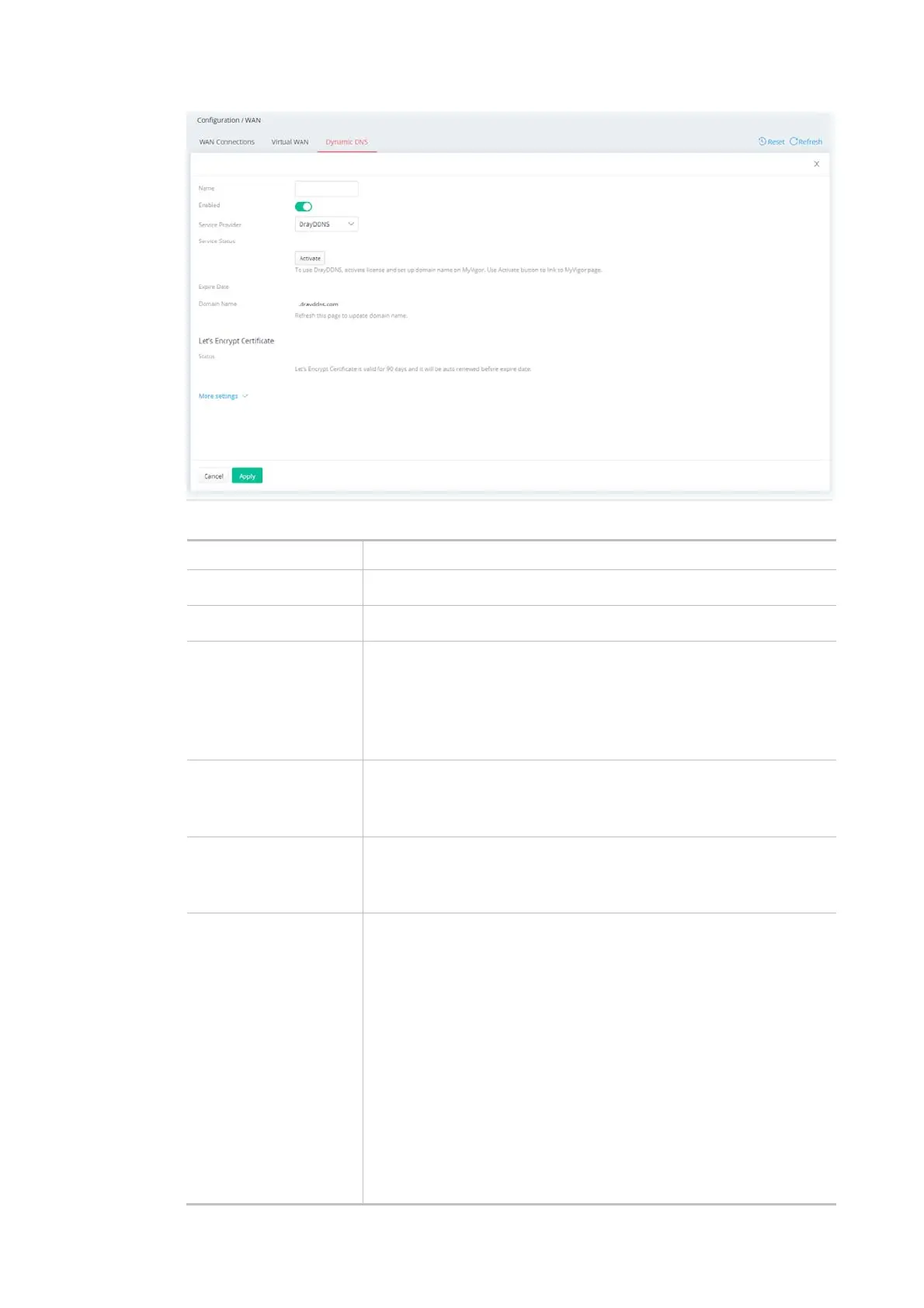
Available settings are explained as follows:
Item Description
Name Enter a name as the profile name.
Enabled Switch the toggle to enable or disable the function.
Service Provider Select the DDNS provider. If your DDNS provider is not listed, select
User-Defined and manually configure the profile.
DrayDDNS
NO-IP
User-Defined
If DrayDDNS is
selected as Service
Provider
Service Status - Click Activate to activate the service.
Expire Date - Display the expired date of the service.
Domain Name - Display the domain and sub-domain to be updated.
If NO-IP is selected as
Service Provider
Domain Name - The domain and sub-domain to be updated.
Account Name - Enter the login name of the DDNS account.
Password - Enter the password of the DDNS account.
If User-Defined is
selected as Service
Provider
Provider Host URL - Enter the IP address or the domain name of the
host which provides related service.
Service API - Enter the IP address or the domain name of the host
which provides related service.
Server Response - Enter any text that you want to receive from the
DDNS server.
Account Name - Enter the login name of the DDNS account.
Password - Enter the password of the DDNS account.
Auth Type - Two types can be used for authentication.
Basic – Username and password defined later can be shown
from the packets captured.
URL - Username and password defined later can be shown in
URL.



 To Next Page