94
III-1-7-2 Services Status
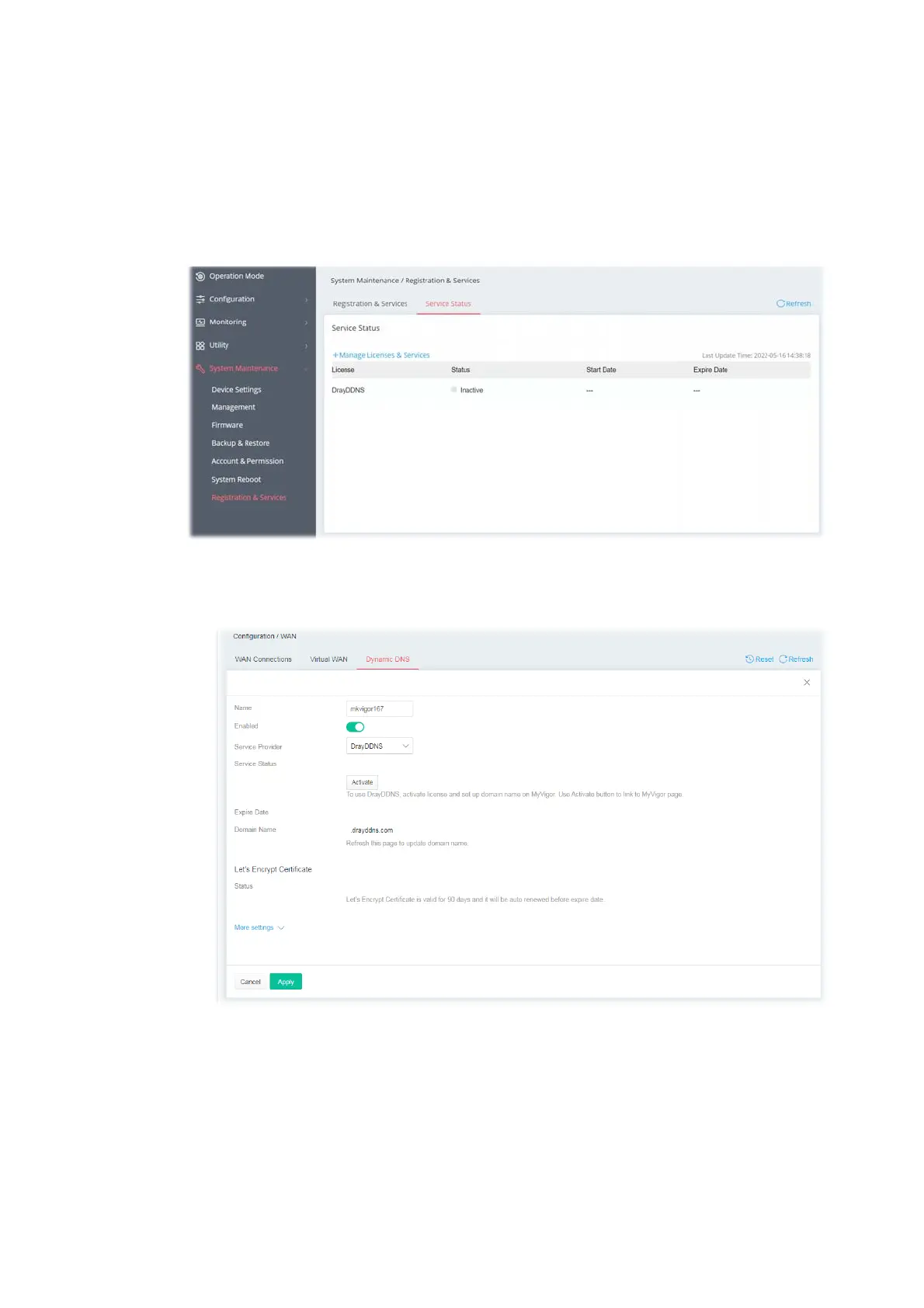
This page displays the current status (including the license name, the start date, and the expiration
date) for the license service.
After registering the Vigor router, the type of license (at present, only DrayDDNS) available for this
router will be shown on this page.
To activate the DrayDDNS service:
1. Open Configuration>>WAN>>Dynamic DNS to create a DrayDDNS server profile. For example,
the name is defined as mkvigor167 in this case.



 To Next Page