79
Logging Destinations Select External Server to display Log Message and Syslog Servers for
detailed configuration.
Log Message Select to send the corresponding message of user access, interface,
and system information to Syslog.
Syslog Servers
+Add Click to display new entry boxes for creating a new Syslog server
profile.
The maximum number of Syslog servers to be added is "3".
Server IP Enter the IP address of the Syslog Server.
Port Enter the port number of the Syslog Server.
Option Delete - Click it to remove the selected server profile.
Apply Save the current settings and exit the page.
Cancel Discard current settings and return to the previous page.
After finishing this web page configuration, please click Apply to save the settings.
III-1-2 Management
III-1-2-1 Service Control
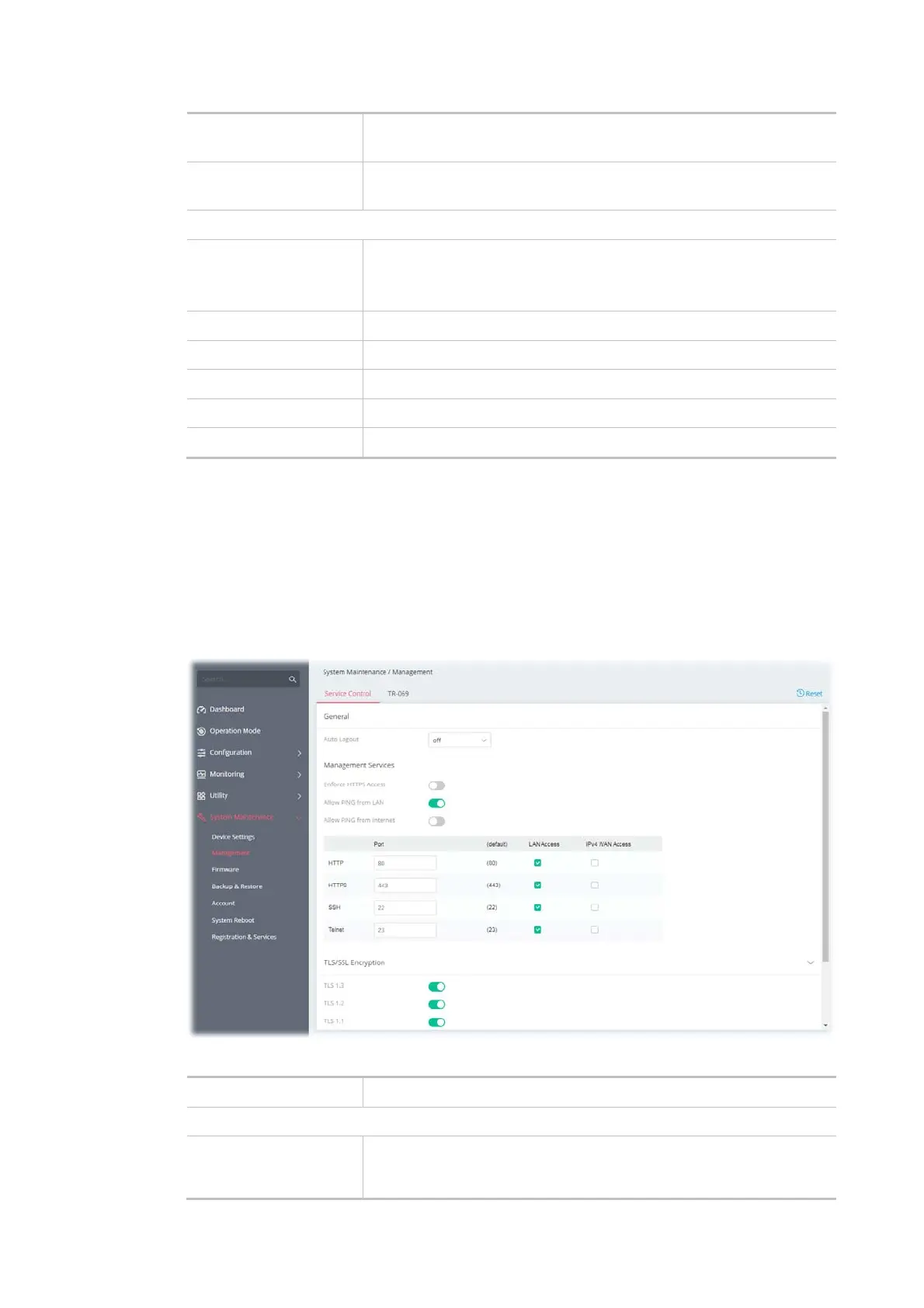
This page allows you to manage the general settings, management services, and TLS/SSL Encryption
setup.
Available settings are explained as follows:
Item Description
General
Auto Logout
If "off" is selected, the function of auto-logout for the web user
interface will be disabled.
The web user interface will be open until you click the Logout icon



 To Next Page