76
III-1 System Maintenance
For the system setup, there are several items that you have to know the way of configuration:
Device Settings, Management, Firmware, Backup & Restore, Accounts and Reboot System, and
Firmware Upgrade.
III-1-1 Device Settings
The user can modify the time, device name, and Syslog for the device.
III-1-1-1 Time
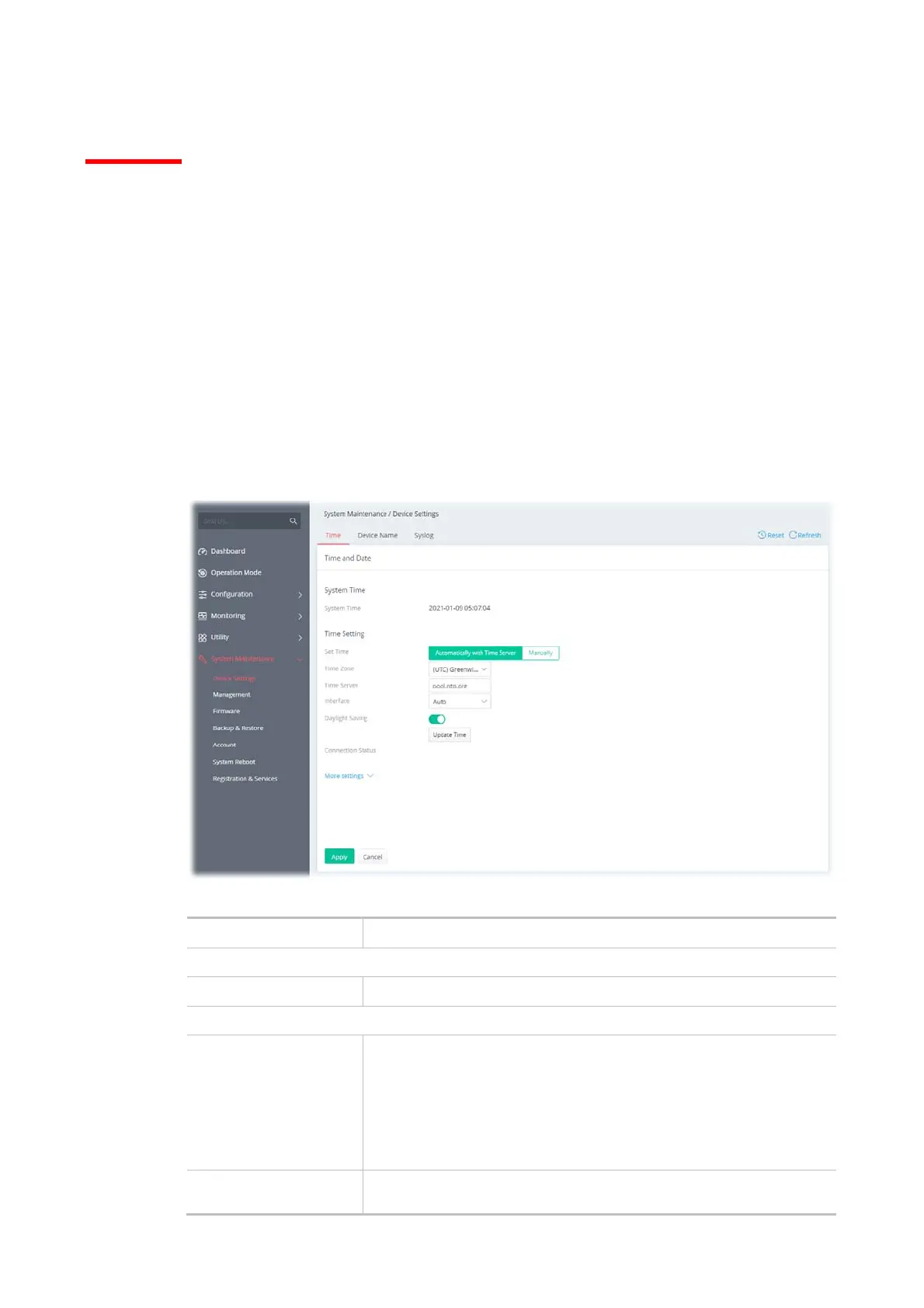
Open System Maintenance>>Device Settings and click the Time tab.
It allows you to specify where the time of Vigor device should be inquired from.
Available parameters are explained as follows:
Item Description
System Time
Current System Time Display current time.
Time Setting
Set Time Determine the method (automatically or manually) to set the time.
Automatically with Time Server - Set the system time by retrieving
time information from the specified network time server using the
Network Time Protocol (NTP).
Manually - Set the system time using the time reported by the web
browser
.
When Automatically
with Time Server is
Time Zone - Select the time zone where the router is located.



 To Next Page