95
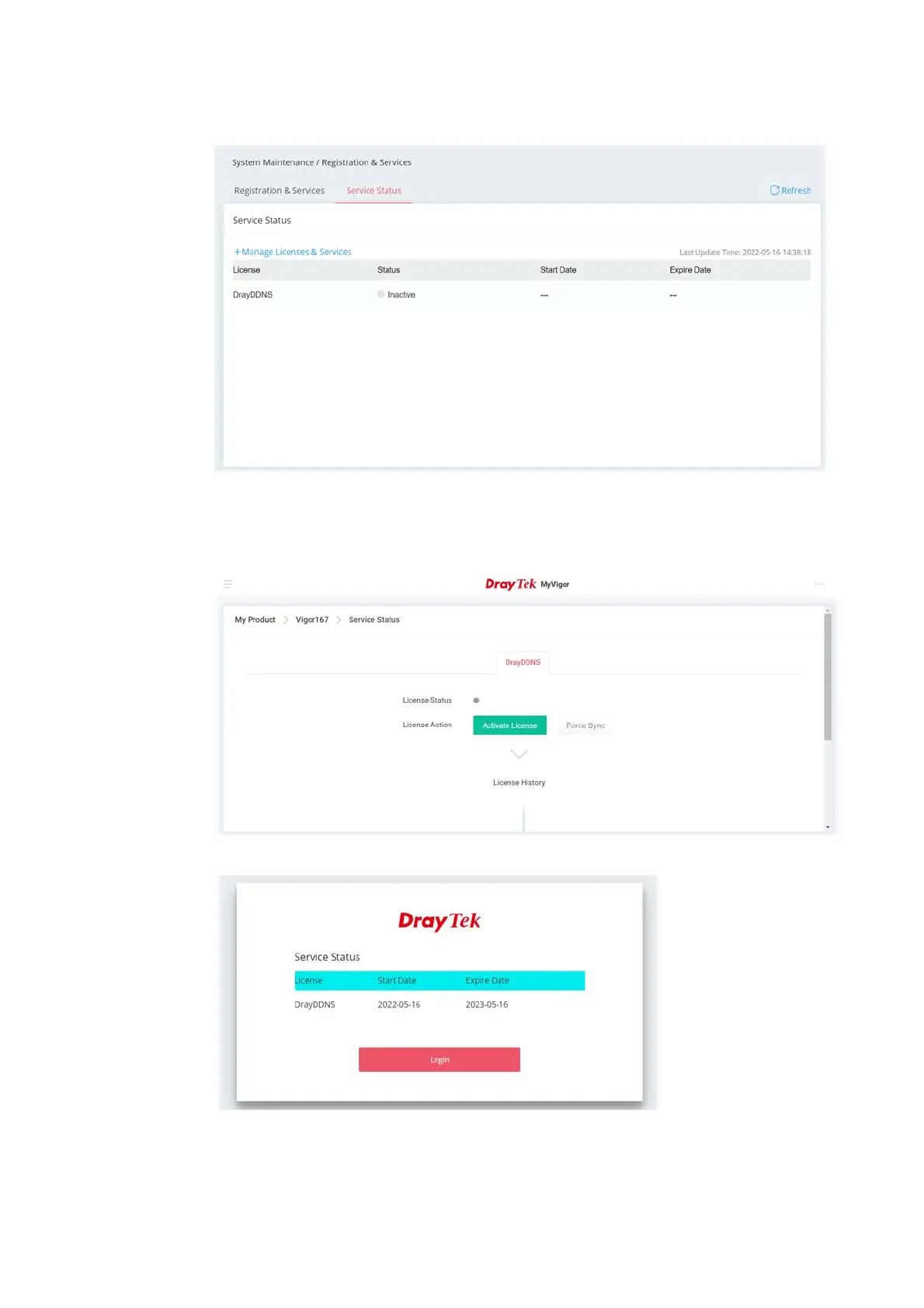
2. Open the page of System Maintenance>>Registration & Services>>Service Status.
3. Click +Manage Licenses & Services to access MyVigor website.
4. Enter the account and password that you created previously. And click Login.
5. Open the Service Status page and click Activate License.
6. After the license has been activated, the following page will be shown on your screen.



 To Next Page