CHAPTER 3
Remove the DynoWare EX Electronics
DynoWare RT Upgrade for Model 424x Dynamometers Installation Guide
3-8
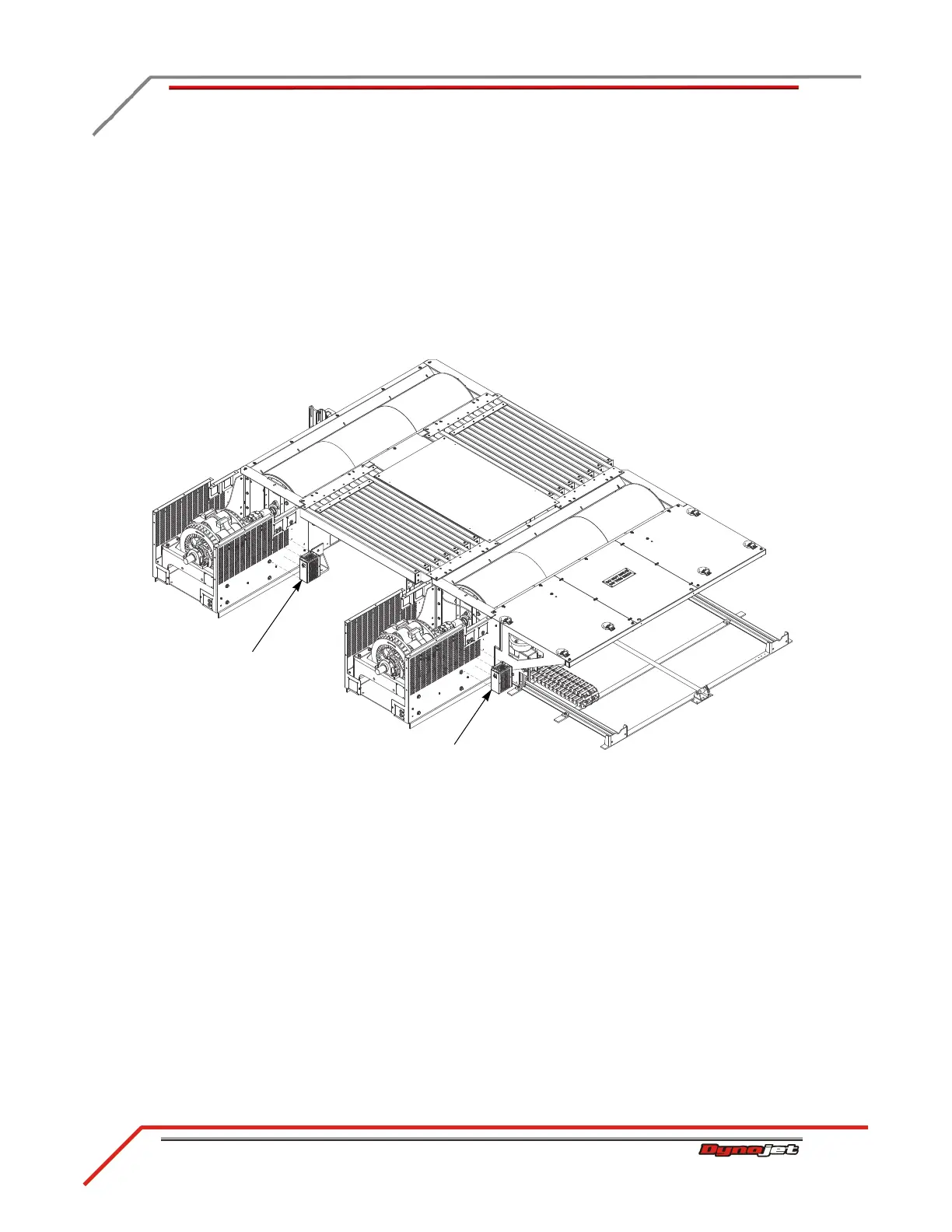
REMOVING THE THETA CONTROLLER—ABOVE GROUND DYNOS
Remove the theta controller from both the stationary and 4WD dynos.
1 Disconnect the power cable from the theta controller. Leave this cable in place.
2 Disconnect the controller cable from the theta controller. Leave this cable in place.
3 Disconnect the signal cable from the Breakout board and remove this cable from
the cable track. Refer to “Removing the DynoWare EX Cables” on page 3-19.
4 Remove the four screws securing the theta controller to the brake and set aside.
5 Remove the theta controller.
Figure 3-4: Remove the Theta Controller—Above Ground Dynos
theta controller
theta controller



 To Next Page