3-17
MODEL 424 DYNOWARE RT UPGRADE WITH EDDY CURRENT BRAKE
Cable Routing
Version 5 DynoWare RT Upgrade for Model 424x Dynamometers Installation Guide
CABLE ROUTING
Use the following instructions to identify and route the cables for dynos with one and
two eddy current brakes.
IDENTIFYING THE CABLES
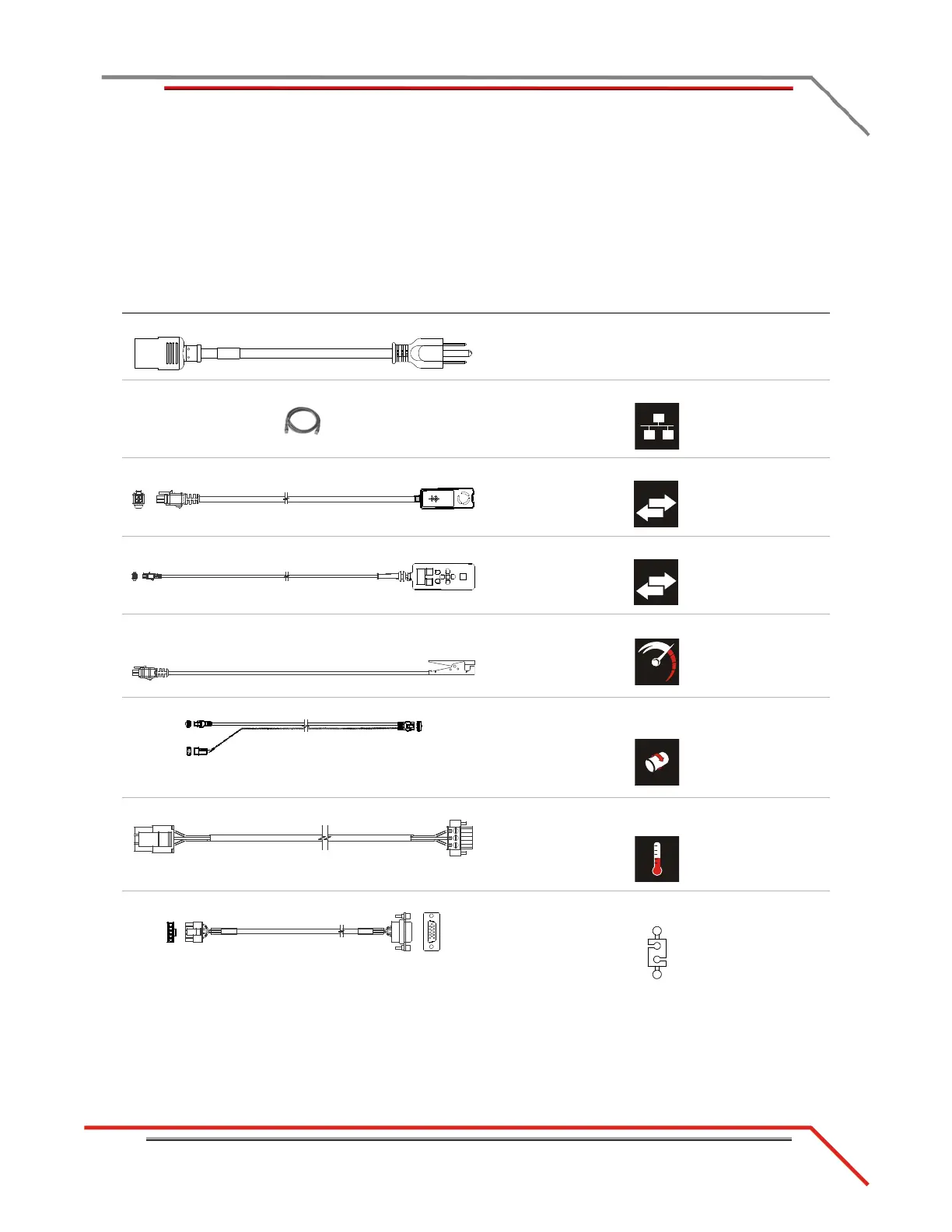
cable brief routing description
A - 318110301 power cable connects the DynoWare RT to a power outlet
B - 42900000 network cable connects the DynoWare RT to your local network
C - 66400011 remote atmos cable assembly connects to the DynoWare RT
D - 76100007 CAN pendant cable assembly connects to the DynoWare RT
E - 76950201 primary RPM pickup cable
- 76950203 secondary pickup cable
connects to the DynoWare RT
F - 76950547 speed pickup/brake cable connects the brake solenoid and speed pickup to the
DynoWare RT
G - 76950628 IR temp sensor cable adapter connects the temp sensor to the eddy current brake
driver
H - 76950629 load cell cable adapter connects the load cell to the eddy current brake
driver



 To Next Page