DynoWare RT Upgrade for Model 424x Dynamometers Installation Guide
3-18
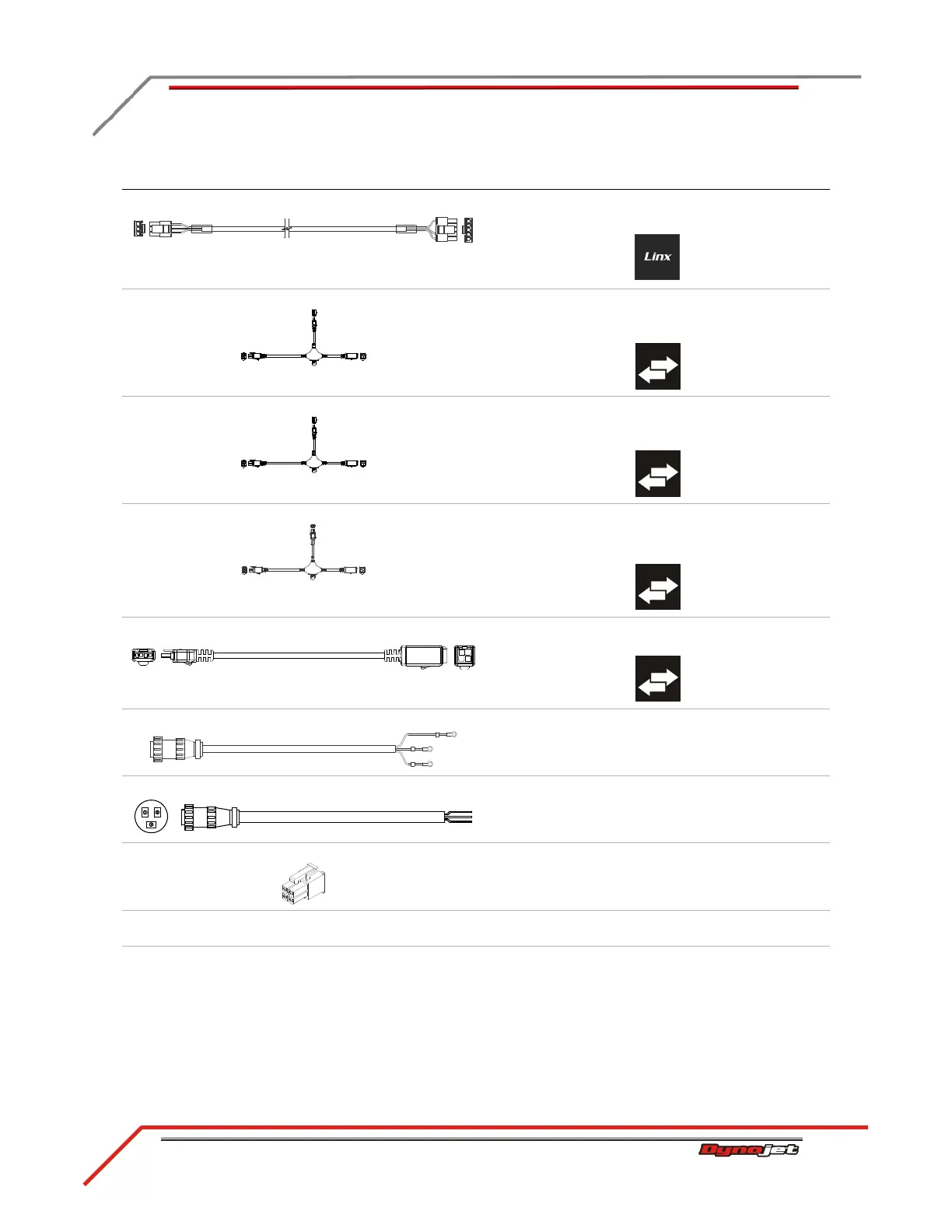
I - 76950665 Linx detect sensor cable connects the Linx to the DynoWare RT
*the Linx system is an optional accessory
J - 76950791 CAN control cable, 15' connects the eddy current brake driver (on the
stationary dyno) to the DynoWare RT using the CAN
adapter cable or CAN network cable chain
K - 76950791 CAN control cable, 15' connects the eddy current brake driver (on the 4WD
dyno) to the DynoWare RT using the CAN network
cable chain
L - 76950798 CAN dyno user cable, 15' connects the air fuel module to the DynoWare RT
using the CAN adapter cable
*the air fuel ratio module is an optional accessory
M - 76950807 CAN control cable, adapter, 2' connects the DynoWare RT to the CAN control and
CAN dyno user cables
N - controller cable, existing connects the eddy current brake to the eddy current
brake driver
O - power cable, existing connects the eddy current brake driver to a power
outlet
P - 76423045 CAN termination plug connects to the last CAN cable in the CAN network
cable chain
Q - rail brake air hose, existing connects the air can on the 4WD dyno to the T fitting
on the stationary dyno air can
R - drum brake air hose, existing connects the drum brake air can on the 4WD dyno to
the drum brake air can on the stationary dyno air can
cable brief routing description



 To Next Page