3-21
MODEL 424 DYNOWARE RT UPGRADE WITH EDDY CURRENT BRAKE
Cable Routing
Version 5 DynoWare RT Upgrade for Model 424x Dynamometers Installation Guide
ROUTING THE CABLES
Use the following instructions along with Figure 3-21 on page 3-26 for routing the
cables.
1 Locate the white 2-pin connector on the 4WD speed pickup/brake cable (F).
2 Cut the 2-pin connector off the speed pickup/brake cable.
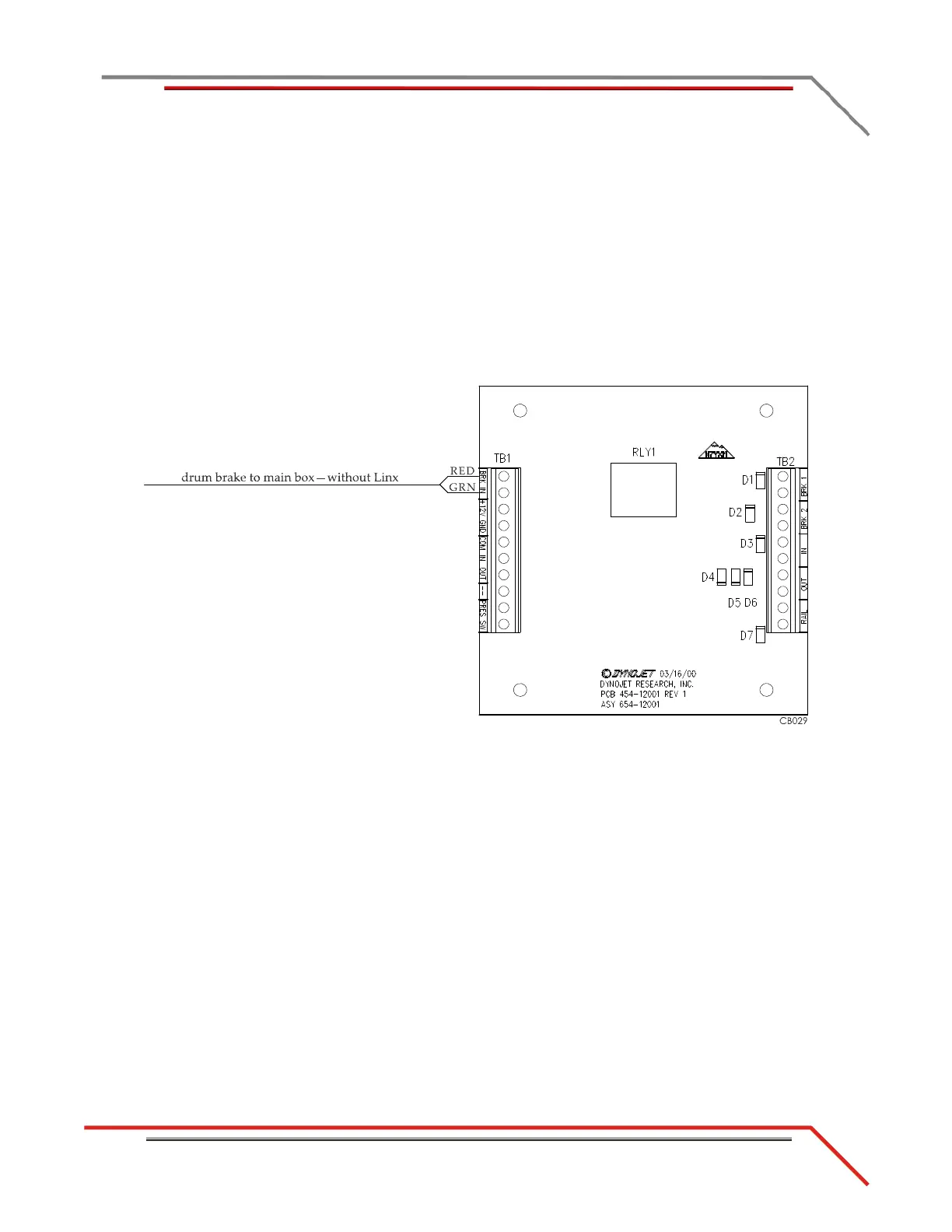
3 For dynos without the Linx option:
Strip a 1/4-inch of the housing off the wires, crimp a ferrule (P/N 44997102) onto
each bare wire, and connect these wires to the BRK IN terminals on the
4WD board.
Figure 3-17: 4WD Movement Board—Connect Speed Pickup/Brake Wires without Linx Option



 To Next Page