DynoWare RT Upgrade for Model 424x Dynamometers Installation Guide
3-28
REPLACE COVERS
Use the following instructions to replace the covers on your above or in ground dyno.
REPLACING THE COVERS—ABOVE GROUND DYNOS
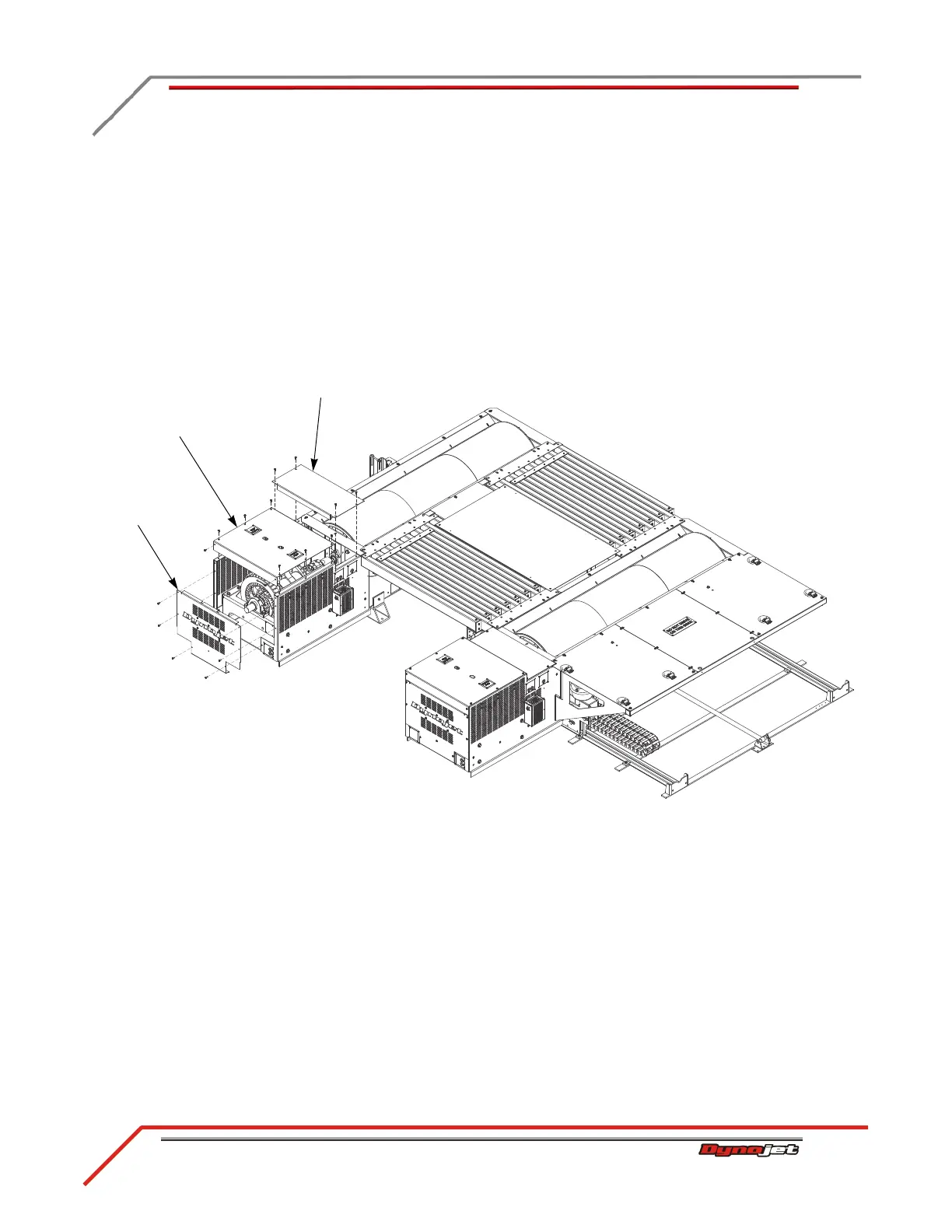
Replace the logo panel and eddy current brake top covers on both the stationary and
4WD dynos.
1 Secure the small top cover using the four screws removed earlier.
2 Secure the large top cover using the eight screws removed earlier.
3 Secure the logo panel using the six screws removed earlier.
Figure 3-23: Install the Logo Panel and ECB Top Covers
logo panel
small top cover
large top cover



 To Next Page