Operation of UA 300 D
41
E 2007 − ECKELMANN | BERLINER STRASSE 161 | 65205 WIESBADEN | FON +49(0)611 7103-0 | FAX 49(0)611 7103-133 | eckelmann.de
Version 2.03 27. Juni 2008
6 Operation of UA 300 D
No provision is made for operation on the case/coldroom controller itself. However, several interfaces are avai-
lable for local operation (BT 300 Operation Interface) or remote operation via CAN bus (CI 3000 Store Compu-
ter / AL 300 Operator Terminal). The controller can also be operated with the LDSWin program via the TTY in-
terface (see section on LDSWin Software). This operating mode requires a TTY adapter (optional accessory).
6.1 Operation with CI 3000 Store Computer / AL 300 Operator Terminal
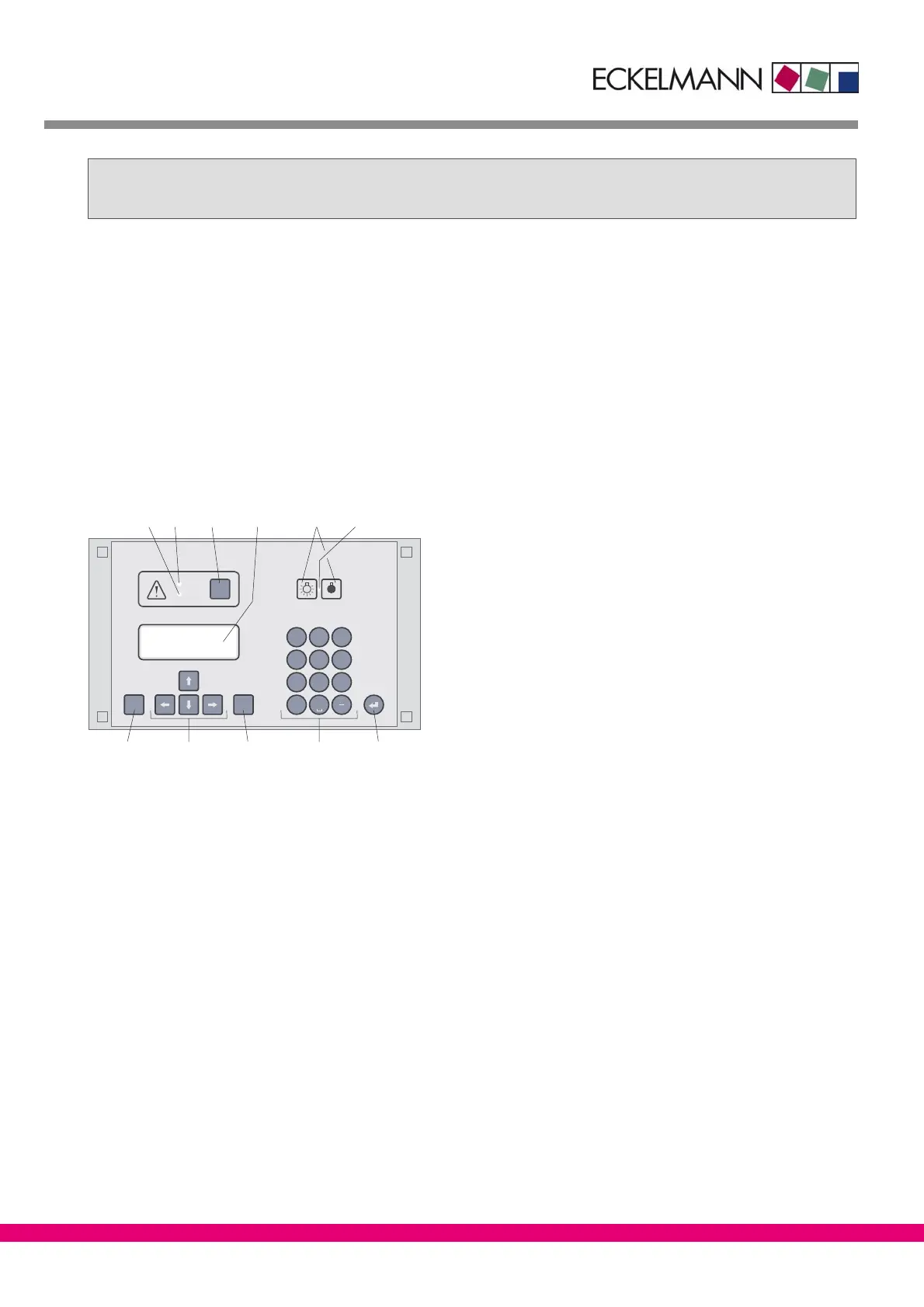
Operation is the same whether using the CI 3000 Store Computer or the AL 300 Operator Terminal. The opera-
tor interface and the functions are the same on both devices.
MODEESC
PRIO 1
PRIO 2
,
9
WXYZ
7
PQRS
8
TUV
6
MNO
4
GHI
5
JKL
3
DEF
2
ABC
1
0
ALARM
RESET
(3)(1)(2) (5)(4)(11)
(6)
(10) (7)(9) (8)
ZNR. 35365 12 830
(1) Priority 1 alarm indicator light
(2) Priority 2 alarm indicator light
(3) Buzzer and horn stop key and alarm reset key
(4) External lighting on/off switch (general lighting)
(5) Lighting on/off switch indicator light
(6) ENTER key
(7) Alphanumeric keypad
(8) MODE key; CAPS SHIFT function for text entry
(9) Cursor keys
(10) ESC key
(11) Display (4 lines of 20 characters)



 To Next Page