Installation and Startup of UA 300 D
32
Version 2.03 27. Juni 2008
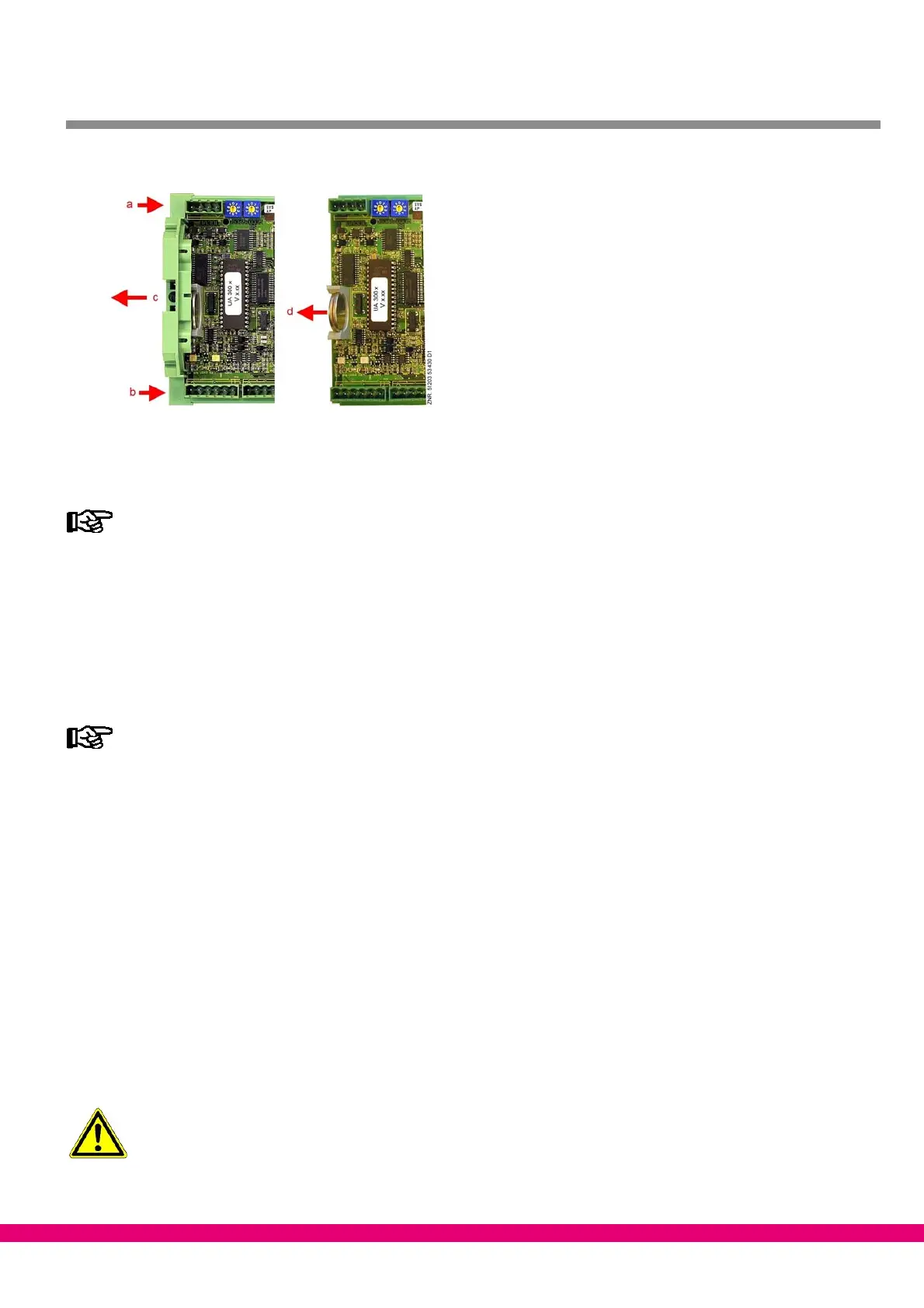
4. Undo two screws (a and b) on the lefthand side of the plastic casing.
5. Pull left end of casing (c) away to left.
6. Pull battery up out of its holder (d) and dispose of it in regulation manner.
− Do not grip the new battery with metal pliers,
as this may cause it to be destroyed by short circuiting:
− Do not touch the contact surfaces on the edges.
− Wipe with a clean and dry cloth..
7. Grip the new battery with a cloth and press it into place in its holder.
8. Re−assemble in the reverse order. Re−connect all connectors.
9. Turn on power to the refrigeration point to restore it to operational condition.
Messages or fault messages that are output on restarting the UA 300 D must be checked or cancel-
led on the CI 3000 Store Computer or AL 300 Operator Terminal!
10. Controller in CAN bus system (UA 300 D CC/CS/AC/AS): Provided there is no change of configuration on
the CI 3000 Store Computer or AL 300 Operator Terminal, the controller is automatically re−detected
via the CAN bus. Date, time and automatic daylight saving time change are set automatically by
central time synchronization.
11. Controller without CAN bus (UA 300 D TC/TS): Date, time and automatic daylight saving change must
be entered for data archiving (EU Archive).
4.4.2 Replacing battery on UA 300 D xS
1. Disconnect the case/coldroom controller or refrigeration point from power. Cancel alarm on CI 3000
Store Computer / AL 300 Operator Terminal.
2. Remove connector, remove controller from control panel (see Section 4.1.2 − UA 300 D xS Panel
Mounting for details).
Some connectors may carry 230 V AC power. Connectors should be marked before disconnecting.



 To Next Page