MINUTEMAN 320
104
REV 13.1:2020
Do not use harsh cleaning chemicals on the HMI screen. Clean the screen with the power off.
Use of a micro fiber cloth towel and denatured alcohol is permissible.
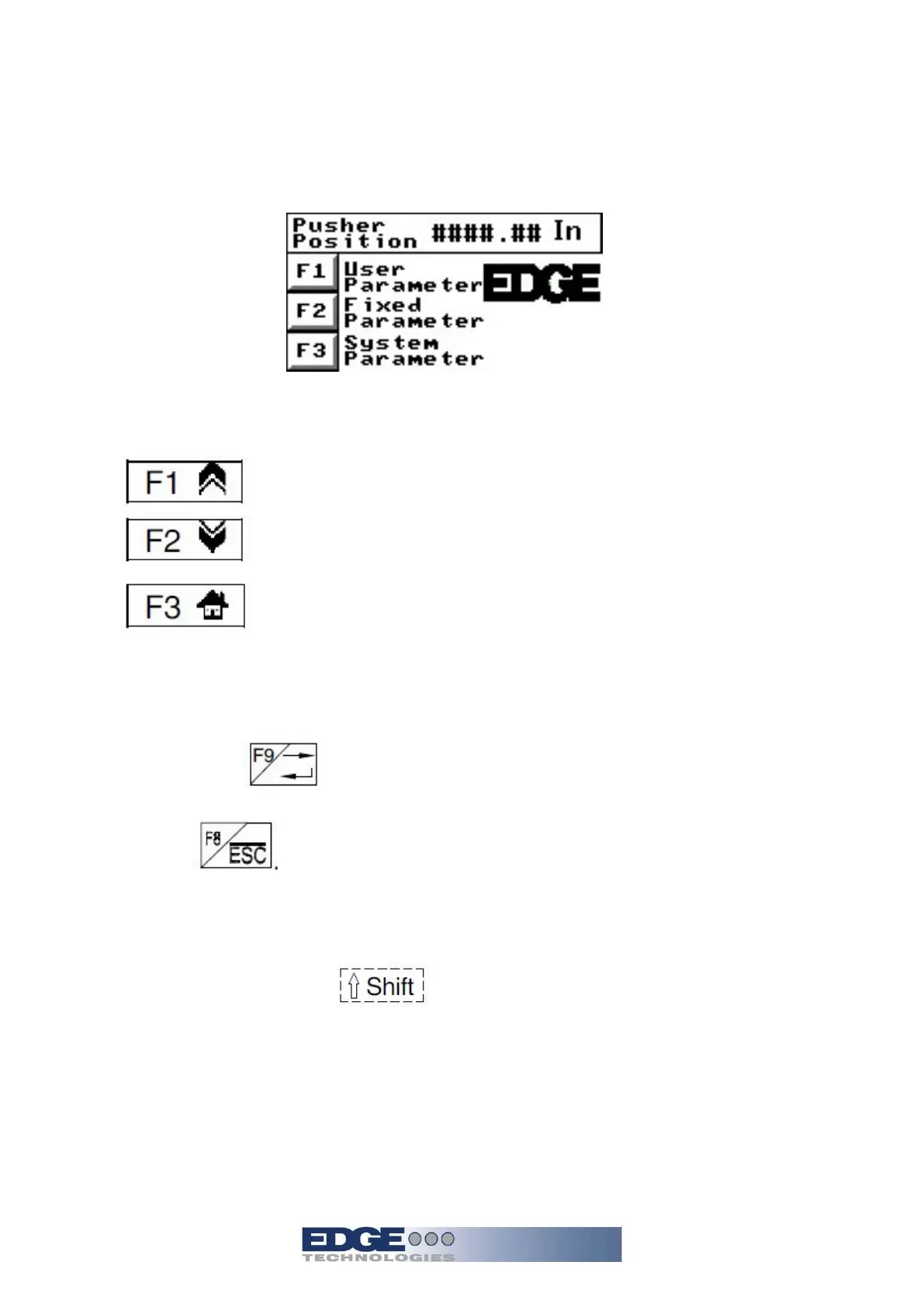
Basic HMI navigation
Distance the pusher
position from the home
switch, this can be
changed between inch
and metric.
There are 9 “F” key
menus. Not all are to be
used by the operator. A
password is required for
access to some of the
menus.
Shift screen
Press the key according to the indication on the display:
1. :Page up
2. :Page Down
3. :Back to the Main Menu
To Change Values:
1. Depress numbers as you require 0-9
2. Press enter/F9 again the value is changed. If you want to give up the value
press F8
Function of F1-F9 keys:
1. Select F1-F3 the screen will change to corresponding page
2. To select F4-F9 use Shift plus the corresponding F button to enter the
assigned page


 To Next Page