Software Overview
Document ID: OMM-00165 Rev. C Pro 32r Operations Guide 49
4.2.1 UV System Settings Dialog
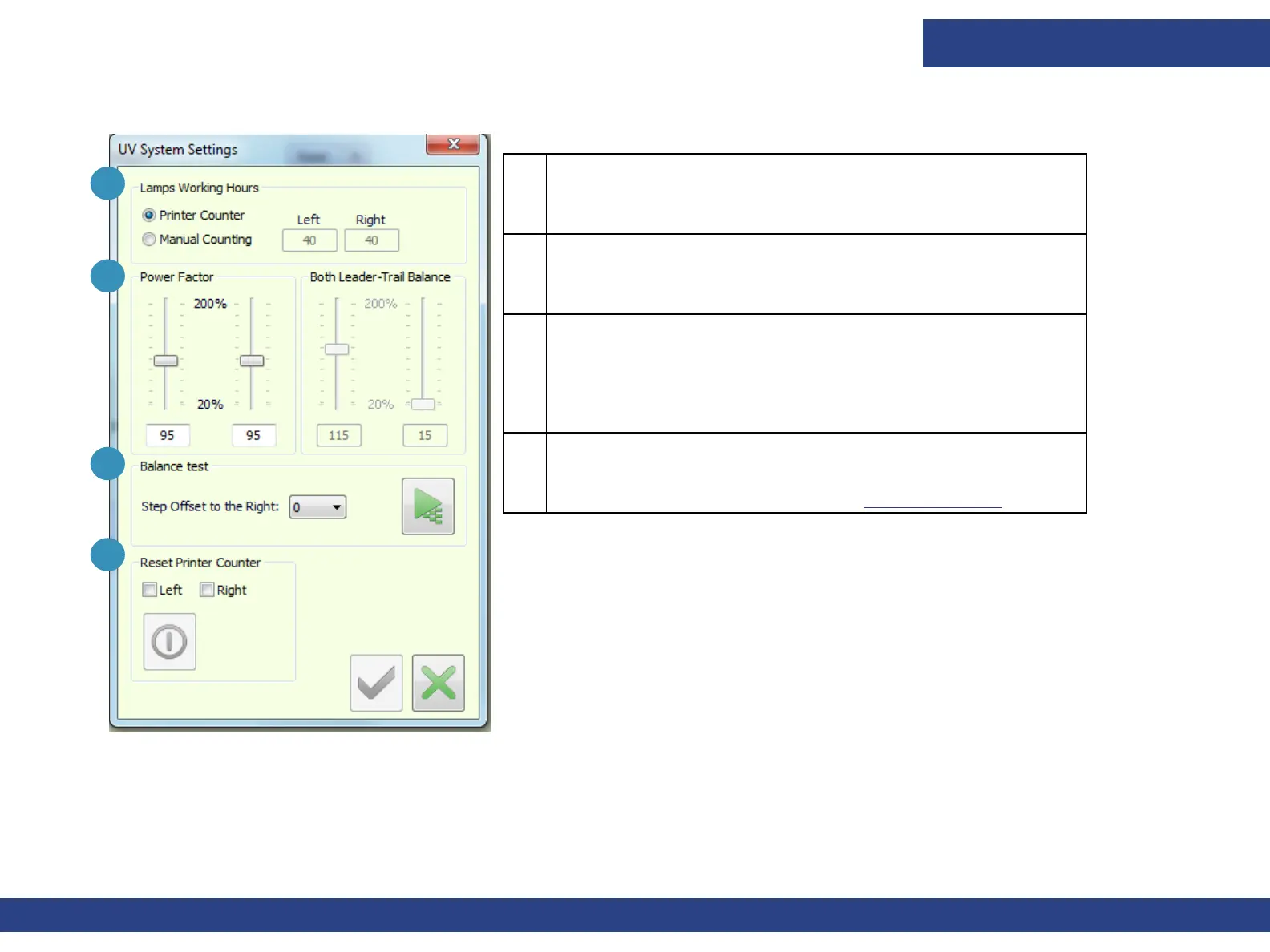
Figure 4-3 UV System Settings
1
3
4
2
1 Lamps’ Working Hours
The displayed settings are the default values for the new
imported job, and not those already in the queue.
2 Power Factor
Adjust the power factor, according to the accumulated number
of hours that the lamps have been used, as required.
3 Balance Test.
Step Offset to the Right - Prints the next nozzle test to the
right of the previous one, until there is no more room on the
X-axis. Then prints the next nozzle test on the next line.
4 Resets Printer Counter (Grayed out; unavailable.)
Resets the UV Usage Counter's values defined in the printer
statistics parameter dialog box. See Printer Statistics.



 To Next Page