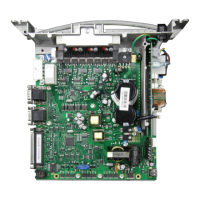
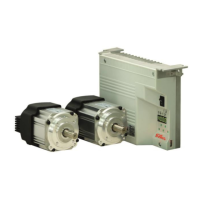
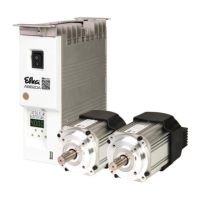
- AB620A5035 Instruction Manual
Display of control program number with index and more identification
numbers. The data is displayed in sequence by keystroke.
Display example for the operator control panel:
Press the E key again to restart routine, or press the P key twice to
return to operational status
Display example for the V810 control panel:
Display example for the V820 control panel:
Switch-on start backtack of reverse motor rotation
Reverse motor rotation On/Off
Number of run-out stitches when unlocking the chain
Minimum number of stitches for high lift for walking
Function “unlock the chain” in modes 5, 6 and 7 (Parameter 290)
0 = Unlocking off
1 = Unlocking the chain manually (with pedal in pos. –2 without
cutting at the seam end)
2 = Unlocking the chain automatically
- By means of light barrier or
- pedal in pos.-2 (Parameter 019) without cutting at the seam end
3 = Unlocking the chain automatically
- By means of light barrier or
- Pedal in pos. –2 (Parameter 019) with cutting and run-out stitches
(Parameter 184) at the seam end, then unlocking the chain (only if
parameter 290 = 7)
4 = Unlocking only with pedal 2
No unlocking the chain at the seam end by means of light barrier,
cutting and run-out stitches.
Seam end for overlock mode through
End count c2 or c4
0 = Seam end after count c4 – Tape cutter
1 = Seam end after count c2 – chain suction
Speed of the light barrier compensating stitches
0 = Speed n5 after light barrier sensing
1 = Speed pedal controlled


 To Next Page