32
Chapter 6 Troubleshooting
Problem Possible cause and remedy
11. The display is changed to single monitor
in a multi-monitor environment (for
DisplayPort input) / the display will not
return from the energy saving mode (for
DVI or HDMI input).
• WhentwomonitorsareconnectedtoonePCusing
DisplayPort,andthepowertooneofthemonitorsis
turnedoffwiththepowerbutton,thescreensettingmay
bechangedtothesinglemonitorconguration.
• WhenusingDVIorHDMI,itmaynotbepossibletoreturn
fromtheenergysavingmode.
• Trythefollowingprocedure.Notethattheseoperations
maycausethepowerconsumptiontorise.
1. PressPOWERtoturnthepowertothemonitoroff.
2. PressPOWERwhileholdingdown
toturnthe
powertothemonitorbackon.
Eachtimetheoperationenables/disablesthis
functionalternatively.
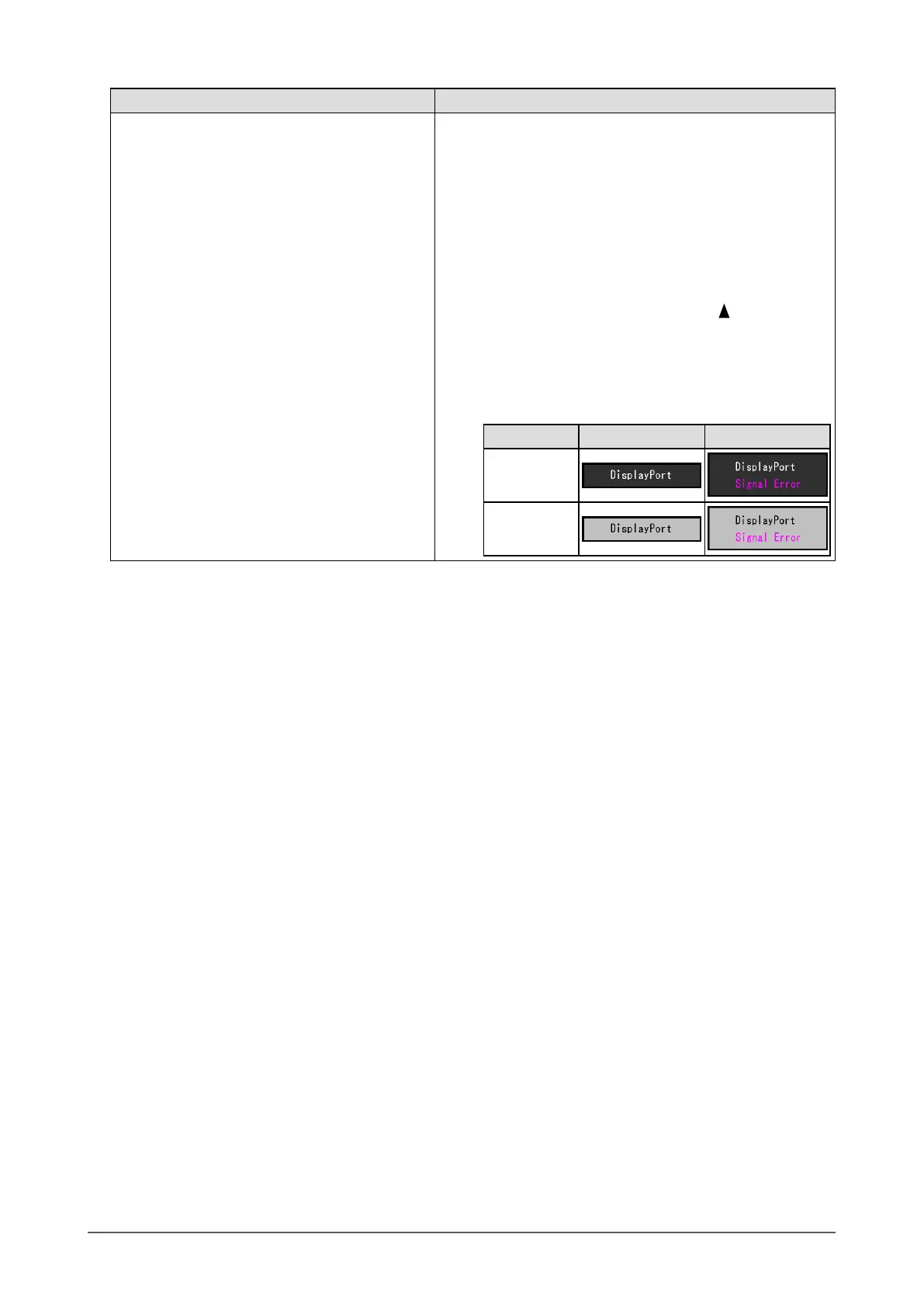
Thecurrentsettingstatuscanbeidentiedbasedon
thecolorusedtodisplaytheinputportorsignalerror.
Settings Input port Signal error
Disabled
(default)
Enabled












 To Next Page