37
Chapter 7 Reference
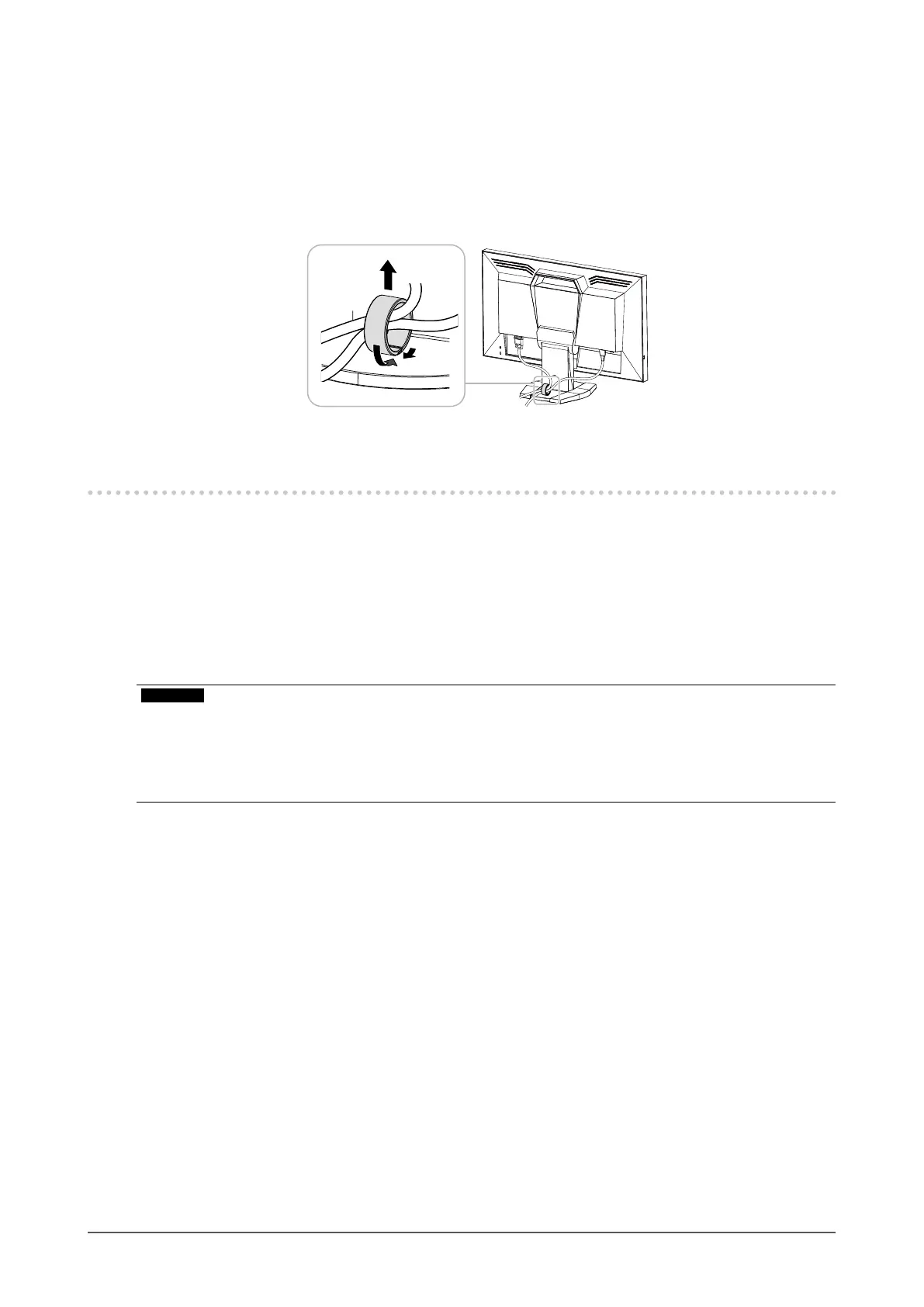
Detaching procedure
1.
Shut the bottom of the cable holder.
2.
While holding the shut section, lift the cable holder upward to remove it from
the Stand base.
7-3. Making Use of USB (Universal Serial Bus)
This product is equipped with a USB hub. Connected to a PC compatible with USB, this monitor functions as a
USB hub allowing connection to peripheral USB devices.
●
Required System Environment
• A PC equipped with a USB port.
• Windows 8 / Windows 7 / Windows Vista / Windows XP / Windows 2000 or Mac OS X 10.2 or later and
Mac OS 9.2.2
• EIZO USB cable (MD-C93)
Attention
• This monitor may fail to work depending on the PC, OS or peripheral devices to be used. For the USB compatibility of
peripheral devices, contact their manufacturers.
• When the monitor is in the power saving mode, devices connected to the USB downstream port will still work.
Therefore, the power consumption of the monitor varies with the connected devices even in the power saving mode.
• When the main power switch is turned off, devices connected to USB downstream ports do not work.












 To Next Page