35
Chapter 7 Reference
Attaching procedure
The removed stand base can be attached to the monitor again by using the following procedure.
1.
Lay the LCD monitor on a soft cloth spread over on a stable surface with the
panel surface facing down.
2.
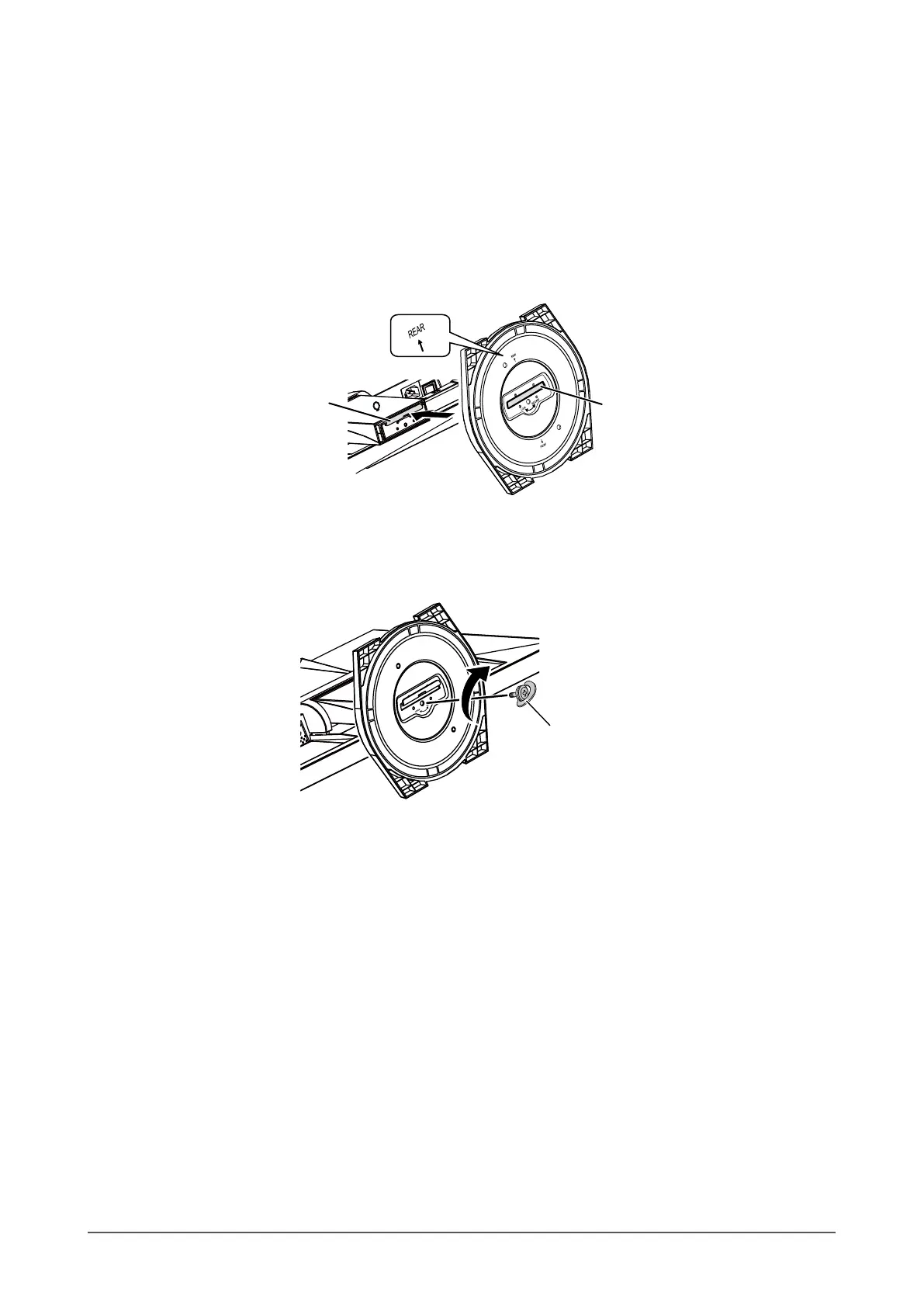
Hold the stand base with the “REAR” side facing upward, align the hole (a) of
the stand base with the tab (b) at the bottom of the monitor, and snap the tab
into the hole.
b
a
3.
Turn the supplied screw in the “LOCK” direction to lock the stand base.
Tighten the screw rmly to the end.
Tightenscrew,then
pressknobflat.
4.
Place the monitor on a stable surface.












 To Next Page