E L A N H O M E S Y S T E M S
INSTALLATION MANUAL
© ELAN Home Systems 2009 • All rights reserved. Page 57
S86A
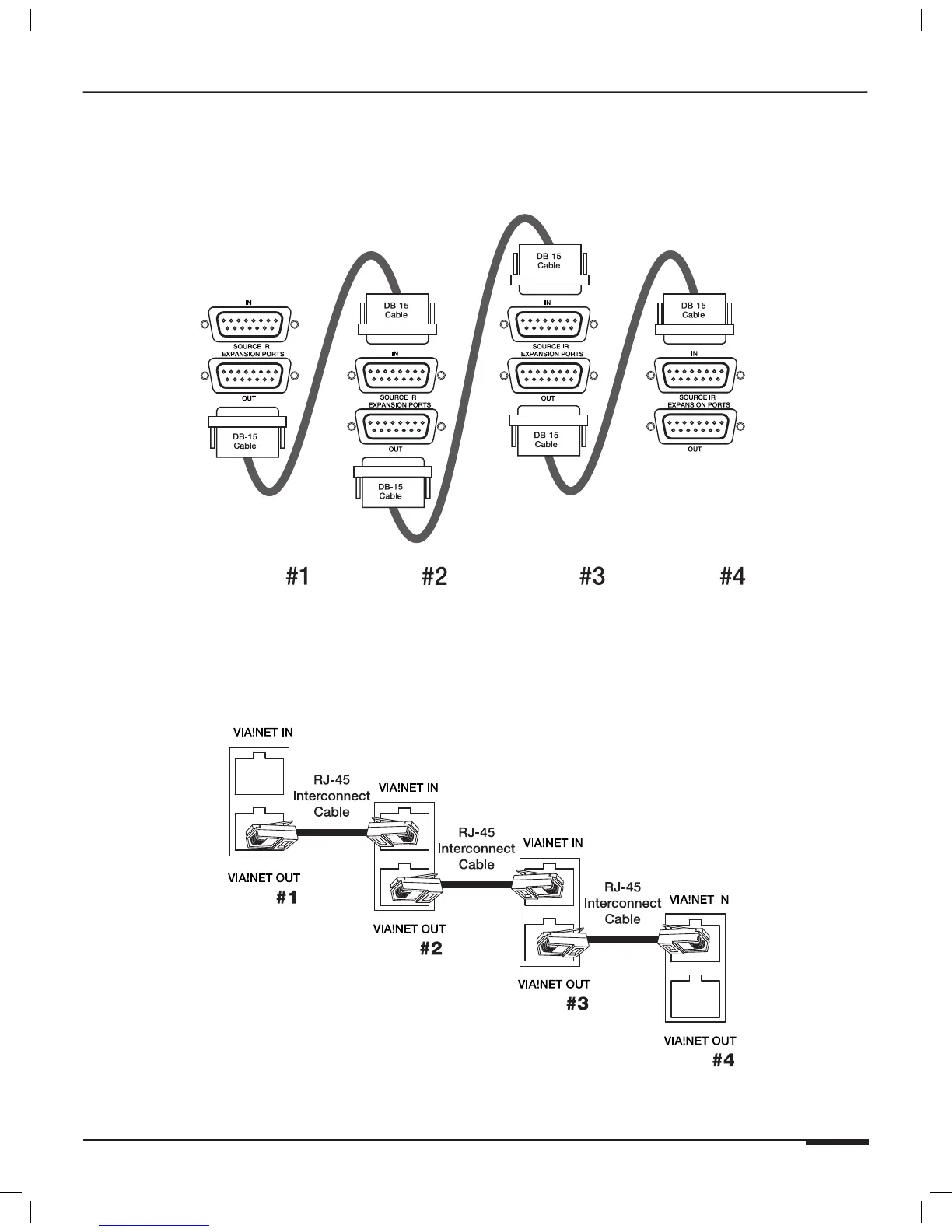
Source IR Expansion Ports
Use the DB15 Cables included with the S12XK KIT to connect the SOURCE IR EXPANSION PORTS between chassis
as shown in Figure 3-52.
S86A S86A S86A S86A
Figure 3-52: Multi-Chassis Source IR Expansion Port Connections
VIA!NET IN/OUT Ports
Use RJ-45 Interconnect Cables to connect The VIA!NET OUT port of Chassis #1 to the VIA!NET IN port on Chassis
#2. Follow this pattern for additional chassis as shown in Figure 3-53.
S86A
S86A
S86A
S86A
Figure 3-53: Multi-Chassis Source IR Expansion Port Connection



 To Next Page