E L A N H O M E S Y S T E M S
INSTALLATION MANUAL
Page 58 © ELAN Home Systems 2009 • All rights reserved.
S86A
ELAN RS-232 Ports
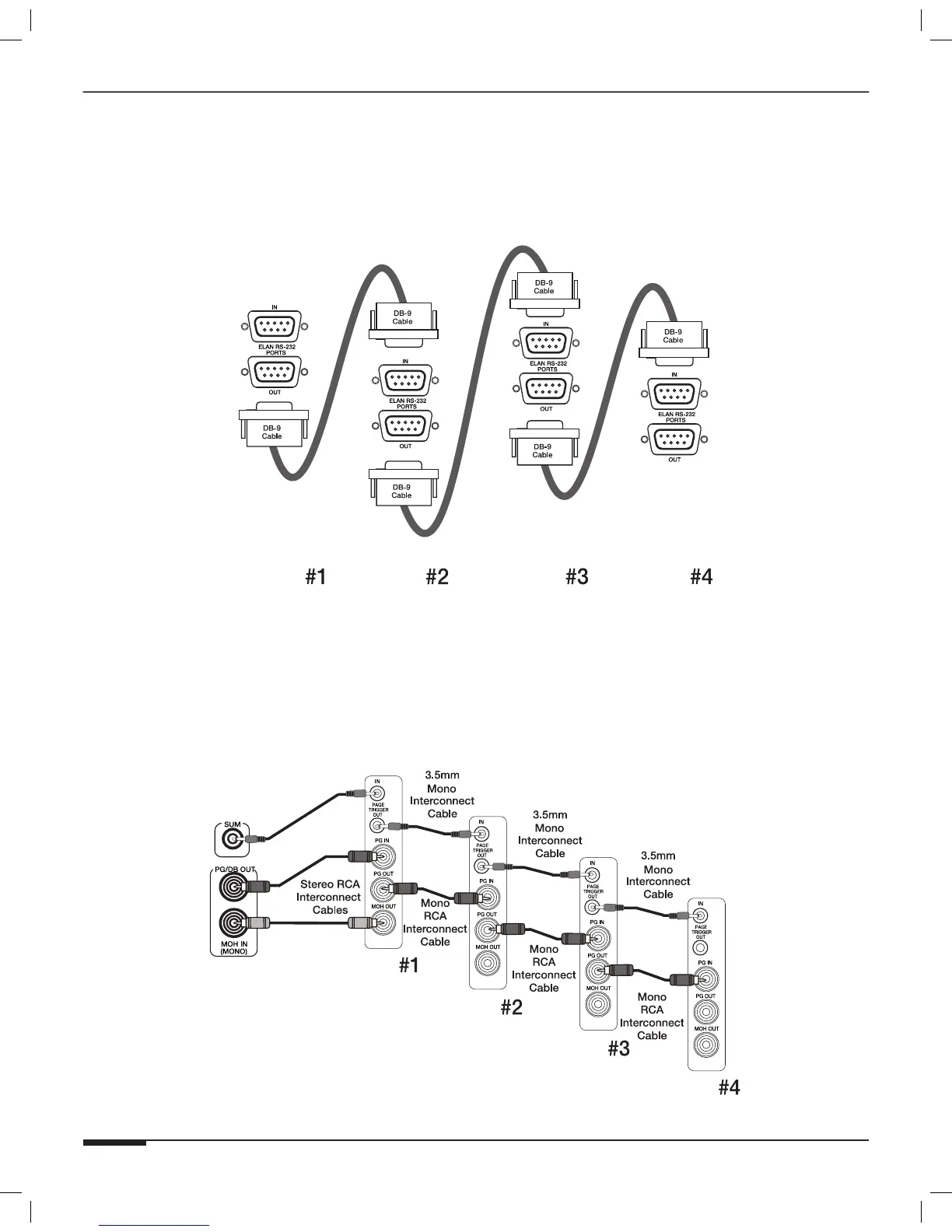
Use the DB-9 connectors included in the S12XK Kit to connect the ELAN RS-232 PORTS as shown in Figure 3-54 if
RS-232 is being used to control the S86A system. These connections are not necessary if controlling the S86A with
IR. These connections are not required for RS-232 devices that are connected to an ELAN SS1 System Station or
SC-4 System Controller.
S86A S86A S86A S86A
Figure 3-54: Multi-Chassis ELAN RS-232 Connections
C2 Connections
If using ELAN’s C2 Communications Controller with the S86A, it is necessary to connect PAGE TRIGGER OUT from
S86A #1 to the PAGE TRIGGER IN of S86A #2 using a 3.5mmm mono interconnect cable. Follow the same pattern
for additional S86A chassis. Use a stereo RCA interconnect cable (or two mono cables) to connect the PG/DB OUT
port from the C2 to the PG IN connection of S86A #1 and the MOH OUT from S86A #1 to the MOH IN port on the
C2. Use mono RCA interconnect cables to route audio from the PG OUT connector on S86A #1 to the PG IN con-
nector on S86A #2. Follow this patter for additional S86A chassis as show in Figure 3-55.
S86A
S86A
S86A
S86A
C2
Figure 3-55: Multi-Chassis C2 Connections



 To Next Page