73
Operation
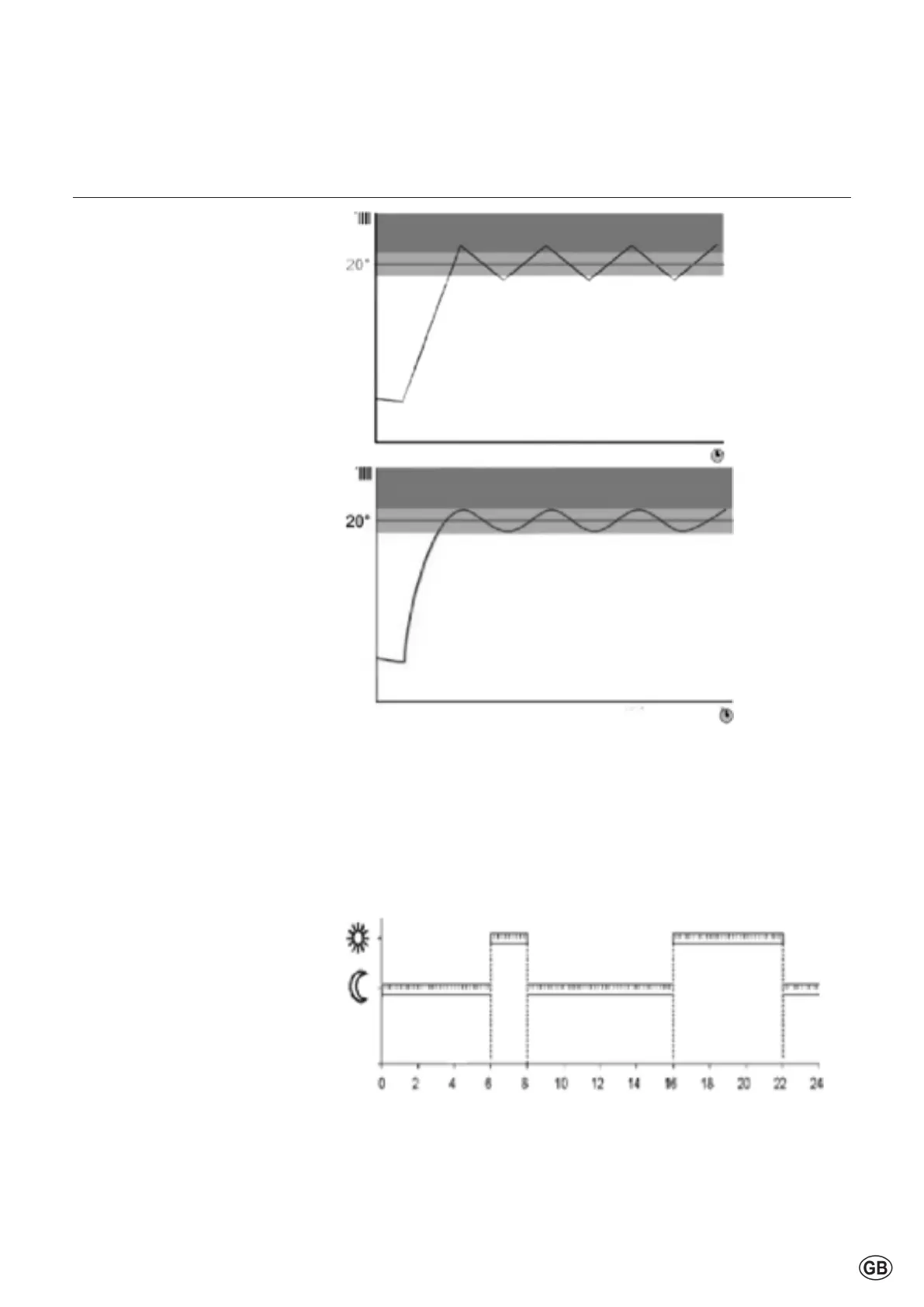
Function Thermoregulation
Room temperature day / night
Function Thermoregulation
see Complete Menu activation of
automatic heating temperature control
(AUTO function). This function allows
theheatingoperationtobeadaptedto
external environmental conditions and
to the type of system in which it is
installed.
This allows to easily achieve high
comfort without unnecessary waste of
money,energyandeciencyandhelps
tosignicantlyreducethewearofthe
components.
Contactaqualiedtechniciantoinform
youaboutthedeviceandthenprogram
the system to meet your needs.
Thermoregulation OFF:
Theboileroperatesandprovidesa
constantowtemperature.Theburner
modulates according to system load.
Thisisachievedbymonitoringthe
system return temperature.
Thermoregulation ON:
One outdoor sensor and/or a room
sensor (accessories) detect changes
the outside or room temperature.
The controller calculates the correct
owtemperatureinordertoachieve
the desired room temperature level
(e.g.21°C)tohold.Thisallowshighest
Comfort and energy saving.
If a room thermostat or Room sensor
(accessory)usedtheboilerswitchesin
bothcases(ON/OFF)accordingtothe
currentRoomtemperatureon/o.
Room temperature day / night
The room temperatures (all zones 1-3)
canbesettodierentsetpoints.These
setpointsbecomeeectivewiththe
selected operating mode and the time
program,sothatdierenttemperature
levels can occur in each zone.
Thebandwidthoftheadjustable
targetvaluesislimitedbytheir
interdependence,whichcanbeseenin
the accompanying graphic.
Day setpoint (comfort),
factorysetting21°C
Night setpoint (reduced),
factorysetting16°C



 To Next Page