76
25/03/19 09:00
–10
°
1.5 bar
CH Pump Overrun
1 2
T10
BMS
32
°
Commissioning
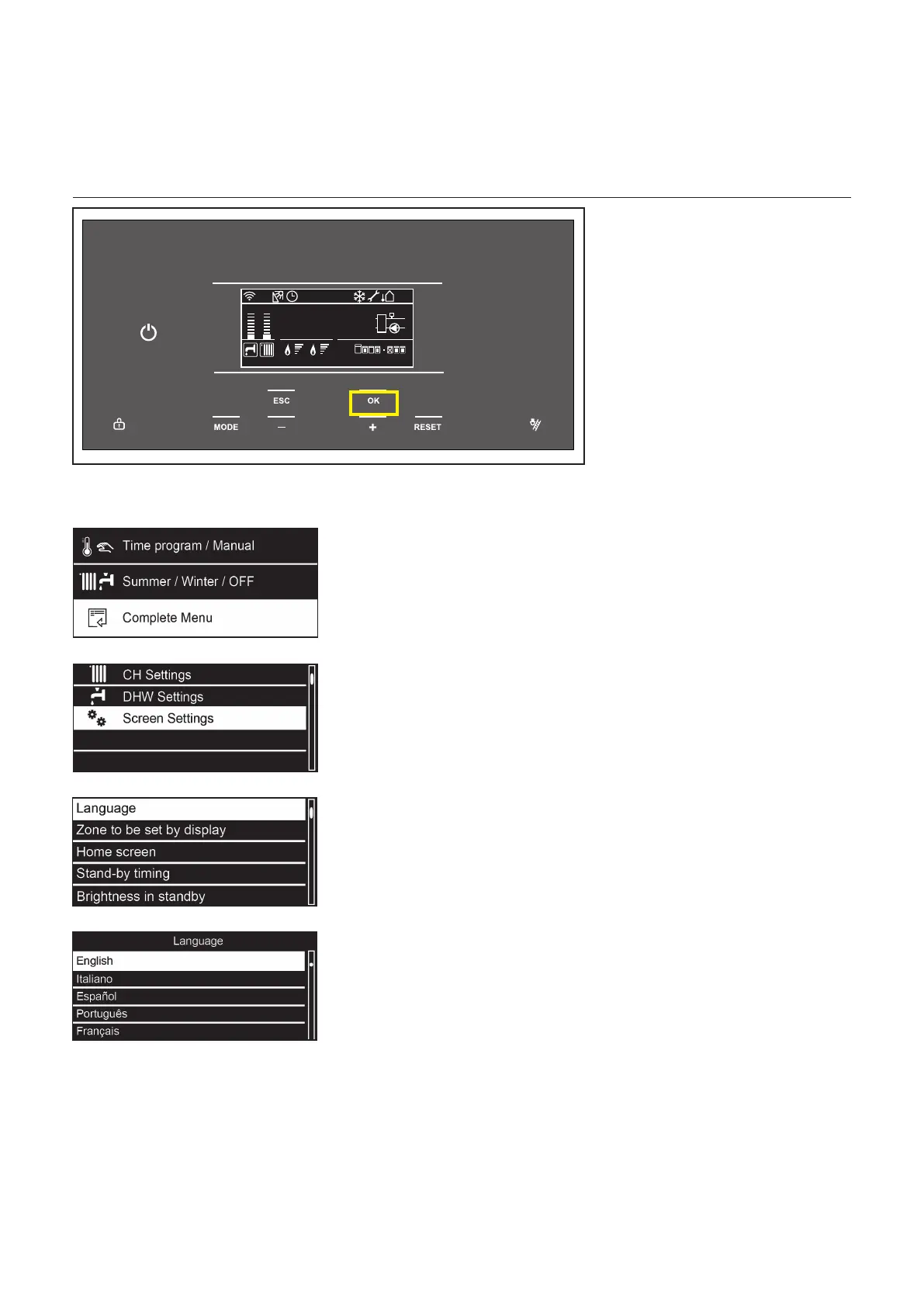
Change the language on the screen
2 The “+” and “–”buttonsareused
to select the parameter set and
make adjustments to individual
parameter settings.
The OKbuttonselectsthe
parametersetandconrmsand
stores any adjustments made.
3 Use “+” to go down and “–” to go
up to highlight
Screen Settings.
Press OK.
4 Option Language is highlighted.
Press OK.
5 Use “+” to go down and “–” to go
up to highlight the desired
language.
Press OK.
The language is changed now.
1 From the controller Home screen, press OK.



 To Next Page