96
3 The message on the screen left
appears.
Press OK to reset the error,
otherwise the previous screen is
shown.
4 The Reset in Progress message
appears.
5 After a while the Fault Solved
message appears.
After the code is reset, the Home
screen appears.
When there are several errors active,
itispossibletoscrolltroughthemby
pushingtheESCbutton.Lastpageis
the main display. When there are no
buttonactivitiesfor30sec.,thelast
errorwillbedisplayedagain.Atthe
masterboilerallerrorsofthecascade
systemwillbedisplayed.
Errors
Reset a Fault code
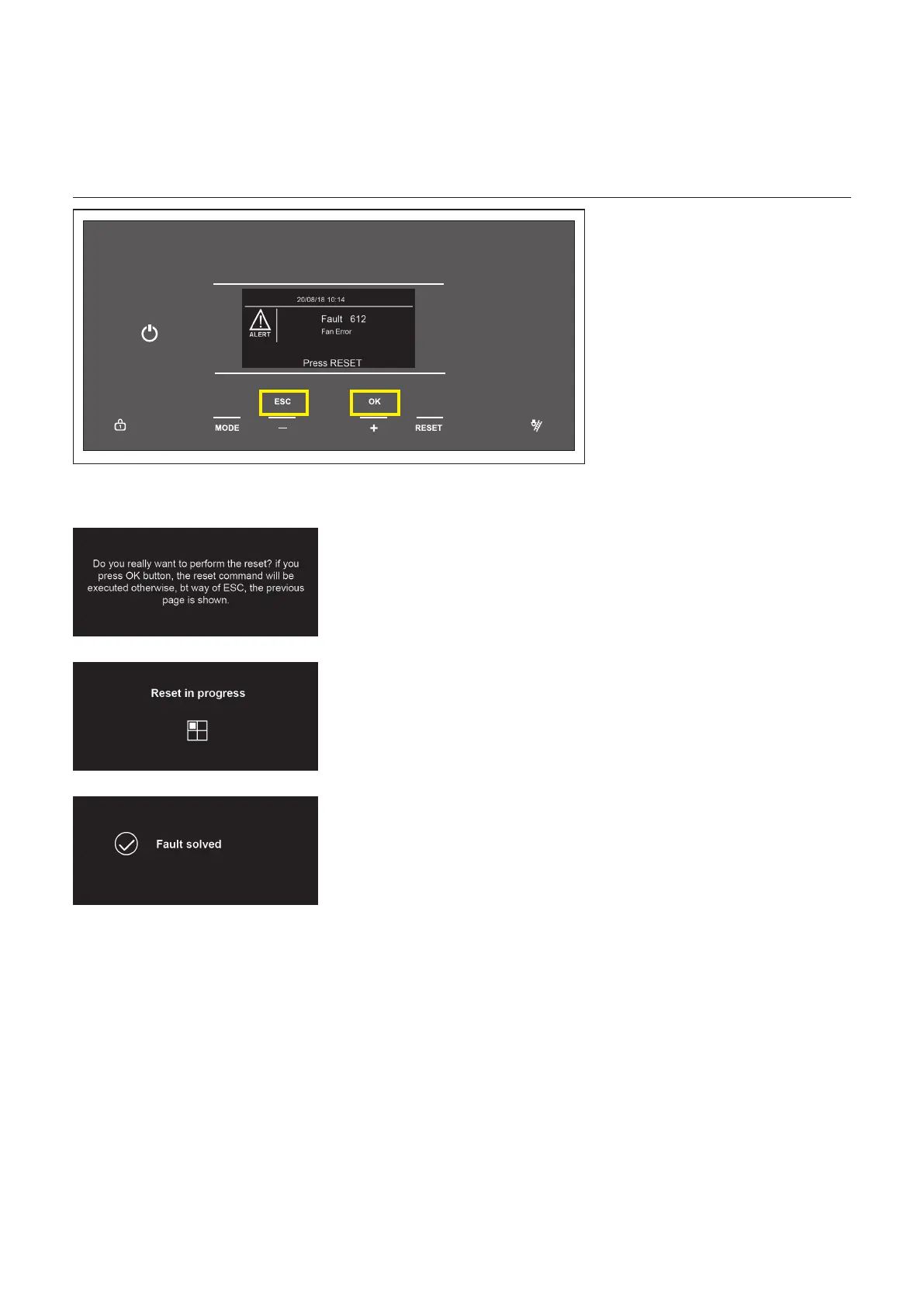
1 When an error occurs, the fault code and description appears on the screen.
2 To reset the fault code, press the RESETbutton.
Thesettingsareaccessable
through a code.



 To Next Page