Appendix C: Web User Application
iConnect Installation Manual
121
Options Available from Main Page
Arm/Disarm
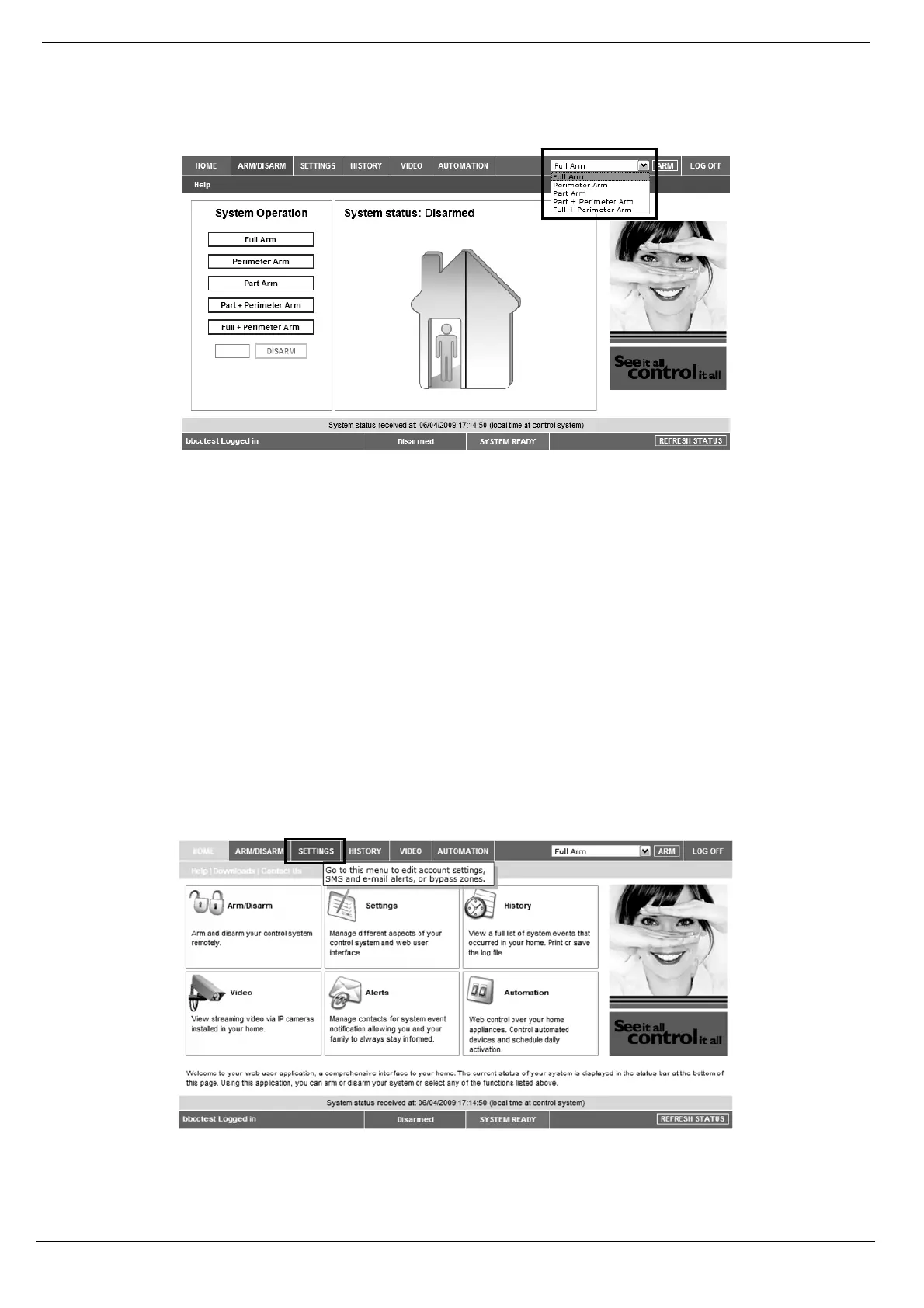
Figure C- 4: Arm/Disarm Page
You can arm and disarm the system using the Arm/Disarm drop-down box (upper-right part of the page) or using the
buttons in the System Operation Area.
The Web Application allows you to arm and disarm your system via the Web Application using any of the available
arming methods. It is important to note that when you arm using the Web application, the system is armed with the
programmed delay.
1. On the Status Bar below on the page you can see the current status of the system (in our example it is
Disarmed and System Ready, which means that the system and all the detectors are working properly
and there are no events to report).
2. It is possible to check if there were alarms in the system – see p. 125, History.
System Users and Codes
In this area you can add, delete, or change users and the User Codes for your system (for example, add codes for family
members).
1. On The Main Page menu, click Settings.
Figure C- 5: Settings Button
2. Click System Users and Codes, the following page appears:



 To Next Page