2 System Installation
iConnect Installation Manual
9
2. System Installation
The following chapter explains how to install the system and provides guidelines and tips on how to optimize the
installation. It is recommended that you familiarize yourself with the various circuit boards that make up the system –
see p. 4, 1.4 Hardware Layout.
2.1. Pre-Installation Planning
Before starting the installation procedure, it is worthwhile to draw a rough sketch of the building and determine the
required position for the Control System and each wireless device.
When deciding on the placement for installation, consider the following:
Mount the Control System in a location with easy access to telephone and power connections.
Mount the Control System in a location that provides easy connection to the router.
For best performance of the GPRS Communication module, the Control System should be mounted in
a position where the GSM signal is strong.
Refer to the following section in order to choose the optimal location for wireless devices in relation to
the Control System.
2.1.1. Wireless Installation Guidelines
In order to optimize wireless communication, consider the following guidelines:
Whenever possible, mount the Control System centrally in relation to wireless sensors.
Avoid installation in close proximity to sources of high noise or radio frequency interference. For
example, metal air conditioner/heater ducts and circuit breaker boxes.
Minimize the distance between the Control System and transmitters.
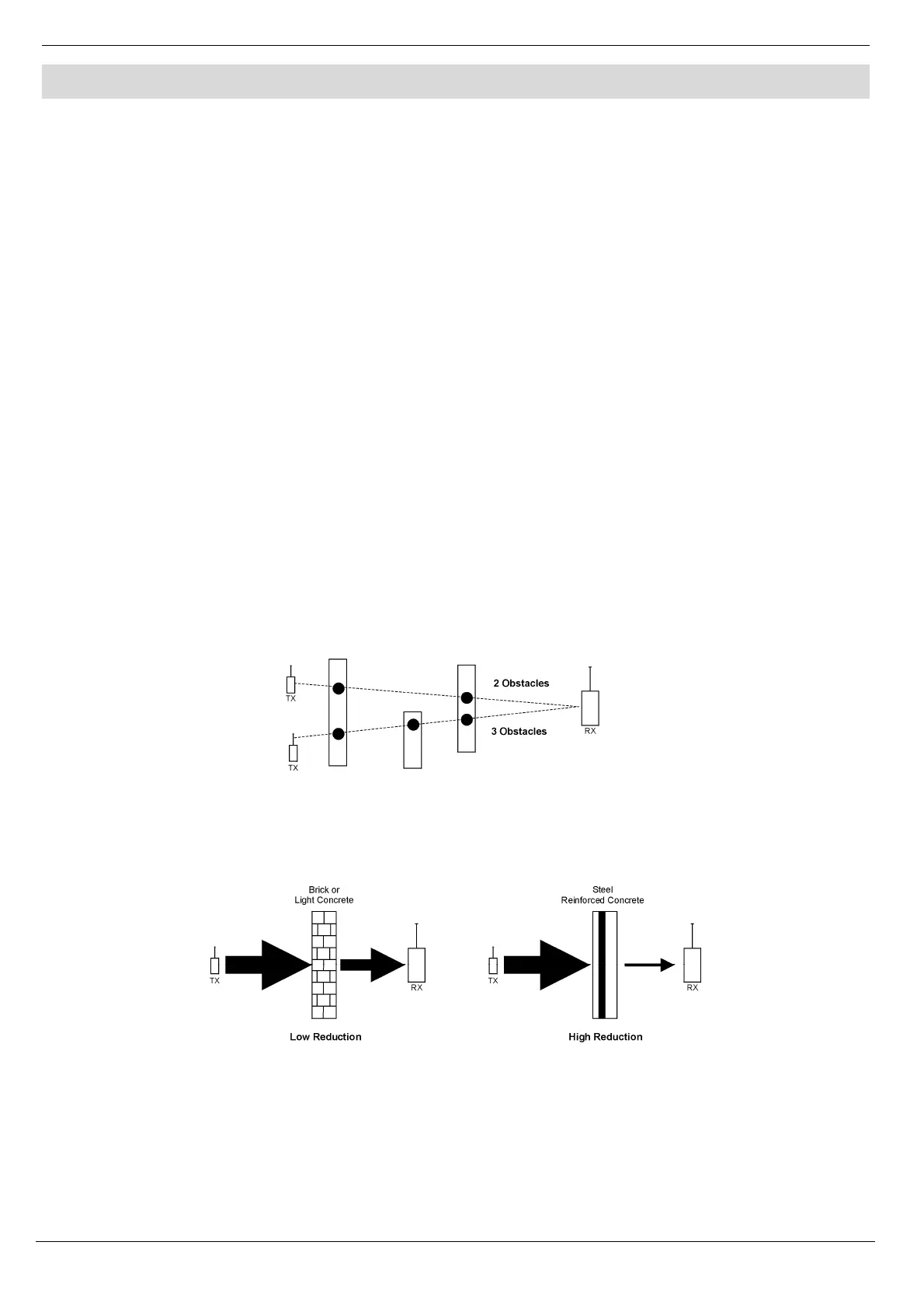
Minimize the number of obstacles between the Control System and transmitters.
Figure 2-1: Minimizing Obstacles
Metal based construction materials, such as steel reinforced concrete walls, reduce the range of radio
transmissions.
Figure 2-2: Considering Construction Materials
The reduction of the RF signals’ strength is directly proportional to the thickness of the obstacle,
assuming that the obstacles are of identical material.



 To Next Page