Appendix B: Transmitter Installation
iConnect Installation Manual
111
To register the Control System to the EL-2724:
1. Set the EL-2724 to registration mode. To do so, press the "1", "3", and "5" keys on the EL-2724
simultaneously; the buzzer sounds three short tones and both LEDs flash to indicate that it is in
Registration mode.
Note: If the EL-2724 does not enter Registration mode, reset the EL-2724 and try again. To reset the EL-2724,
disconnect the power, wait for ten seconds and re-apply power.
2. On the Control System, perform the Wireless siren test [703] twice (press twice). Each time a
transmission is received, the EL-2724 sounds one long tone. After the second transmission is received
by the EL-2724, both LEDs stop flashing to indicate that the Control System was registered successfully
and Registration mode has been terminated.
EL-2724 Registration to the Control System
EL-2724 Registration to the Control System allows the system to recognize transmissions from the EL-2724.
To register the EL-2742 to the Control System:
1. Set the Control System to Registration mode. [913KP# (1-4)].
2. Send two transmissions by pressing the cancel button on the EL-2724 twice.
3. Confirm registration by pressing on the Control System.
Note: After registration, the Control System transmits user code data to the EL-2724. This data transmission
also occurs after each user code's editing and after each EL-2724 reset or Control System reset. While
the EL-2724 is receiving user code list updates, both LEDs and the backlight flash, the LCD’s clock
display flashes 18:88, and the EL-2724 is temporarily locked. This process may take up to two minutes.
Smartkey Registration (optional)
For information on registration and deletion, see p. 43, 7.2. Wireless Devices. For descriptor editing, see p. 43 7.1 Device
Descriptors.
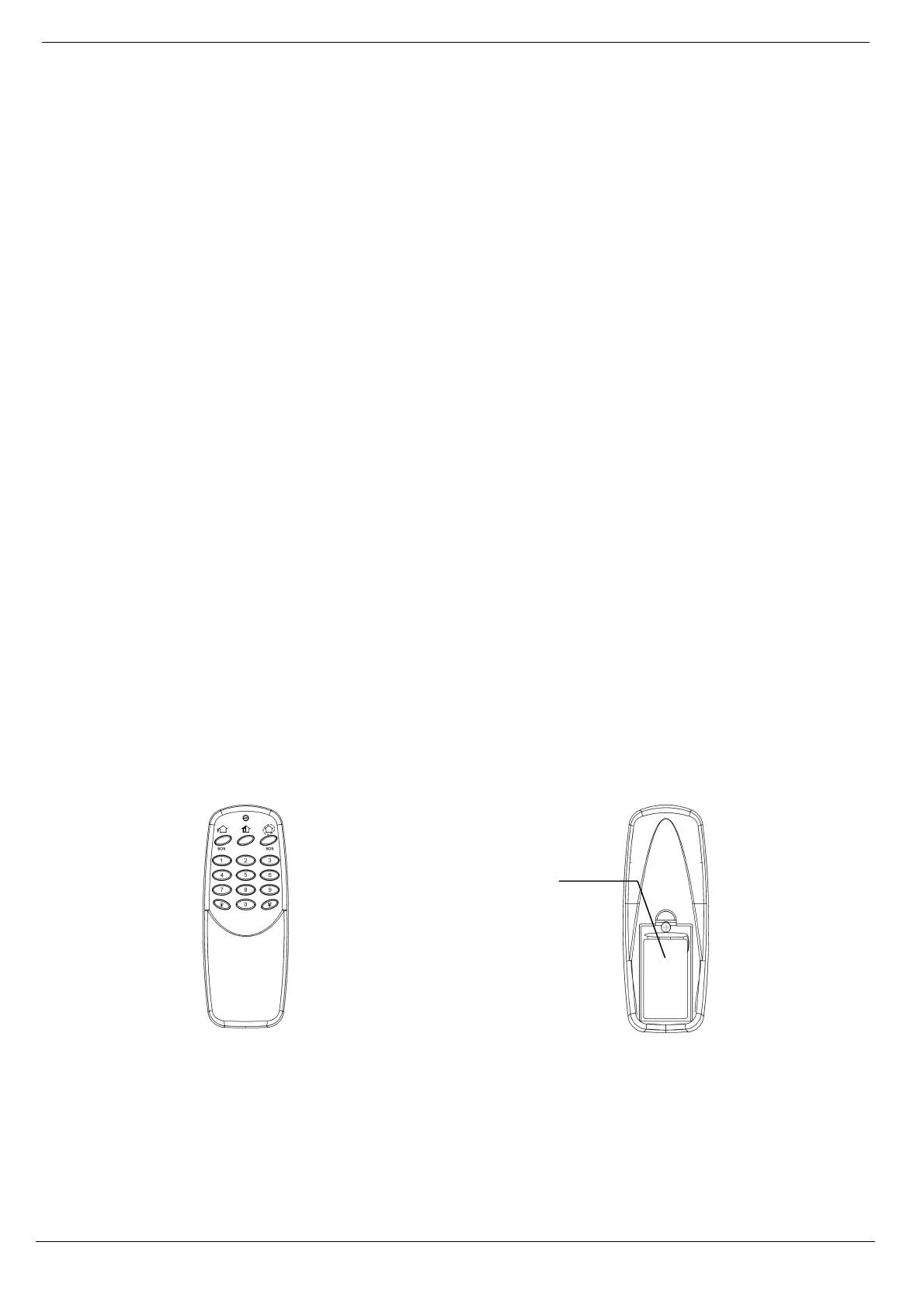
Wireless Keypad (EL-2640)
The EL-2640 is a one-way wireless keypad primarily designed as an additional arming station, including three arming
keys that enable Full, Part/Partition 1 or Perimeter/Partition 2 arming modes. Pressing the Full and Perimeter buttons
simultaneously generates an SOS panic alarm. Additionally, the keypad may be used to control Home Automation
modules and PGM output. A slide-out reference card on the rear of the EL-2640 can be used for writing essential
information such as Home Automation module allocation.
Figure B- 27: EL-2640 Figure B- 28: EL-2640 (Battery Cover Off)
Note: Do not write user codes on the reference card.
Registration Procedure
To register wireless keypads:
1. From the Programming menu, select Devices, Keypads [914].
2. Select the keypad you want to register; the system initiates Registration mode.
9V Alkaline
Battery



 To Next Page