7 Devices
iConnect Installation Manual
48
2. Select the zone you want to program.
3. From the zone’s sub-menu, select Loop [#01]; the zone’s current Loop type setting is displayed.
4. Select either N.O., N.C. or E.O.L.R.
7.3.11. Loop Response (hardwire zones 1 to 8 only)
The loop response determines how long a zone needs to be opened for the control system to generate an alarm. The
following loop response options are available:
Slow Loop (150ms) – used typically for PIR detectors, magnetic contacts, etc.
Fast Loop (50ms) – designed for use with shock sensors
To set loop response:
1. From the Programming menu, select Devices, Zones [911].
2. Select the zone you want to program.
3. From the zone’s sub-menu, select Loop Resp. [#09]; the zone’s current Loop response is displayed.
4. Select Slow Loop or Fast Loop.
7.4. Keyfobs
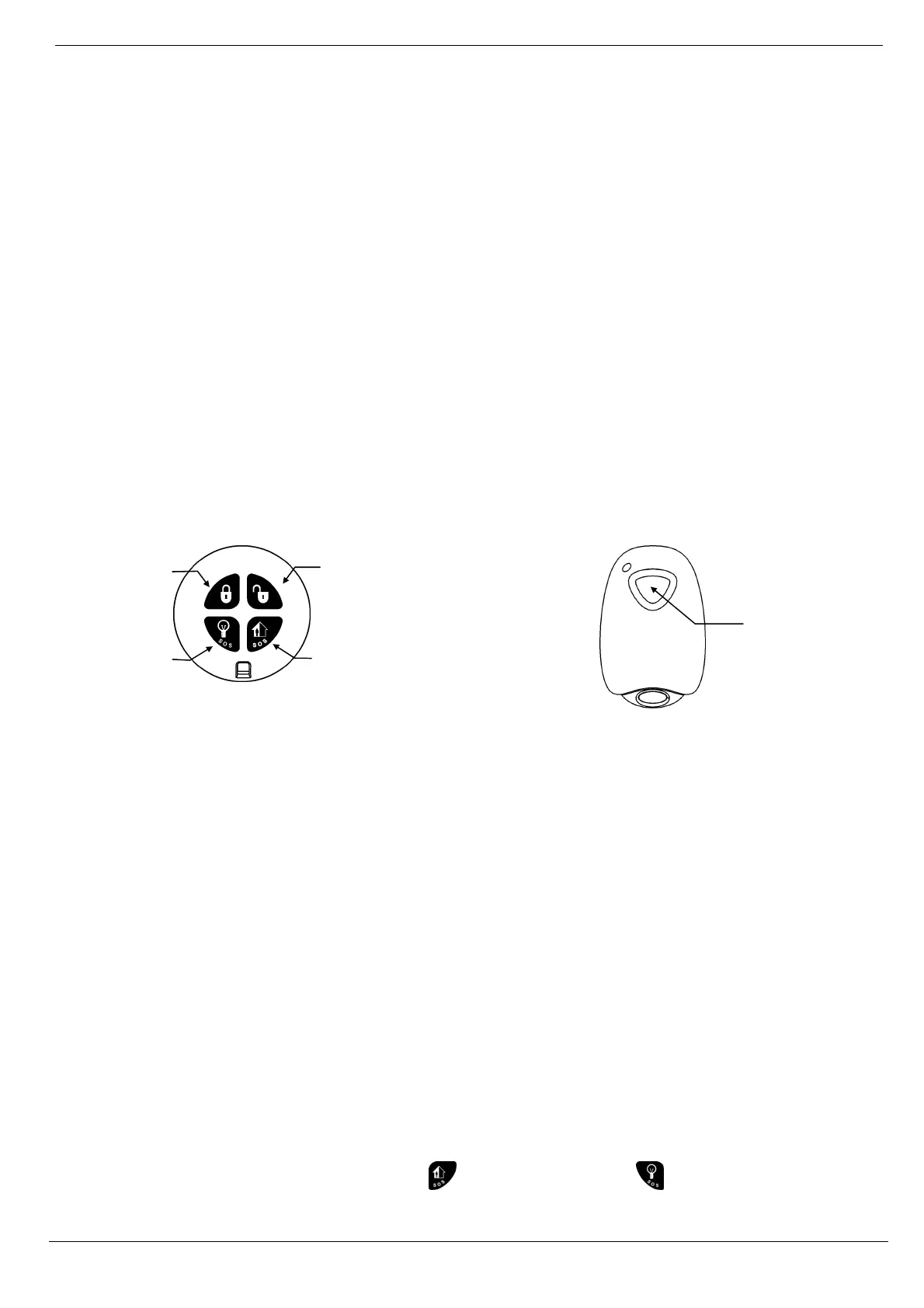
The iConnect Control System supports two types of keyfob transmitter, EL-2611 and EL-2714. You can register up to 19
keyfobs to the system. Figure 7-3 illustrates these transmitters and the functions assigned to their buttons. For
information on registration and deletion, see p. 43, 7.2. Wireless Devices. For descriptor editing, see p. 43, 7.1 Device
Descriptors.
EL-2714 EL-2611
Figure 7-3: Keyfob Button Assignments
The following sections explain the programming options exclusive to the EL-2714 keyfob transmitter. These
programming options are not relevant to the EL-2611.
Note: For panic Alarm activation with the keyfob, see p. 27, 3.12.7, Alarm Activation.
7.4.1. Keyfob Type
You can define each registered keyfob as Controlled or Non-controlled. A Controlled keyfob causes the system to send
arm/disarm event messages to the central station. Non-controlled keyfobs never send arm messages and send a disarm
message only if the system is disarmed after an alarm occurrence.
To program a keyfob type:
1. From the Programming menu, select Devices, Keyfobs [912].
2. Select the keyfob you want to program.
3. From the keyfob’s sub-menu, select Type [#2]; the current setting is displayed.
4. Select Controlled or Non-controlled.
7.4.2. Button Assignment
The EL-2714 includes two buttons (B1 and B2) that you can program individually.
Unpartitioned systems
In unpartitioned systems, the default functions for B1
is part arming and for B2 , perimeter arming.
Medical
Emergency
B2: Perimeter
Arm, HA/PGM,
Arm/Disarm
Partition 2
B1: Part Arm,
HA/PGM,
Arm/Disarm
Partition 1
Full Arm
Disarm



 To Next Page