3 Basic System Operation
iConnect Installation Manual
19
Partitioned systems
Item… Description…
DISARMED The system is disarmed.
SYSTEM ARMED
PART 1 ARMED
PART 2 ARMED
The system has been armed using the displayed arming method.
SYSTEM ARMING
PART 1 ARMING
PART 2 ARMING
The system is in the process of arming (displayed during exit delay).
Table 3-5: Armed Status – Partitioned Systems
Item Description
ZONES IN ALARM Zones have been violated.
TAMPER ALARM The system has been tampered with.
56 TO EXIT The exit delay is counting down (56 seconds remaining).
11 TO DISARM The entry delay is counting down (11 seconds remaining).
SYSTEM NOT
READY
The system is not ready to arm, check that all doors and windows are closed.
KEYPAD LOCKED Five unsuccessful attempts were made to enter a user code, the keypad is locked for 30
minutes.
SYSTEM TROUBLE A trouble condition has been detected, press for further details.
Table 3-6: System Status
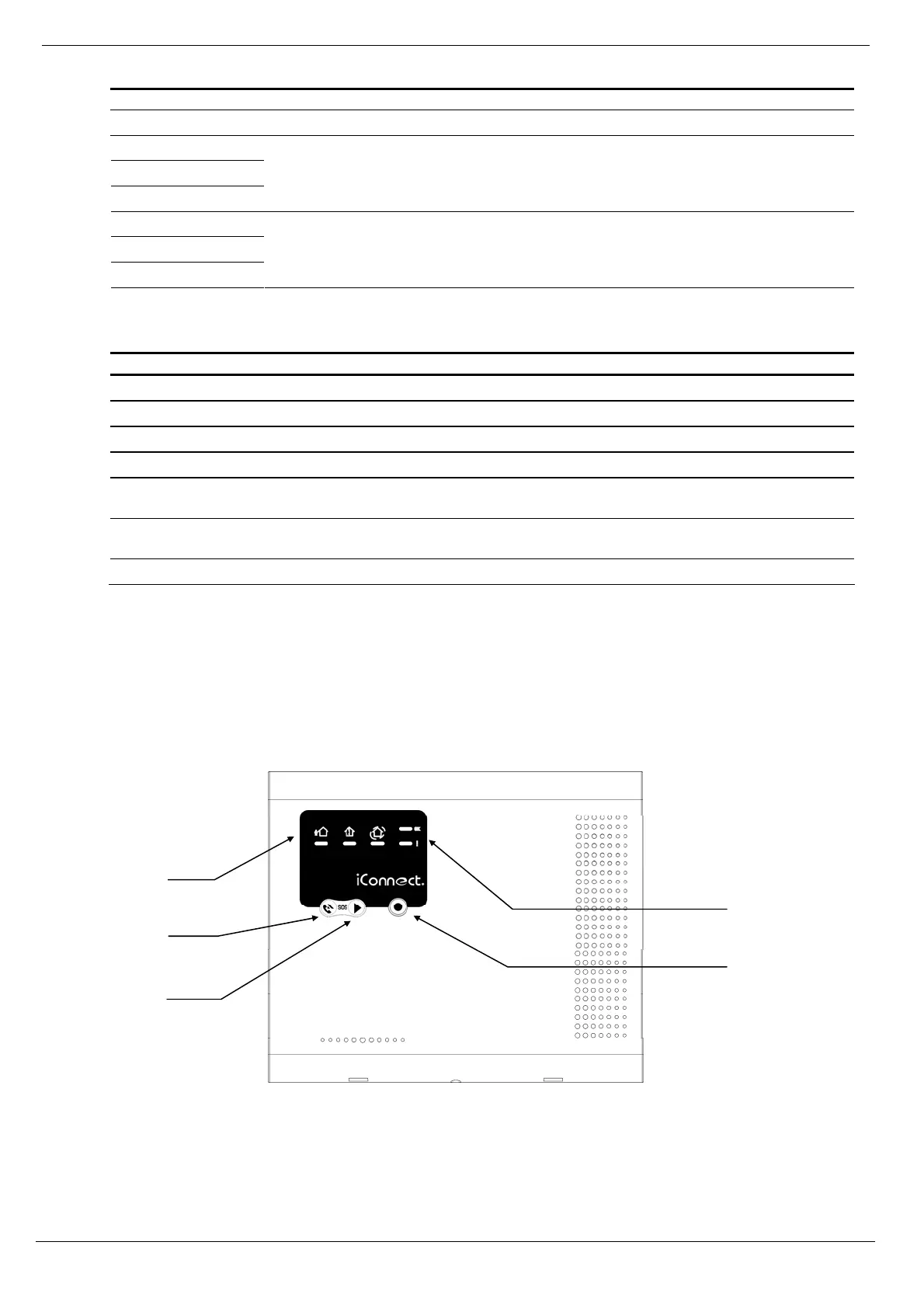
3.5. Front Panel Layout (LED Top Cover)
As the name suggests, the LED Top Cover uses only LEDs to inform you of the Control System status. In addition to
System Status LEDs (OK and "!"), there are three Arming Status LEDS: full, part/partition 1, and perimeter/partition 2.
The three-button keypad allows you to make a service call, record and play an audio message, and to activate an SOS
panic alarm.
Figure 3-4: LED Top Cover
System
Status
LEDs
Arming Status
LEDs
Service Call
Button
Message
Play Button
Message
Record
Button



 To Next Page