3 Basic System Operation
iConnect Installation Manual
18
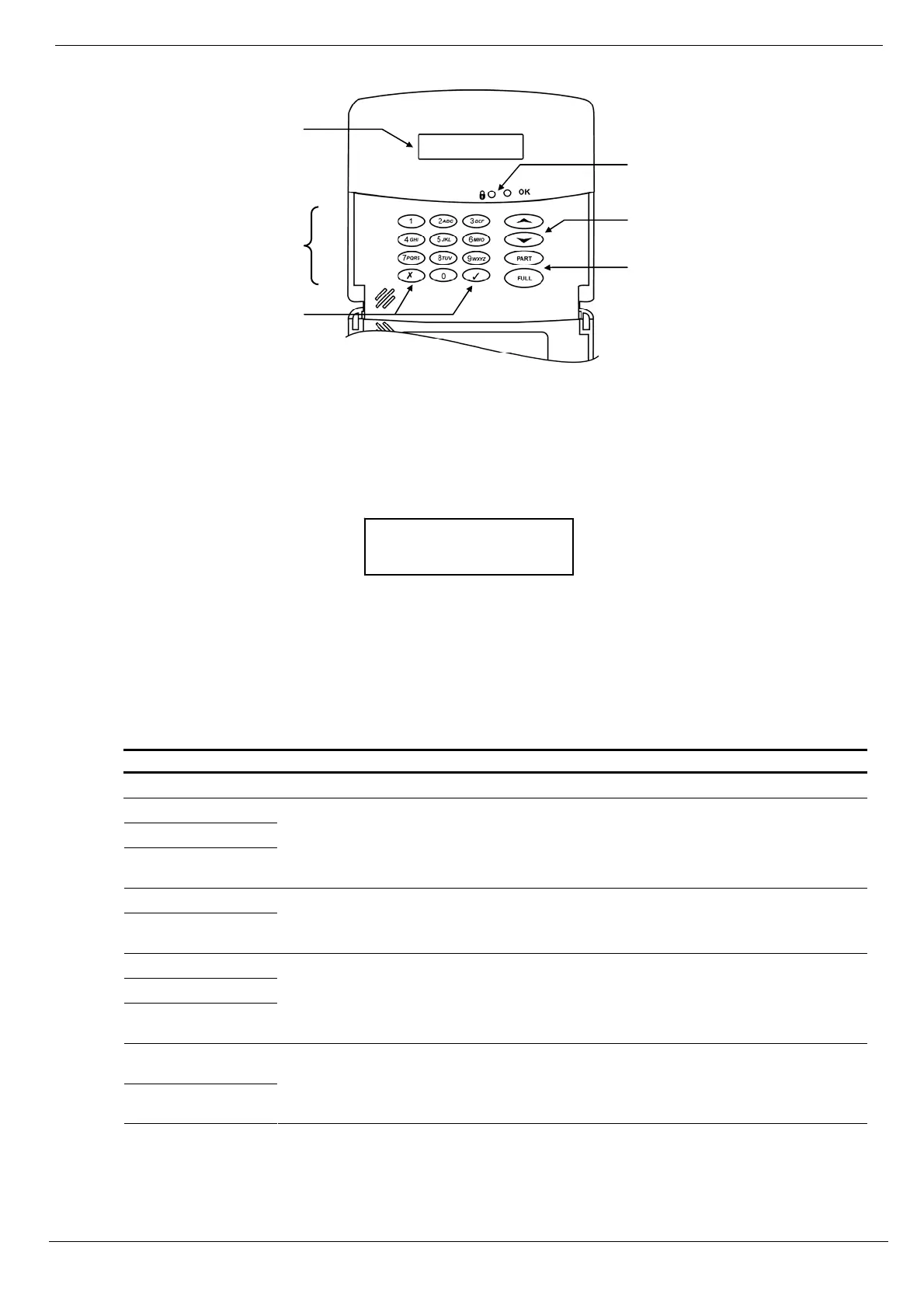
Figure 3-2 shows the layout of the hardwire LCD keypad:
Figure 3-2: Hardwire LCD keypad
3.4. LCD Display
The LCD display provides you with a detailed interface for operation and programming.
Figure 3-3: Typical Standby Display
3.4.1. Standby Mode
Standby mode can be defined as the state the system is in when it is disarmed and not in Menu mode. In Standby
mode, the armed status, system status or banner are displayed. If system status is normal, the current time is displayed.
Unpartitioned systems
Item… Description…
DISARMED The system is disarmed.
FULL ARMED
PART ARMED
PERIMETER
ARMED
The system has been armed using the displayed arming method.
PART ARMED INST
PERIM ARMED
INST
The system has been armed using the displayed arming method with the Instant arm
feature activated.
FULL ARMING
PART ARMING
PERIMETER
ARMING
The system is in the process of arming (displayed during exit delay).
PART ARMING
INST
PERIM ARMING
INST
The system is in the process of arming with the Instant arm feature activated.
Table 3-4: Armed Status – Unpartitioned Systems
DISARMED
11:22:08
Menu
Navigation
Keys
LCD
Display
Menu
Navigation
Keys
System
Status
LEDs
Alphanumeric
Keypad
Arming
Keys



 To Next Page