Appendix C: Web User Application
iConnect Installation Manual
119
Appendix C: Web User Application
The Web Application provides a full interface to all of the system’s user functions. Via the Web, the end user can
perform a wide range of tasks such as arm/disarm, zone bypass, user code management and home automation control.
You can also access the Web User Application from your cellular phone or PDA using the WAP protocol.
Log In Page
This application is usually part of the service provider’s Web site and requires the end user to log in to gain access to
the page.
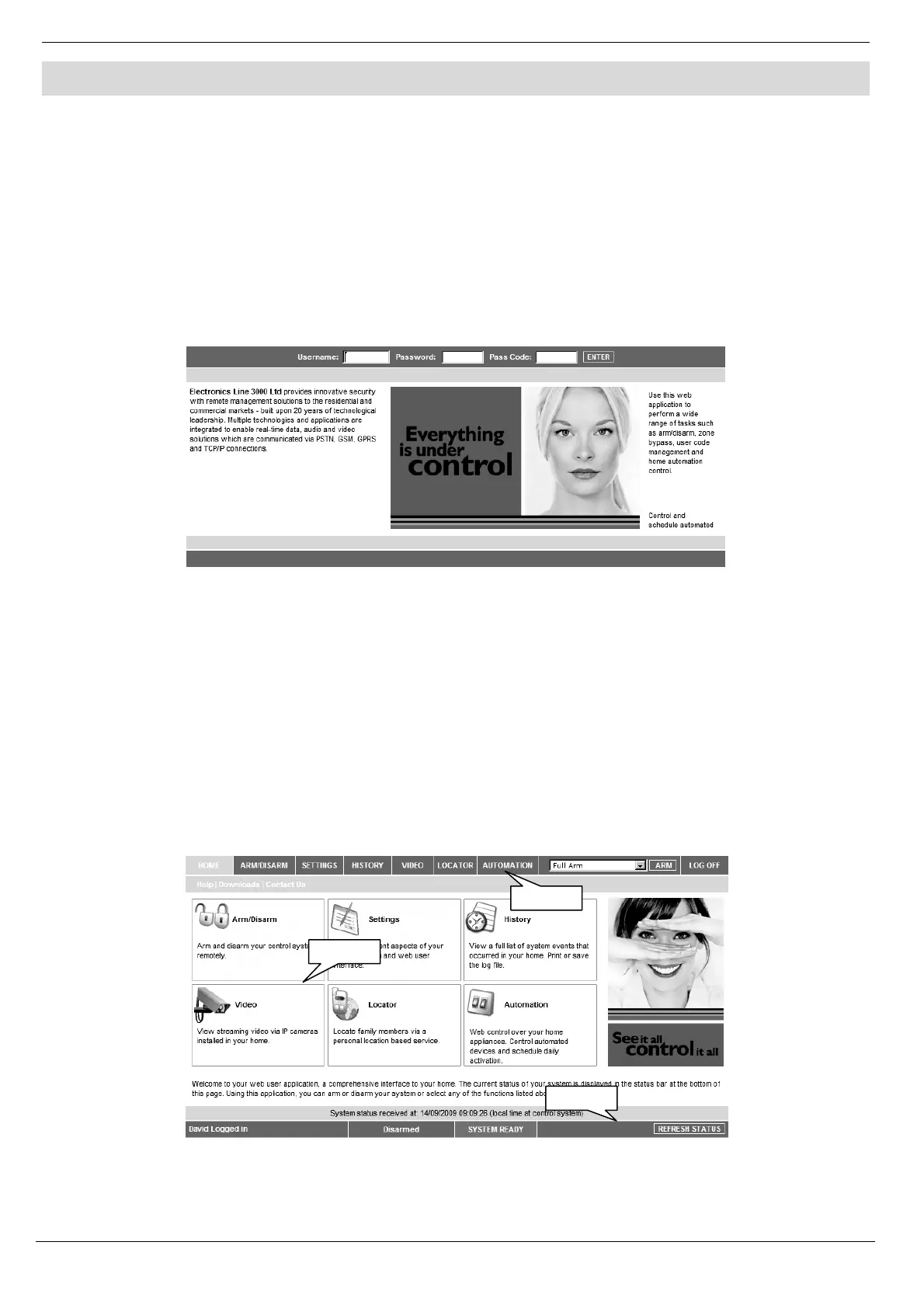
To enter the Web Application, on your browser enter the Web page address supplied by your WEB service provider
and press Go. You will see the Login Page.
Figure C- 1: Login Page
To login to the Web Application, enter your user name and password supplied by your WEB service provider, and the
passcode which is your User Code, then click the Enter button.
Caution: For your system security reasons, you must change the password immediately at first login. You
can change your password on the Change Password page that is accessible from the Settings menu.
Your new password should be no less than six characters and must start with a letter – see p. 122,
Change Password.
The Main Page
After logging in, your system’s home page (Main Page) is displayed.
Figure C- 2: The Main Page
Menu Bar
Status Bar
Workspace



 To Next Page