Appendix B: Transmitter Installation
iConnect Installation Manual
109
Keyfobs (EL-2611/EL-2714)
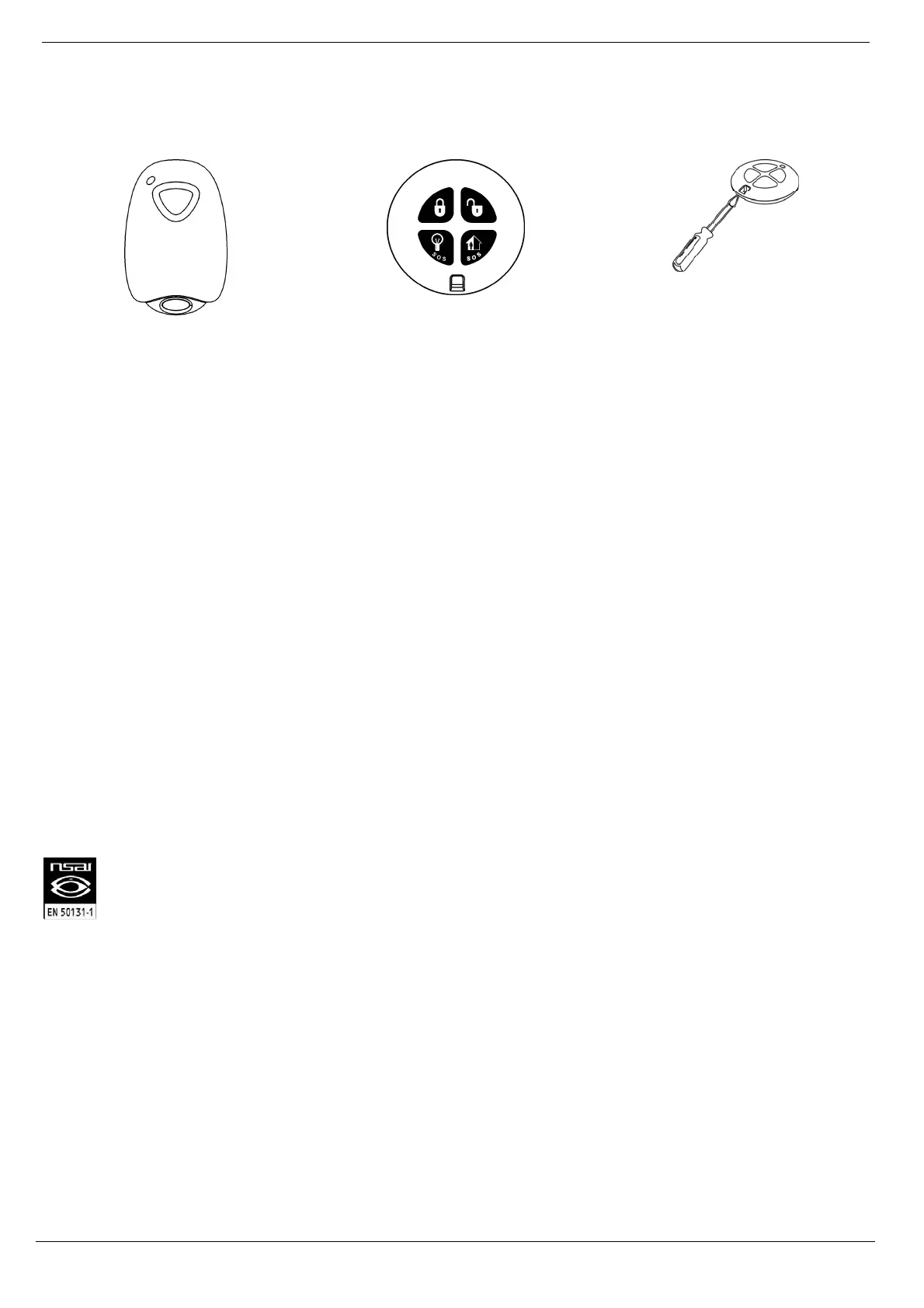
The EL-2611 and EL-2714 are keyfob transmitters that are supported by the system.
Figure B- 21: Figure B.14: EL-2611 Figure B- 22: Figure B.15: EL-2714 Figure B- 23: Opening the EL-2714’s
Casing
Registration Procedure
To register keyfobs:
1. From the Programming menu, select Devices, Keyfobs [912].
2. Select the keyfob you want to register; the system initiates Registration mode.
3. Press a button, making sure that the keyfob’s LED lights up when the button is pressed.
4. Press the same button again. When Save? appears on the Control System’s LCD display, press .
EL-2611
The EL-2611 is a one-button transmitter that generates a Medical alarm when pressed. The transmitter is water resistant
and can be worn around the neck. Its large button makes it ideal for elderly or sight-impaired users.
When the battery is low, the EL-2611’s LED flashes during transmission and a Low Battery signal is sent to the receiver.
When either of these two indications is observed, replace the unit.
EL-2714
The EL-2714 is a four-button keyfob transmitter that offers a number of functions including arm, disarm and SOS
Panic.
When the battery is low, the EL-2714’s LED flashes during transmission and a Low Battery signal is sent to the receiver.
When either of these two indications is observed, replace the batteries.
Note: Batteries must be replaced within seven days of receiving a low battery indication. The estimated
battery life is 2 years (avg. 4 activations per day).
EL-2714 complies with EN-50131 Grade 2 Class II Power Supply Type C.
To replace the battery:
1. Insert a small screwdriver into the pry-off slot – see p. 109, Figure B- 23. Carefully twist the screwdriver
to separate the front and back of the casing.
2. Observing correct polarity, replace the battery (3V lithium, size: CR2032).
3. Close the casing making sure that the front and back click shut.
Wireless Terminal (EL-2724)
The EL-2724 Wireless Terminal has a large LCD display showing arming status, alerts and system trouble, battery
status, and time. The terminal also provides memo recording options, control over up to 16 home automation devices,
and panic alarm function. You can arm and disarm the system using the Smartkey.
The following procedure explains the installation of the EL-2724 and its two-way registration to the receiver. For
further information regarding the EL-2424 maintenance and specifications, refer to the installation instructions
provided with this product.



 To Next Page