4 Advanced System Operation
iConnect Installation Manual
28
4. Advanced System Operation
Besides the basic arming functions described in the previous chapter, you can access additional functions via the menu.
This chapter describes these functions and the menu navigation procedure.
4.1. Menu Navigation
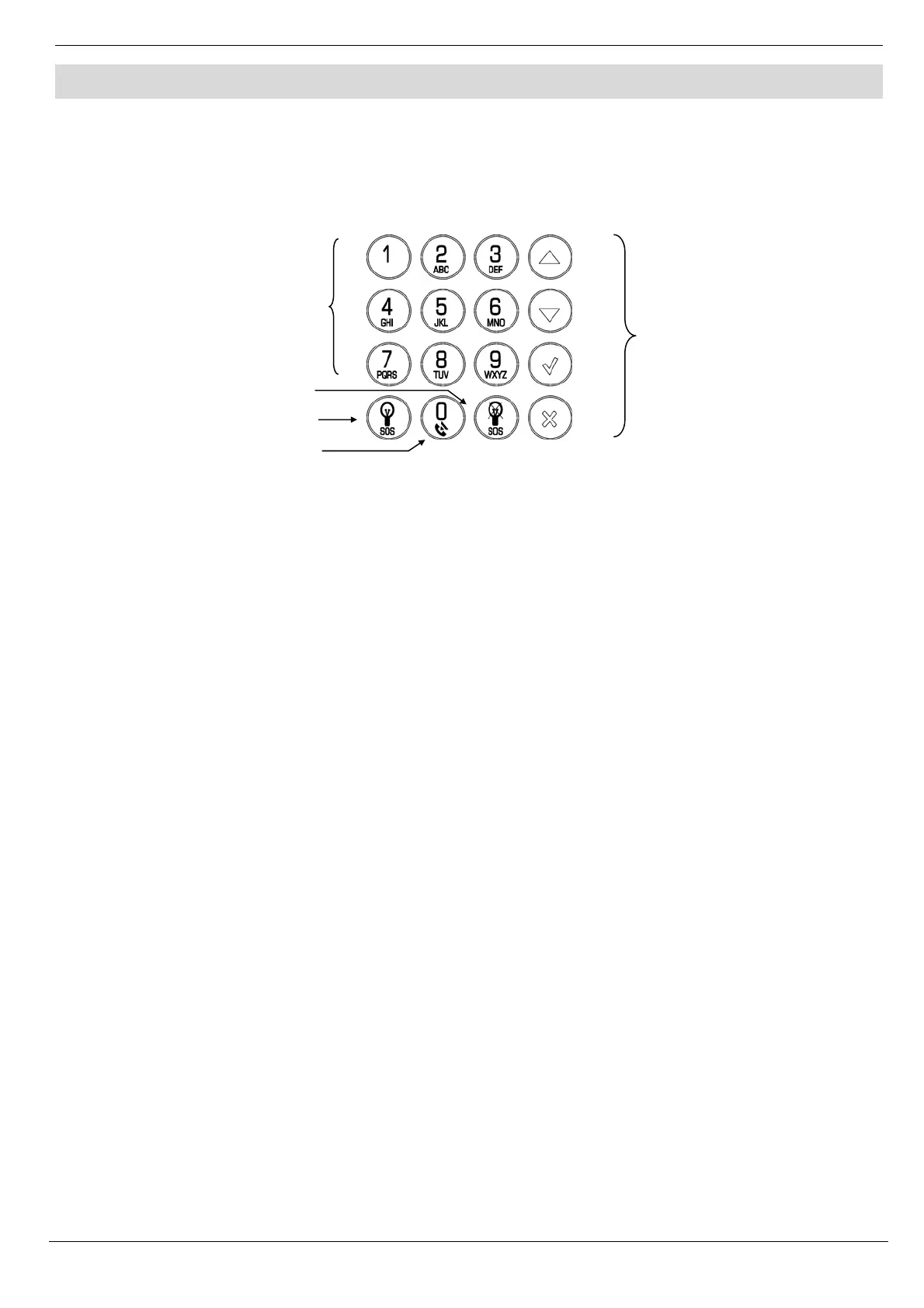
Figure 4-1: On-board Keypad Layout
The Front Panel/LCD keypads' friendly, menu-driven interface is designed to facilitate operation and provide a gentler
learning curve for first-time users. You can navigate through the menus using the arrow navigation keys (/) and
make simple yes/no decisions using the and keys.
For example, perform the following procedure to navigate to Service, Interface Test.
1. Press to enter Menu mode.
2. Enter an authorized user code; the first menu item, 1. Cancel Report, is displayed.
3. Press until 7. Service is displayed.
4. Press to enter the Service menu.
5. Press until 5. Interface Test is displayed.
6. Press to choose the displayed function.
Note: Press the key to return to the previous menu level. Press this key when you are in the main menu to
exit Menu mode.
As an alternative to scrolling through menu options, you may enter a function’s shortcut once you have entered Menu
mode. Shortcut numbers appear in square brackets in the procedures throughout this manual.
4.1.1. Menu Mode Timeout
Menu mode automatically terminates a certain amount of time after the last keystroke. The duration of this timeout
depends upon which code is used to enter the menu. Usually the Menu Mode Timeout is two minutes but if you enter
menu mode using the Installer code, the timeout is extended to fifteen minutes.
4.2. Cancel Report
This feature allows the user to cancel false alarms. Cancel Report behavior depends on time when it is performed. If the
user selects Cancel Report:
…before the alarm/restore message is sent, all the pending alarm or restore messages in the queue are
aborted and marked "Cancelled" in the event log.
…within 5 minutes since an alarm, a Cancel Report event and the user number are sent to the Central
Station;
…at the moment when the event is being reported (communication in progress), the event reporting is
not cancelled;
Note: Non-alarm events (system trouble, arm/disarm etc.) are not aborted by Cancel Report.
Menu
Navigation
Keys
HA Off
Service Call Ke
HA On
Alphanumeric
Keypad



 To Next Page