4 Advanced System Operation
iConnect Installation Manual
34
4.8.3. Wireless Siren Test
To test the wireless siren:
From the Service menu, select WL Siren Test [703]; the external siren is sounded briefly.
4.8.4. Siren Test
To test the Control System’s built-in siren:
From the Service menu, select Siren Test [704]; the Control System’s built-in siren is sounded briefly.
4.8.5. Interface Test
The Interface test enables you to check if the speaker, LEDs and LCD are functioning correctly.
To test the system interface:
From the Service menu, select Interface Test [705]; a short sequence of chimes are sounded from the
speaker, all LEDs flash and the LCD is tested on all connected LCD keypads.
4.8.6. Walk Test
To initiate Walk Test mode:
1. From the Service menu, select Walk Test [706]; a list of registered sensors appears.
2. Trigger each sensor; when the system receives a successful transmission from a sensor, the sensor is
removed from the list.
3. When all the sensors are removed from the list, End Walk Test is displayed.
4. Press to exit Walk Test mode.
4.8.7. Transmitters
The Transmitters menu offers two utilities that serve as a valuable aid during installation.
The first utility, TX List, is a scrollable inventory of all registered transmitters and their last reported status.
To view the TX list:
1. From the Service menu, select Transmitters, TX List [7071]; the first transmitter on the list is displayed.
2. Using the arrow buttons, scroll through the transmitter list.
3. When you have finished viewing, press to exit the list.
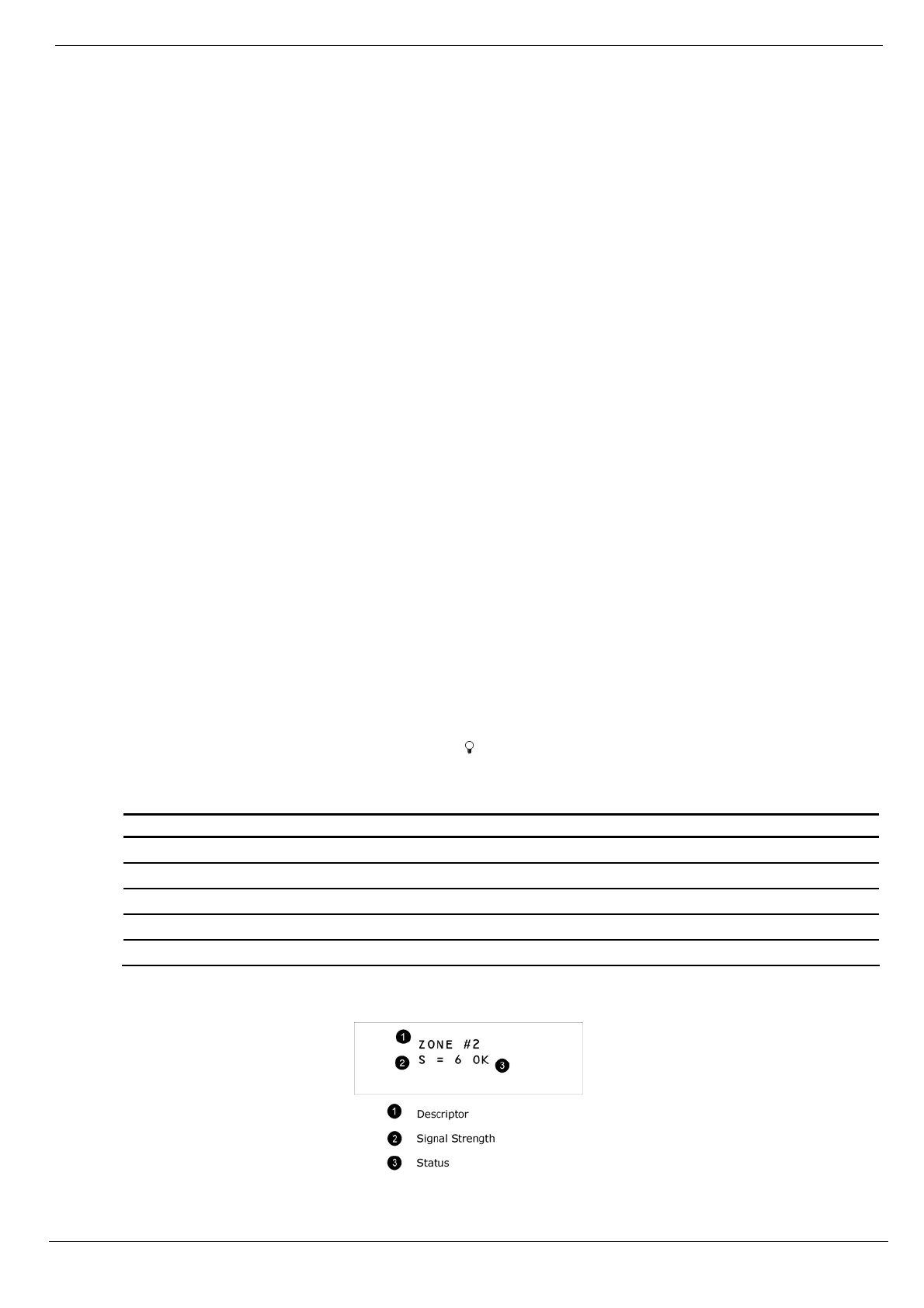
The TX list displays the following information for each transmitter:
The zone/device number or descriptor. Press the key to toggle the display.
The signal strength of the last received transmission.
An abbreviation indicating the last received status of the transmitter – see Table 4-2.
Item… Description…
OK The transmitter is functioning correctly
TA Tamper condition
BT Battery low
OS The transmitter is out of synchronization
NA The transmitter is inactive – see p. 44, 7.2.3 Supervision Time
Table 4-2: Transmitter Status Abbreviations
Figure 4-3: TX List Display



 To Next Page