19
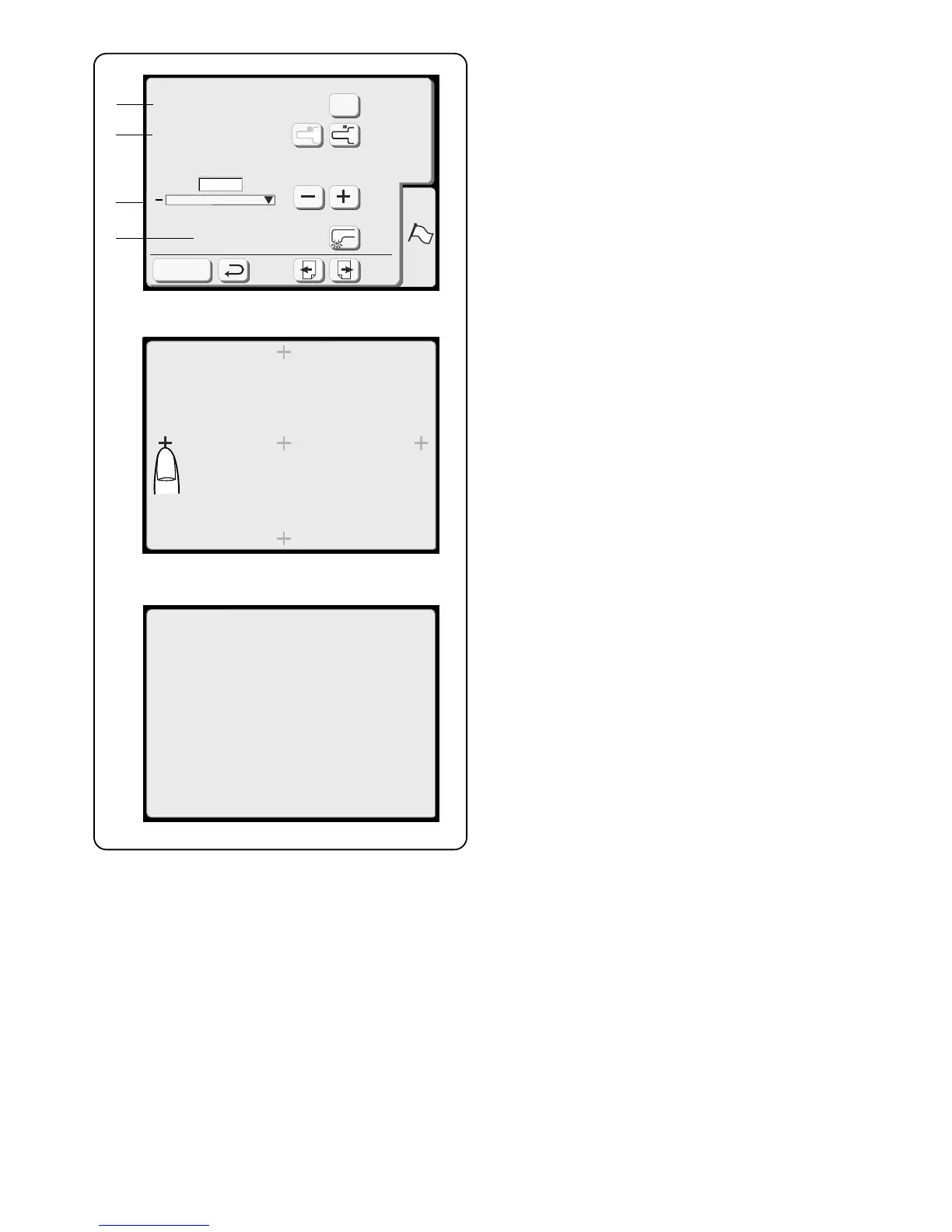
7. Adjust key positions
If the touch keys in the LCD touch screen do not
react to your touch, the keys may need to be
adjusted or realigned.
Touch the “Yes” key to open the adjust key position
window.
Key Position Adjustment
Sewing Light
+
Maximum Speed Set
SET
Register
650
spm
Yes
Free Arm Length
7
8
9
10
Key Position Adjustment
PRESS MARK ( )
+
Key Position Adjustment
END
The first of five black plus (+) symbols will appear.
Touch the black symbols in the order that they
appear.
After the fifth black symbol is touched, the END
message appears. Wait a few moments and the set
preference window reappears.
8. Free Arm Length
Touch these keys to either reposition the carriage
and expose the entire length of the free arm or to
return the carriage to the store position.
9. Set maximum embroidery speed
The maximum embroidery speed default setting is
650 spm (stitches per minute). Designs featuring
narrow zigzag stitches may need to be sewn at a
slower speed for best results. Touch the “–” key to
decrease and “+” key to increase.
10. Sewing light
You can operate the machine with the sewing light
on or off. Touch this key to change between the two
settings.
Touch the “Next” key.



 To Next Page