16
EMC VNX5500 File Installation Guide
Installing components
Some of the components are heavy and may require two people. If needed, use an appropriate
lifting device (mechanical lift).
The components to install include:
◆ Standby power supply
◆ Disk processor enclosure
◆ One or more Control Stations
◆ One or more blade enclosures
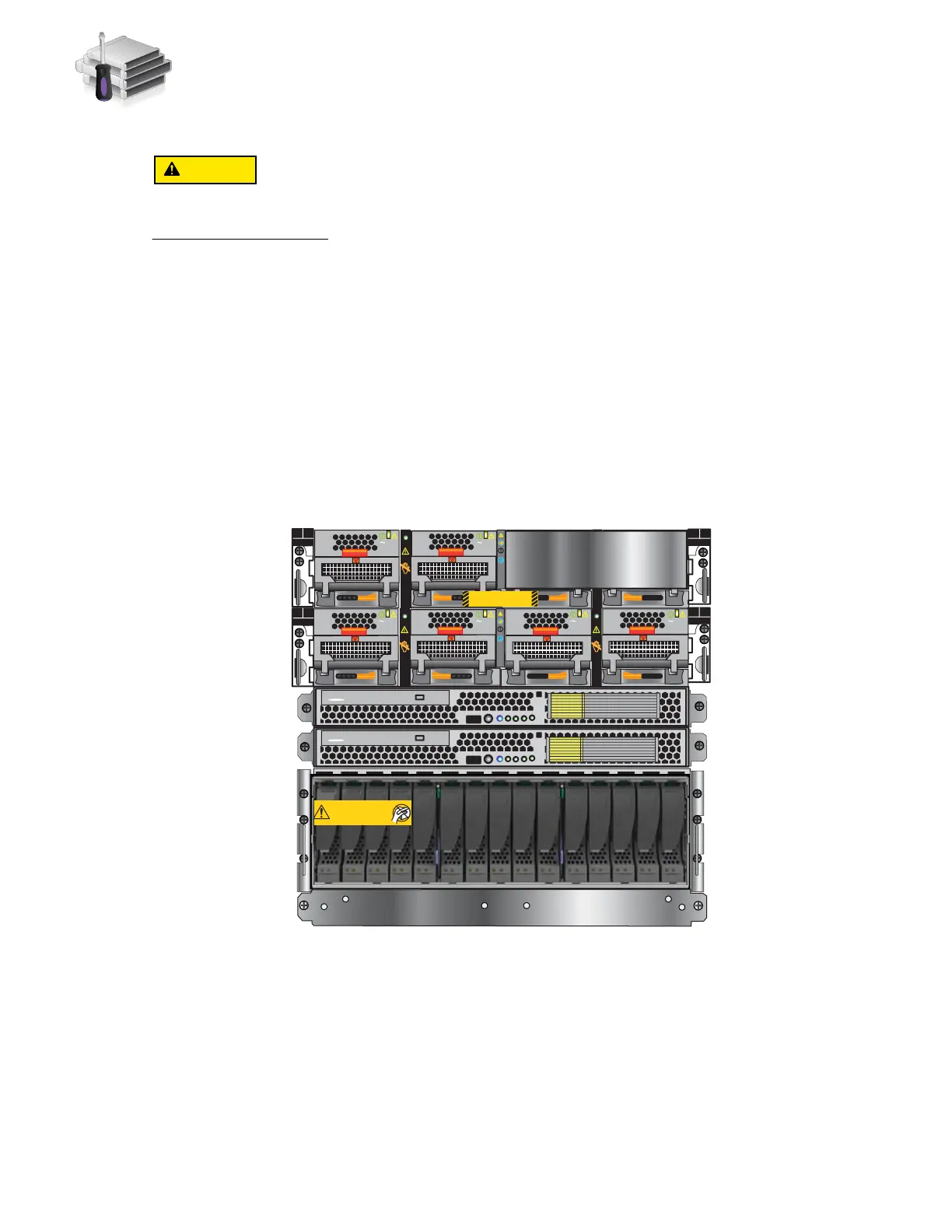
Figure 5 shows an example of the front view of the VNX5500 components. Figure 6 on page 17
shows an example of the rear view of the VNX5500 components.
The
VNX5500 Hardware Information Guide
provides more detail about each of these components.
Figure 5 Front view of VNX5500 File
DVD
Control Station 1
DVD
Control Station 0
Will Make the Array Unusable
Caution: Array Software on drives 0-3. Removing or relocating them
Standby power supply
Disk processor
enclosure
Control Station 0
Control Station 1
(optional)
Blade enclosure 0
Blade enclosure 1
(optional)
AC
AC
AC
AC
B
PS B0
PS B1
CPU B
PS A0
PS A1
CPU A
A
Blade Enclosure 1
Remove Prior to powering up equipment
046-003-752_A01
B
PS B0
PS B1
CPU B
AC
AC
AC
AC
PS A0
PS A1
CPU A
A
VNX-000245



 To Next Page