24
EMC VNX5500 File Installation Guide
Installing blade enclosure 0
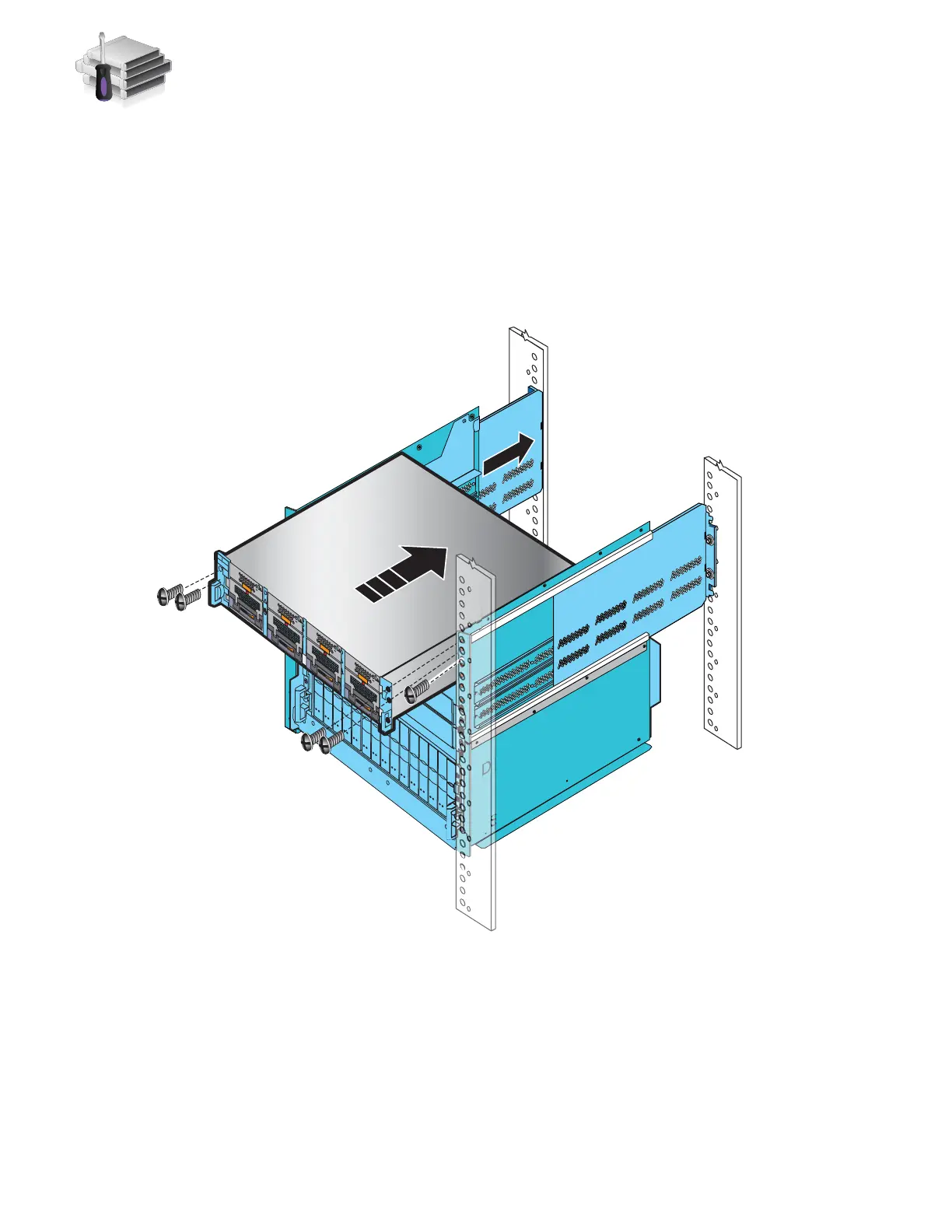
1. Slide Blade Enclosure 0 above the Control Stations of the 8U ganged rails inserting the
component into the tabs at the rear of the rails as shown in Figure 12.
2. Working in a diagonal pattern bottom left and top right, bottom right and top left, attach, but
do not tighten, the component by inserting the four screws through the blade enclosure, the
cabinet rail, and into the ganged rail as shown in Figure 12.
3. If there are no more components to insert, tighten all the screws.
Figure 12 Installing blade enclosure 0
DVD
DVD
Front
AC
AC
AC
AC
Blade enclosure 0
Disk processor enclosure
Standby power supply
VNX-000199



 To Next Page