MODEL 1000 SEP 2005
INSTALLATION AND SETUP
3-39
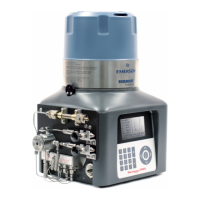
Figure 3-7. The Front Panel Serial Port is Connected to GC Controller's Serial Channel
COM1
You will need to connect the GC Controller to one of the PC's available, or unused serial ports.
To determine which PC serial ports are already being used by other equipment and
which port can be used for connecting to the GC Controller, note existing serial
connections, refer to your PC user's manual, and use diagnostic software (such as
Norton Utilities™).
(2) What serial ports are available at the GC Controller? When you select one, consider these
points:
(a) The GC Controller's COM1 serial channel is usually reserved for connecting a PC,
especially for service or troubleshooting purposes, since the GC Controller's
easy-access front panel serial port is connected to serial channel COM1 (see Figure
3-7).



 To Next Page