PACSystems VersaMax Genius Network Interface User Manual Section 4
GFK-1535D Jan 2023
Configuration 75
Configuration parameters of I/O modules are described in the VersaMax
Modules, Power Supplies, and Carriers User’s Manual (GFK-1504) or the
module datasheets.
4.3.10 Programmer Configuration: Download,
Upload, Verify, Clear
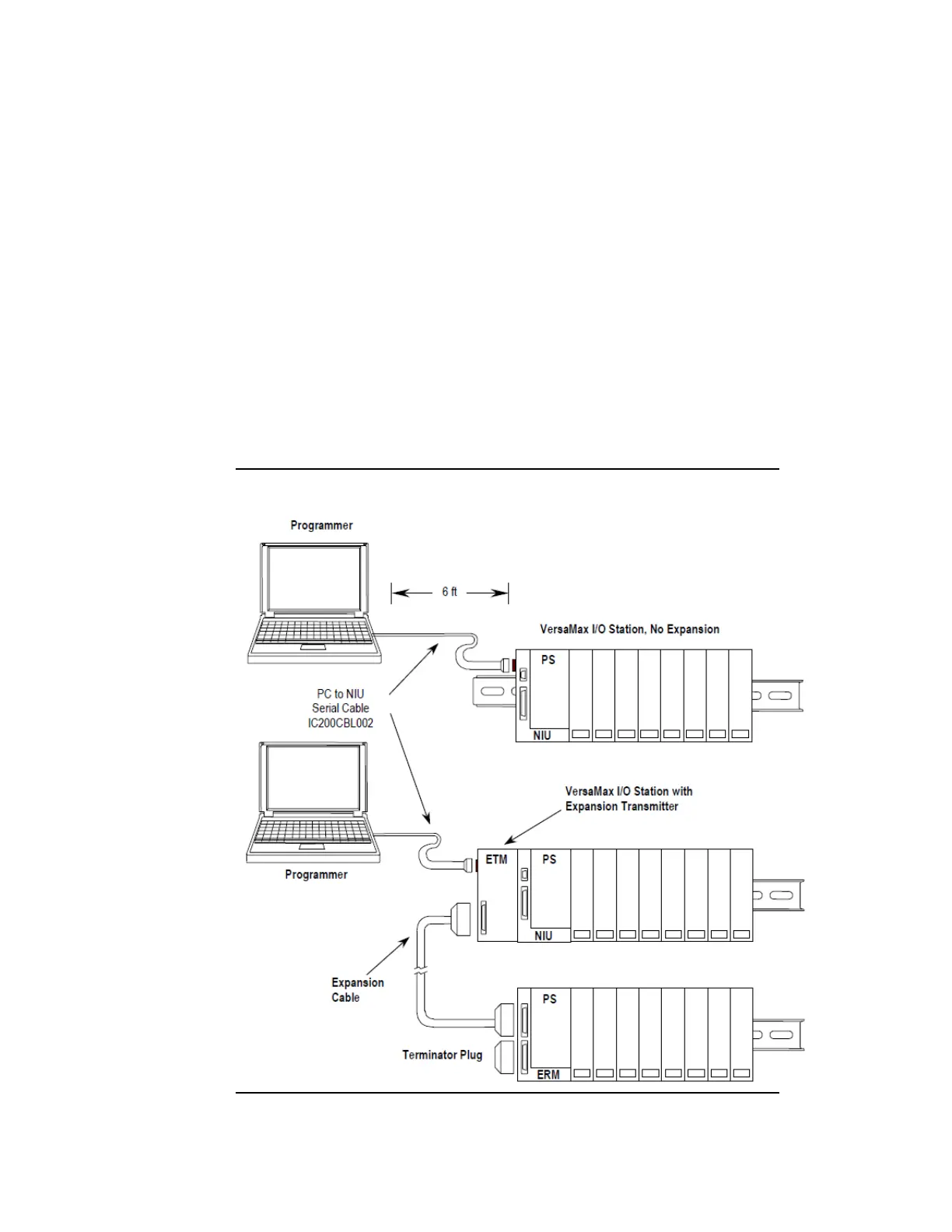
The programming software runs on a personal computer. To download,
upload, verify, and clear NIU configurations, cable IC200CBL002 is
required to connect the PC’s serial port to the I/O station’s expansion
port. This port is located on the left side of the NIU. If an Expansion
Transmitter Module is present, this port is located on the left side of the
ETM. Both are pictured below.
Figure 56: Example PC to NIU Connections



 To Next Page
 Loading...