PACSystems VersaMax Genius Network Interface User Manual Section 2
GFK-1535D Jan 2023
Installation 22
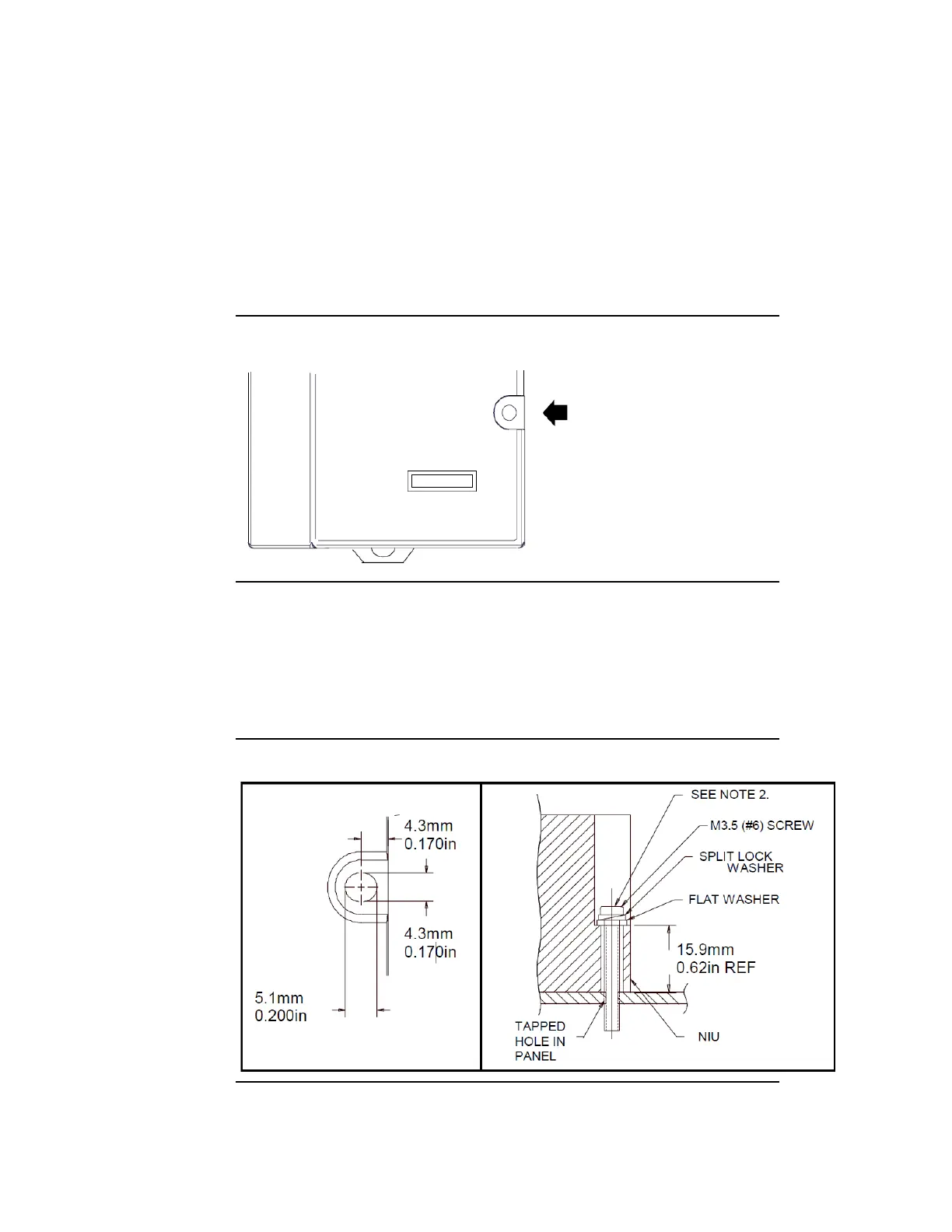
2.4 Panel-Mounting
For maximum resistance to mechanical vibration and shock, the DIN-rail-
mounted module must also be installed on a panel. Using the module as
a template, mark the location of the module’s panel-mount hole on the
panel. Drill the hole in the panel. Install the module using an M3.5 (#6)
screw in the panel-mount hole.
Figure 13: VersaMax Panel-Mounting
Note:
• Tolerances on all dimensions are +/-0.13mm (0.005in) non-cumulative.
•
1-1.4Nm (10-12 in/lbs) of torque should be applied to M3.5 (#6-32) steel
screw threaded into material containing internal threads and having a
minimum thickness of 2.4mm (0.093in).
Figure 14: Panel-Mounting Specifications




 To Next Page