PACSystems VersaMax Genius Network Interface User Manual Section 2
GFK-1535D Jan 2023
Installation 31
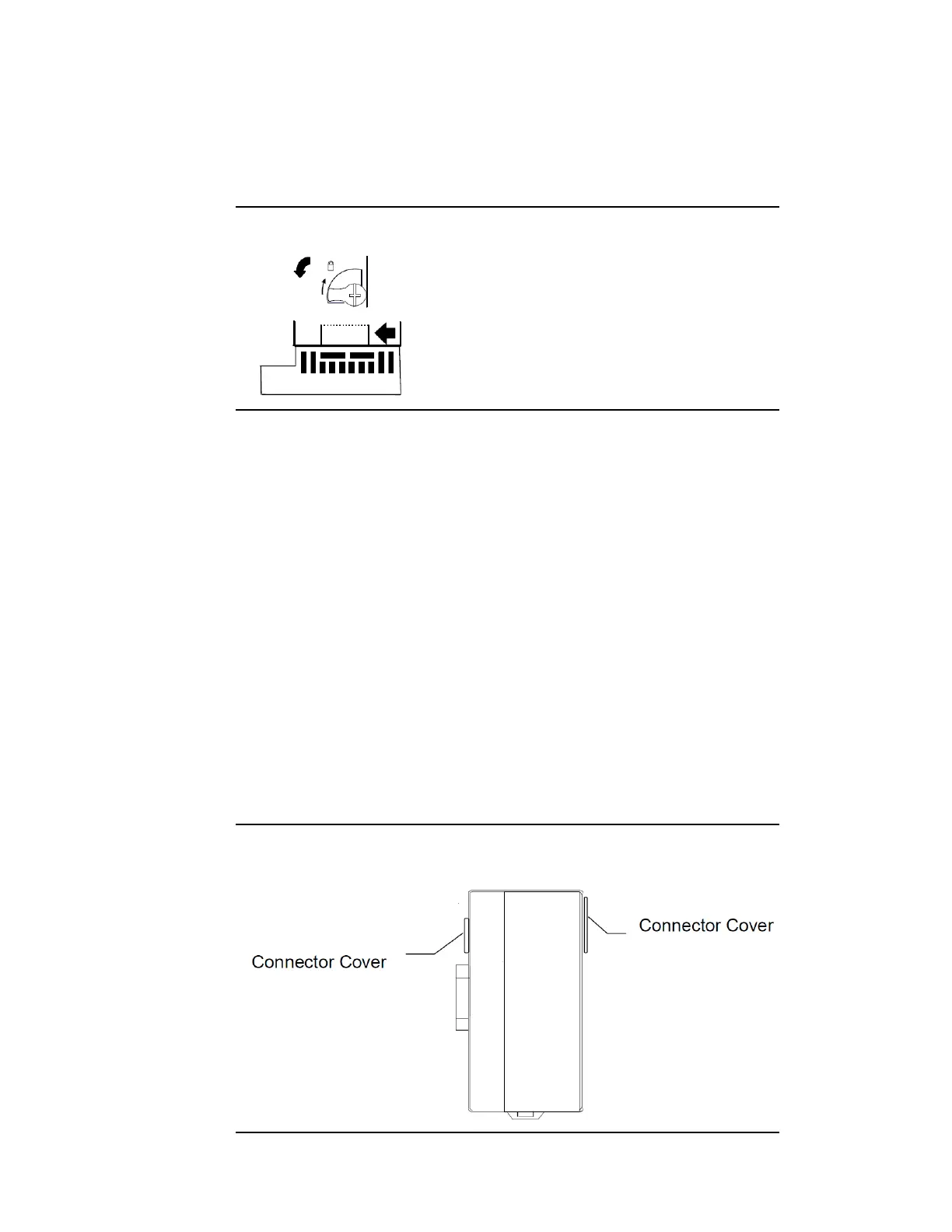
Removing the Power Supply
Exercise care when working around operating equipment. Devices may
become very hot and could cause injury.
Figure 24: Power Supply Removal
1.
Remove power.
2.
Turn the latch to the unlocked position as illustrated.
3.
Press the flexible panel on the lower edge of the power supply to
disengage the tabs on the power supply from the holes in the
carrier.
4.
Pull the power supply straight off.
2.8 Installing Additional Modules
Before joining carriers to the NIU, remove the connector cover on the
righthand side of the NIU. Do not discard this cover; you will need to
install it on the last carrier. It protects the connector pins from damage
and ESD during handling and use.
Do not remove the connector cover on the left-hand side.
Figure 25: Module Connection Covers




 To Next Page