PACSystems VersaMax Genius Network Interface User Manual Section 4
GFK-1535D Jan 2023
Configuration 68
4.3.7 Configure the Genius NIU
NIU configuration establishes the basic operating characteristics of the
Network Interface Unit.
Double-click or right-click on the Rack 0 Slot 0 icon in the Navigator
window to configure the Genius NIU.
Note: If you are using an NIU configuration that was created with a previous version of
the programming software, right-click on the NIU and select Replace Module to
force the programmer to present NIU configuration options that were added after
that version of the programming software was released (e.g. Enhanced Diagnostics
Mode and the GMR CPU Redundancy mode).
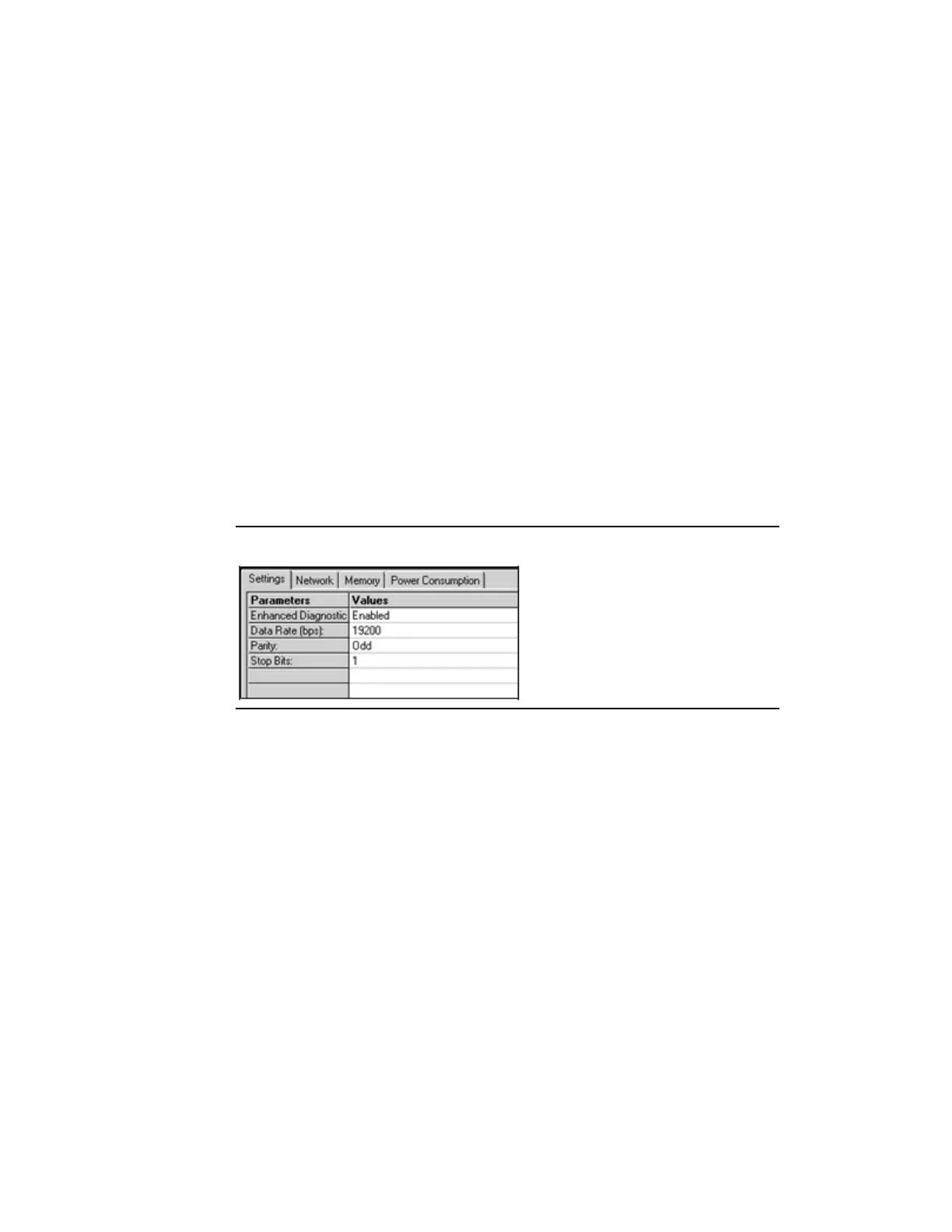
Settings Tab
Note: When the I/O station has one or more Isolated Expansion Receiver Modules, the
Settings tab has a parameter for selecting the expansion bus transmission speed.
This parameter is not shown in the example below.
Figure 49: Settings Tab
Enhanced Diagnostics Mode: A VersaMax Genius NIU version -GJ or
later can be configured to operate in Enhanced Diagnostics Mode PAC
Machine Edition version 5.6 SIM 6 or later is required to configure the
GNU for Enhanced Diagnostics mode. To use the Enhanced Diagnostics
Mode feature of the Genius NIU in any GMR system, version 4.05 of the
GMR System Software is required. Do not enable Enhanced Diagnostics
mode on a Genius NIU in a GMR system that is using GMR System
Software version 4.04 or earlier.
Operation of the Genius NIU in Enhanced Diagnostics mode is described
in Section 3: Operation.




 To Next Page